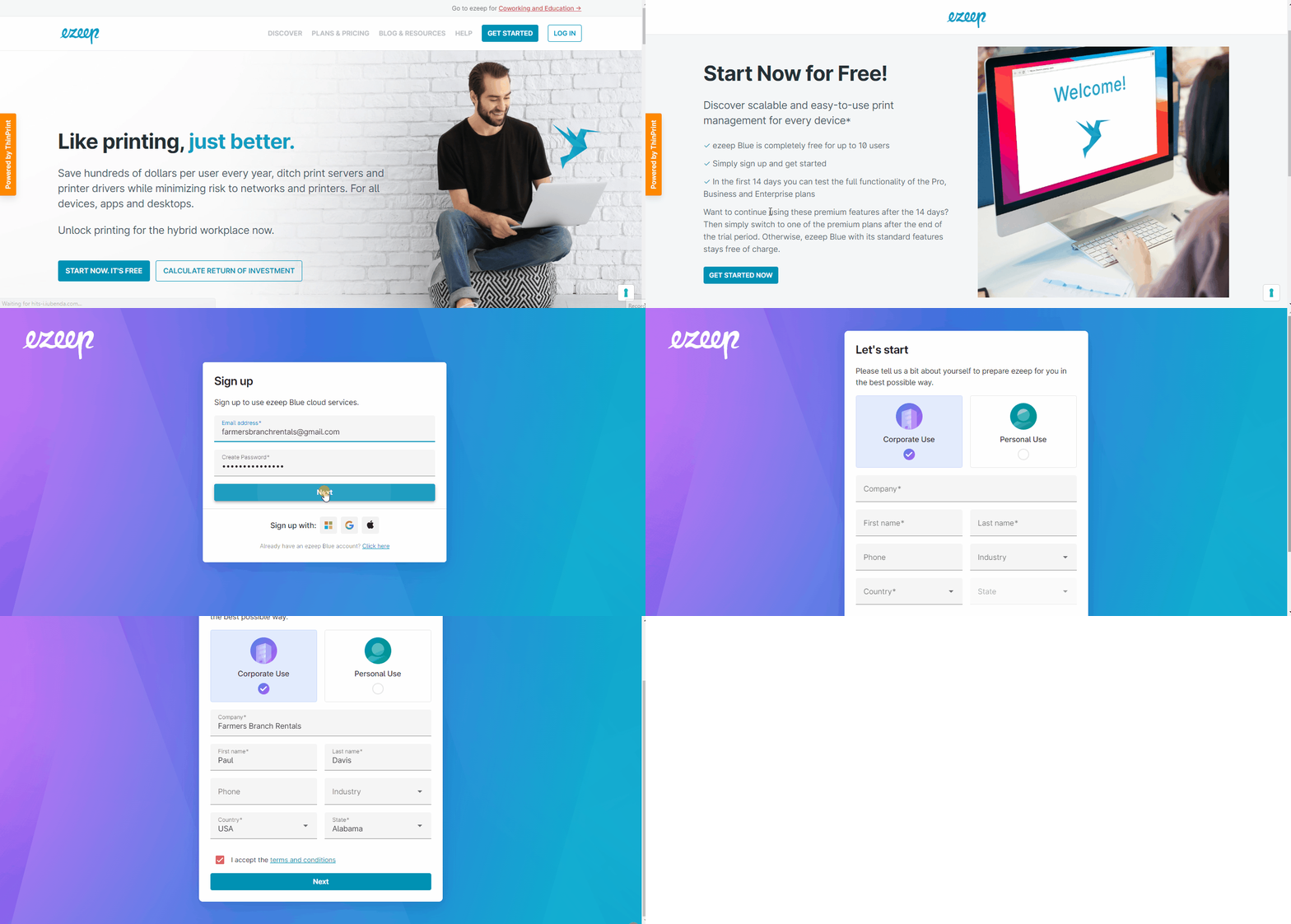
Create an ezeep account at www.ezeep.com. Follow the registration steps to choose a sign-in method and set up your organization or personal account.
- Go ahead and sign-up by going to our website www.ezeep.com and click "Start Now. It's Free"
- Then, pick your sign-up method:
- Choose your preferred email address and create a password
- Sign-in Microsoft
- Sign-in Google
- Sign-In with Apple
- Choose if you want to use ezeep for Corporate Use or Personal Use
- Enter your contact information, read/accept the terms and conditions, and select "Next".
- Finally, click "Get started", you will be logged in to the ezeep Admin Portal. Now, go through the Quickstart steps to get printing! QuickStart to print your first page!
- Note! You will have full features during the 14 day trial.