Invite people to your ezeep organization so they can access assigned printers. You can send individual invitations or use an identity integration for larger deployments.
Note: If you have Entra ID connect your Entra ID. See Entra ID Group Sync
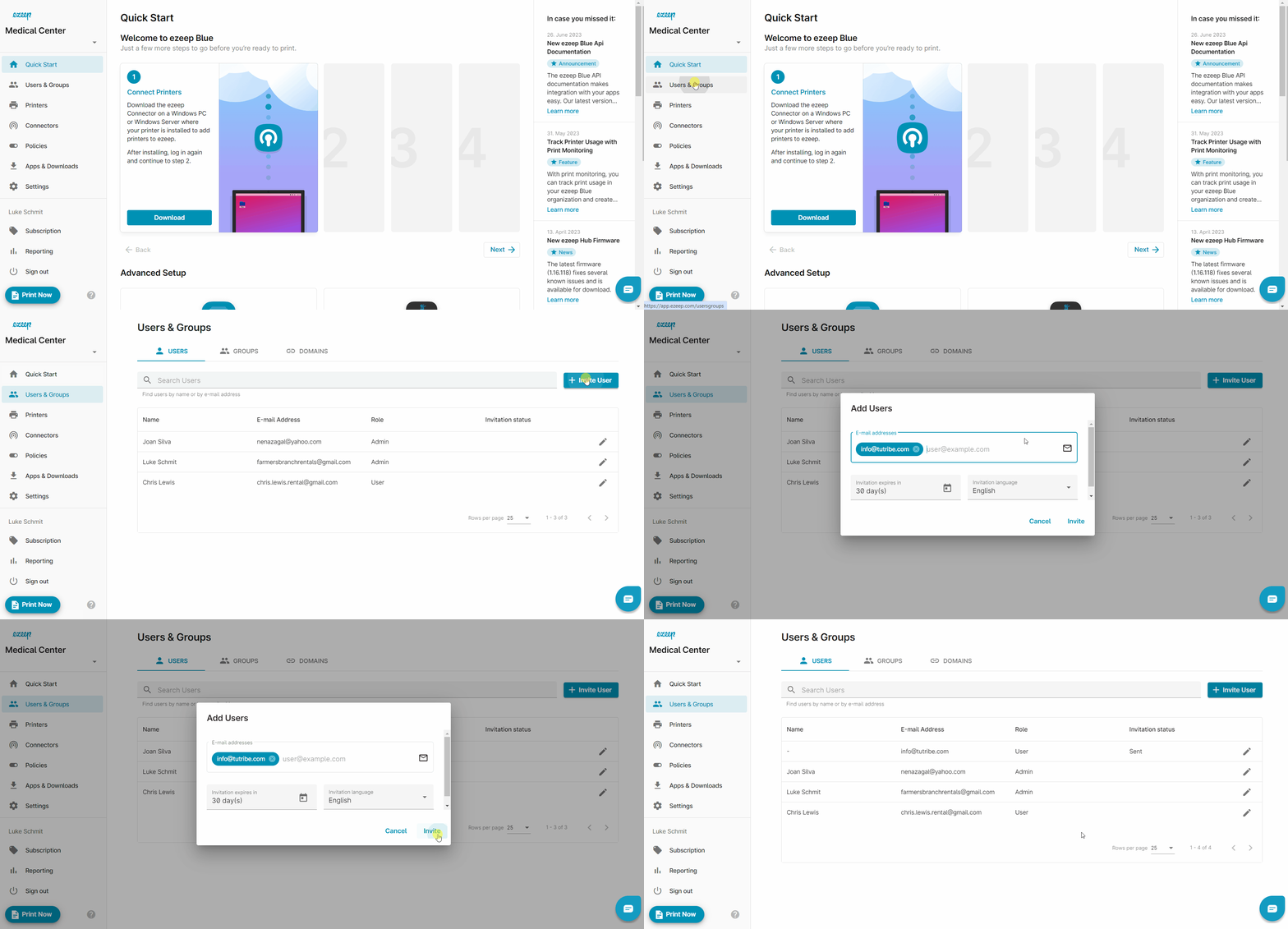
- Log in to the ezeep Admin Portal with your ezeep admin credentials
- Select "Users & Groups" from the left-hand pane.
- Select "+ Invite User" button.
- Enter the email addresses of the users you would like to invite. Enter a space after you are finished with the email address to invite multiple users at once.
You can also set the time an invite is valid by selecting the drop-down menu next to "Invitation expires in:" and selecting the date you want the invite to expire. - Select the "Invite" button in the bottom right corner of the window.
That's it! The user will get an invite via email. The user can go to the email and accept the invite: See link: ezeep User Invite.