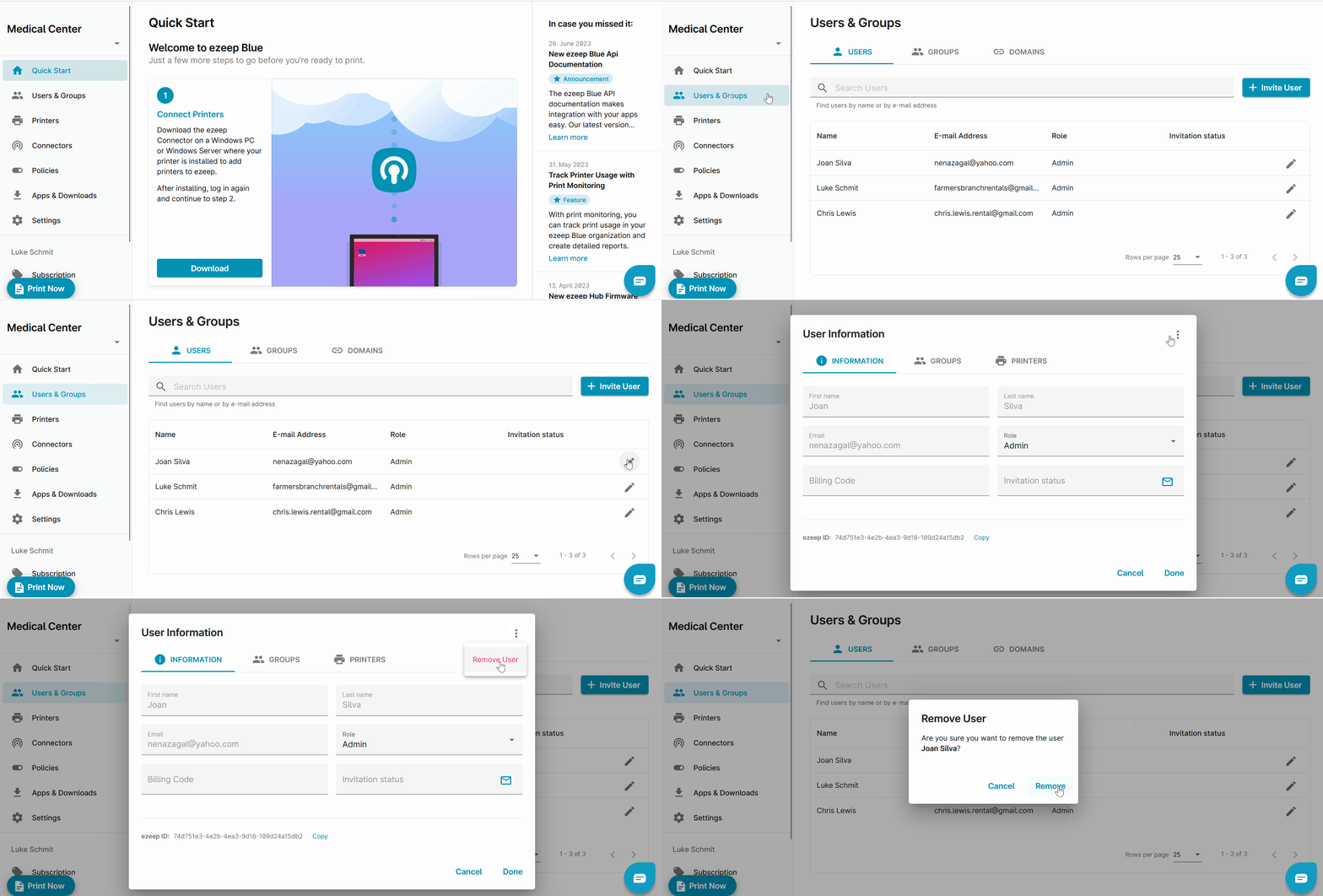
Remove users who no longer need access to your ezeep organization. This guide explains how to remove their accounts from the organization.
For example, users leave the organization or change their physical location. Removing users is simple! Follow these steps:
- Log in to the ezeep Admin Portal with your ezeep admin credentials.
- Select "Users & Groups" from the left-hand pane.
- Find the user that you want to remove.
- Select the pencil icon.
- Select the ellipsis in the top corner (three dots).
- Select "Remove User".
- Confirm by selecting "Remove".