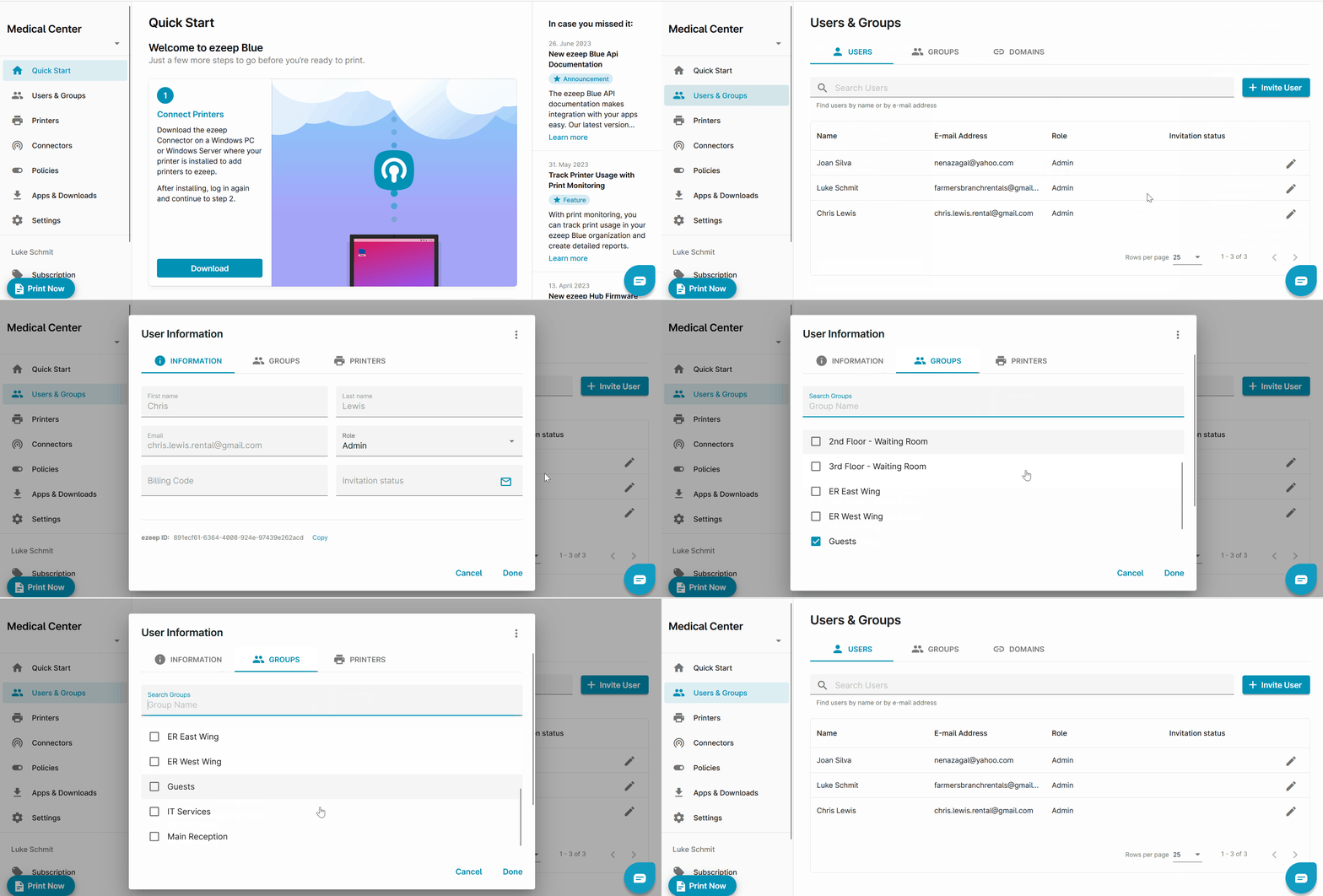
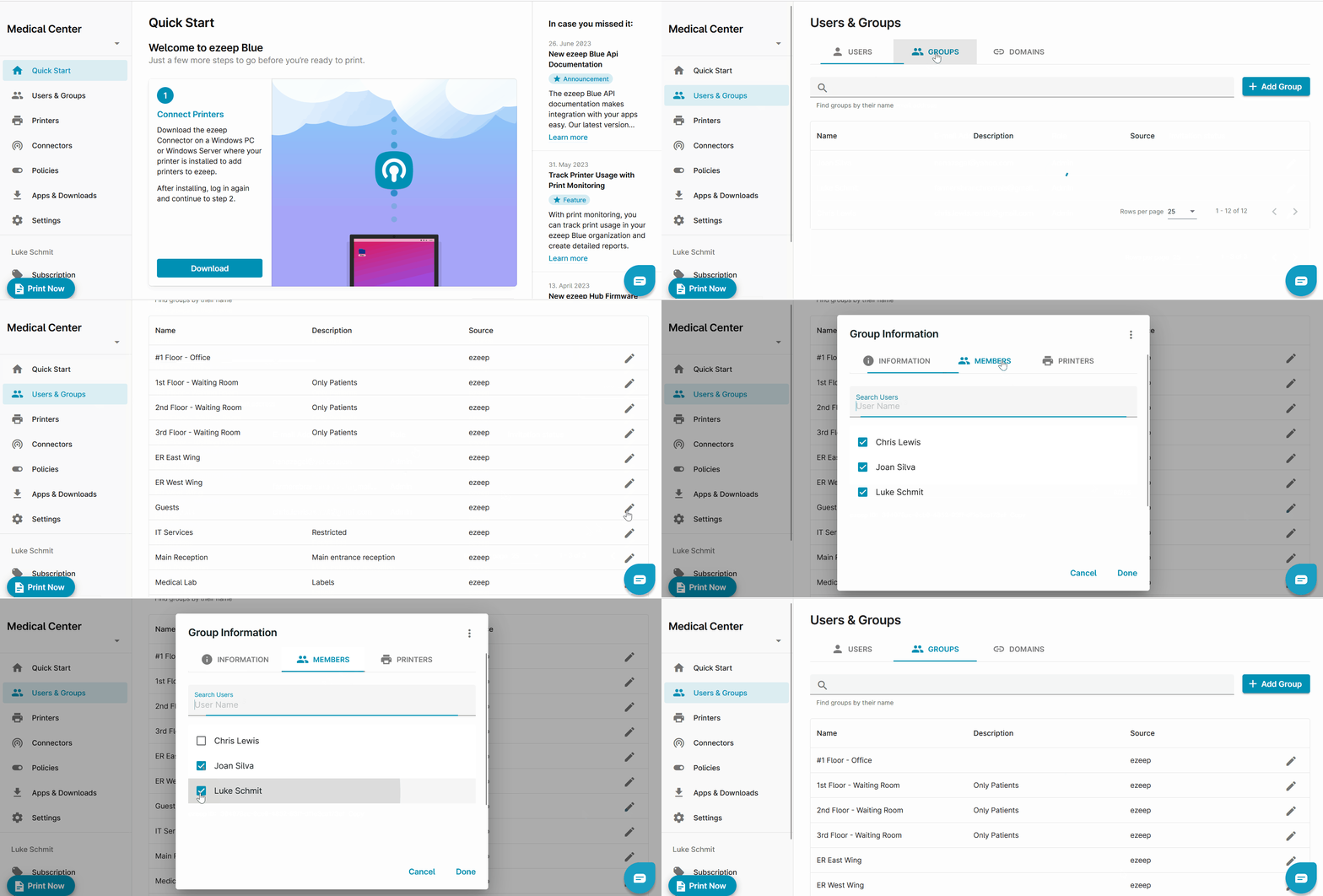
Remove a user from an ezeep group when they no longer need the group's assigned printers. You can update group membership in either of the ways described below.
- Log in to the ezeep Admin Portal with your Admin credentials
Option 1 - Removing Users from a Group
- Select "Users & Groups" on the left pane.
- Select "Groups" tab in the header.
- Find the group and select the pencil symbol to edit the group.
- Select "Members" tab in the header.
- Deselect the users you want to remove from that group.
- Select "Done".
Option 2 - Removing Groups from a User
- Select "Users & Groups" on the left pane.
- Find the user and select the pencil symbol to edit the user.
- Select "Groups" tab.
- Deselect the groups you want to remote to that user.
- Select "Done".