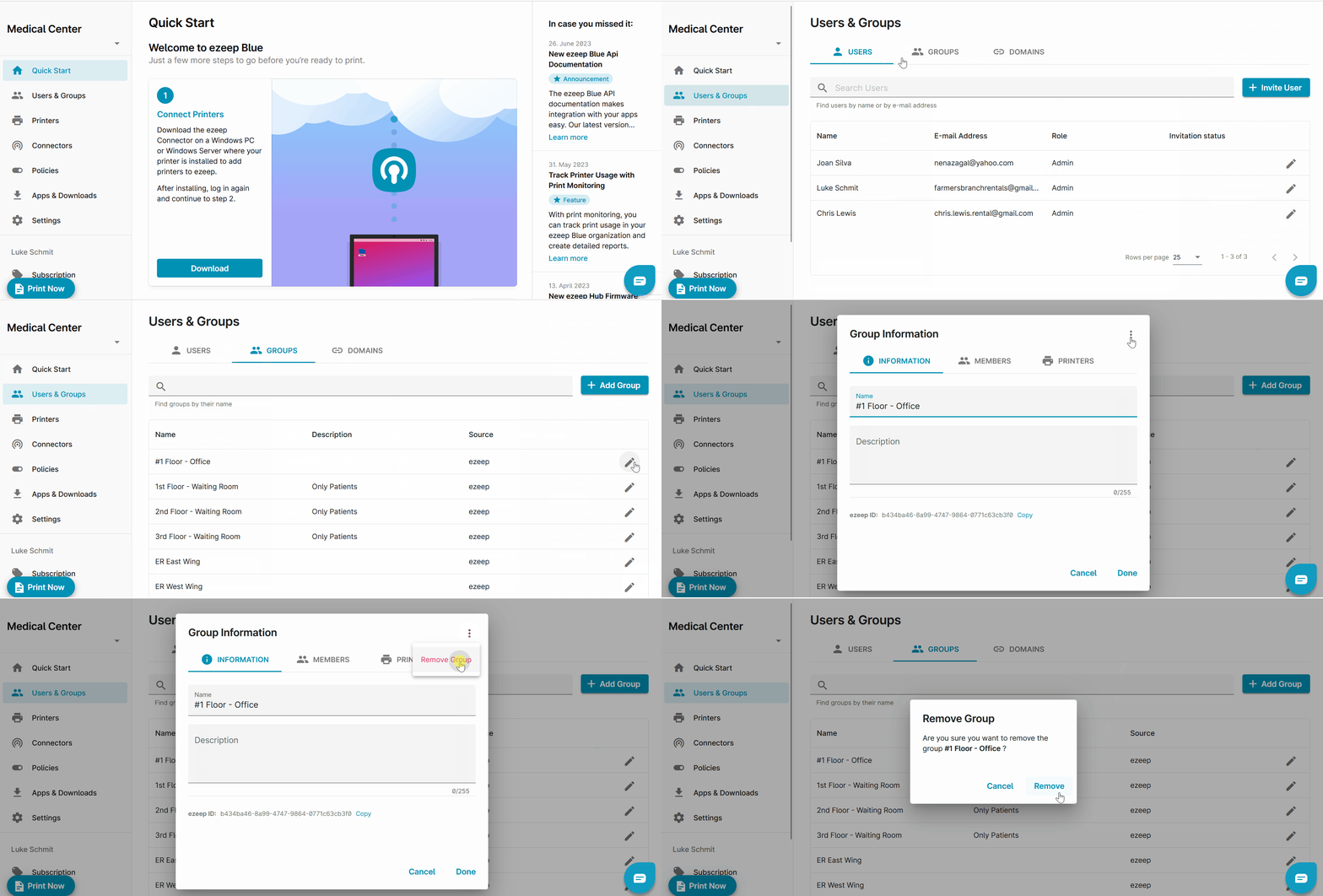
Delete an ezeep group when its printer assignments are no longer needed. Review the group's users and assigned printers before removing it.
Remove an ezeep Group
- Log in to the ezeep Admin Portal.
- Select "Users & Groups" on the left pane.
- Select "Groups" on the top header.
- Select the ellipsis in the top corner (three dots).
- Select "Remove Group".
- Confirm by selecting "Remove".