
Deploy the ezeep Print App, Connector for Print Server, or Remote Desktop Agent silently using the appropriate installer options. The same packages can be distributed through Group Policy or device-management software.
Products & Components
Unattended installation, uninstallation is possible with the following ezeep products:
| Product/Component | Installation program |
| ezeep Print App | ezeepPrintApp.exe |
| ezeep Connector for PS | ezeepConnectorforPS.exe |
| ezeep Remote Desktop Agent | ezeepConnector.exe |
Preparations
Local Administrator permissions are required for all installation and configuration procedures.
Modes of unattended installation
The installation program is downloaded as a setup file (ezeepApp.exe, for example). From this installer an .msi file can be unpacked using the parameter /a. You have to decide on one of the following procedures for unattended installation:
Ether:
- Installation via setup file
All necessary components will be copied to the target machine. Afterwards the setup file will be started there with parameters. - Installation via .msi file
Distribution of the .msi file. Extract the .msi file from the setup file with the parameter /a.
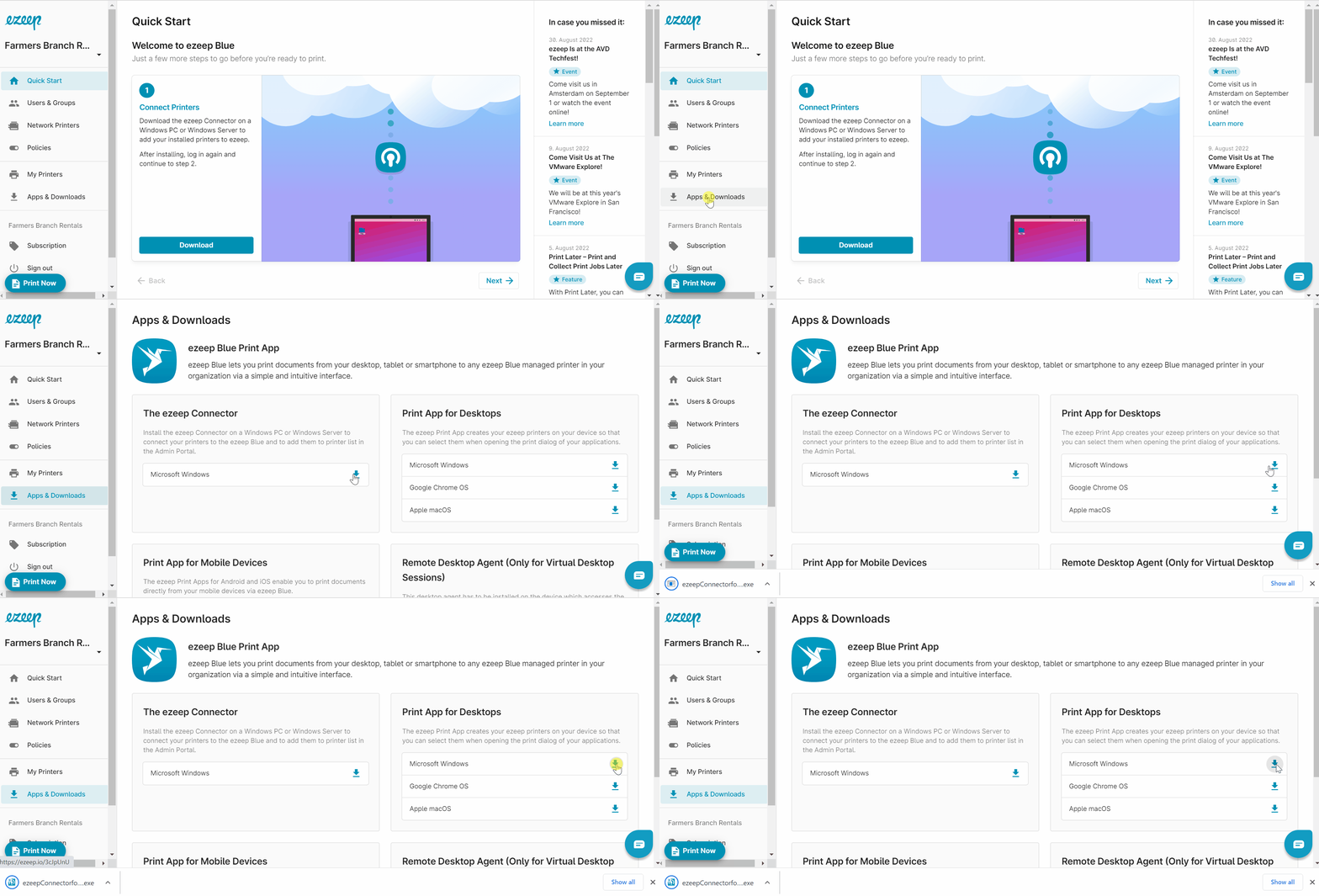
Download the setup file/installer
- Log in to the ezeep Admin portal.
- Select "Apps & Downloads".
- Download the installer for Windows.
Installation via setup file
- Copy the setup file to a directory of the target windows machine.
- Open a command prompt as administrator and change into the directory that contains the downloaded installer file.
- Run one of the following commands to start the unattended installation:
- Examples below:
- For ezeep Print App: ezeepPrintApp.exe /S /V"/qn/"
- For ezeep Print App with Azure auto-login enabled: ezeepPrintApp.exe /S /V“/qn/ ADDLOCAL=ALL”
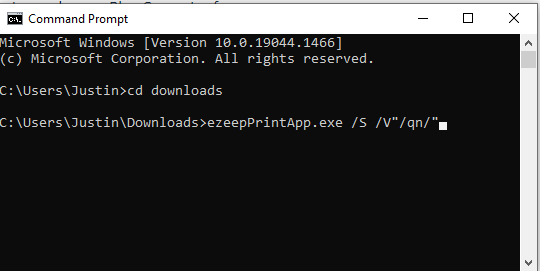
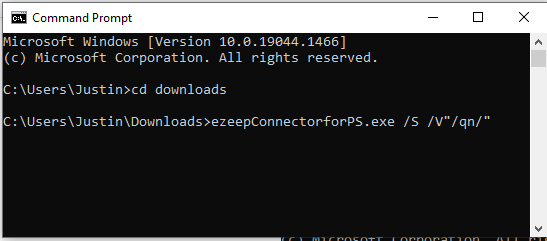
- For ezeep Connector for Print Server: ezeepConnectorforPS.exe /S /V"/qn/"
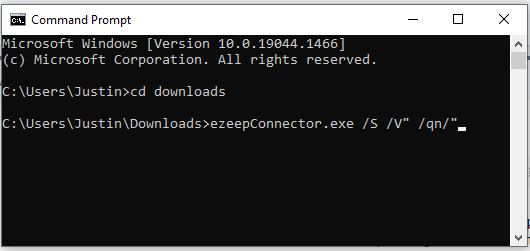
- For ezeep Remote Desktop Agent: ezeepConnectorforPS.exe /S /V"/qn/"
 Installation via .msi file
- Unpacking the setup file
From this setup file an .msi file can be unpacked using the parameter /a. Extract the .msi file of the setup program, for example.
ezeepPrintApp.exe /s /a"C:\temp\extract\SetupPrerequisites" /b"C:\temp\extract\FullMSI" /v"TARGETDIR=C:\temp\extract /qb"
ezeepConnectorforPS.exe /s /a"C:\temp\extract\SetupPrerequisites" /b"C:\temp\extract\FullMSI" /v"TARGETDIR=C:\temp\extract /qb"ezeepConnector.exe /s /a"C:\temp\extract\SetupPrerequisites" /b"C:\temp\extract\FullMSI" /v"TARGETDIR=C:\temp\extract /qb"
Note: This will unpack the .msi file and the prerequisites to c:\install
The /b parameter ensures that the signature of the MSI file is retained
For a successful automatic deployment, deploy the software packages from the folder .\SetupPrerequisites first before installing the MSI file from the folder .\extract\FullMSI. 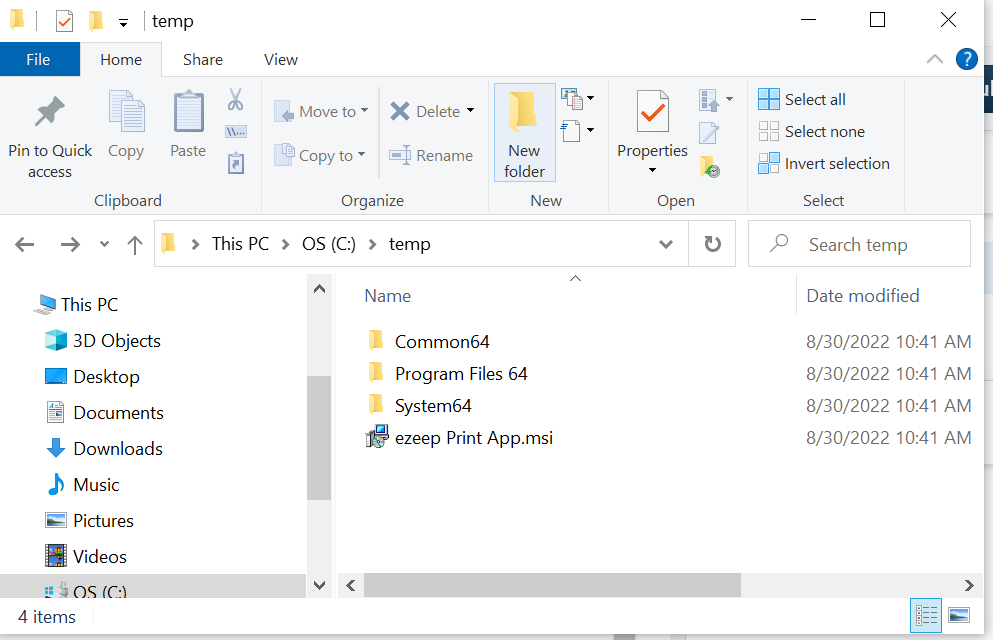
The MSI can now be used to deploy with the respective msi parameters
Parameters for setup file, ezeep MSIs and MsiExec.exe
Setup file
Parameters for setup file or the respective .msi file
| Parameter | Meaning |
|---|---|
| /s | Does not show the initial dialog |
| /v | All following characters will be assigned as parameters to MsiExec.exe. |
| /qn | unattended installation (q), no user interface (n) |
| /qb | unattended installation (q), basic user interface (b) |
| /L | Language ID |
| /x | uninstallation |
MsiExec.exe
Extract of parameters for MsiExec.exe:
| Parameter | Meaning |
|---|---|
| /i | installation |
| /q | unattended |
| /qn | unattended installation (q), no user interface (n) |
| /qb | unattended installation (q), basic user interface (b) |
| /l, /log, /L*v | detailed logging |
| /x, /uninstall | uninstallation |
See also the Windows Installer Command-Line options at:
https://msdn.microsoft.com/en-us/library/aa367988(VS.85).aspx or
https://technet.microsoft.com/en-us/library/cc759262%28v=WS.10%29.aspx.