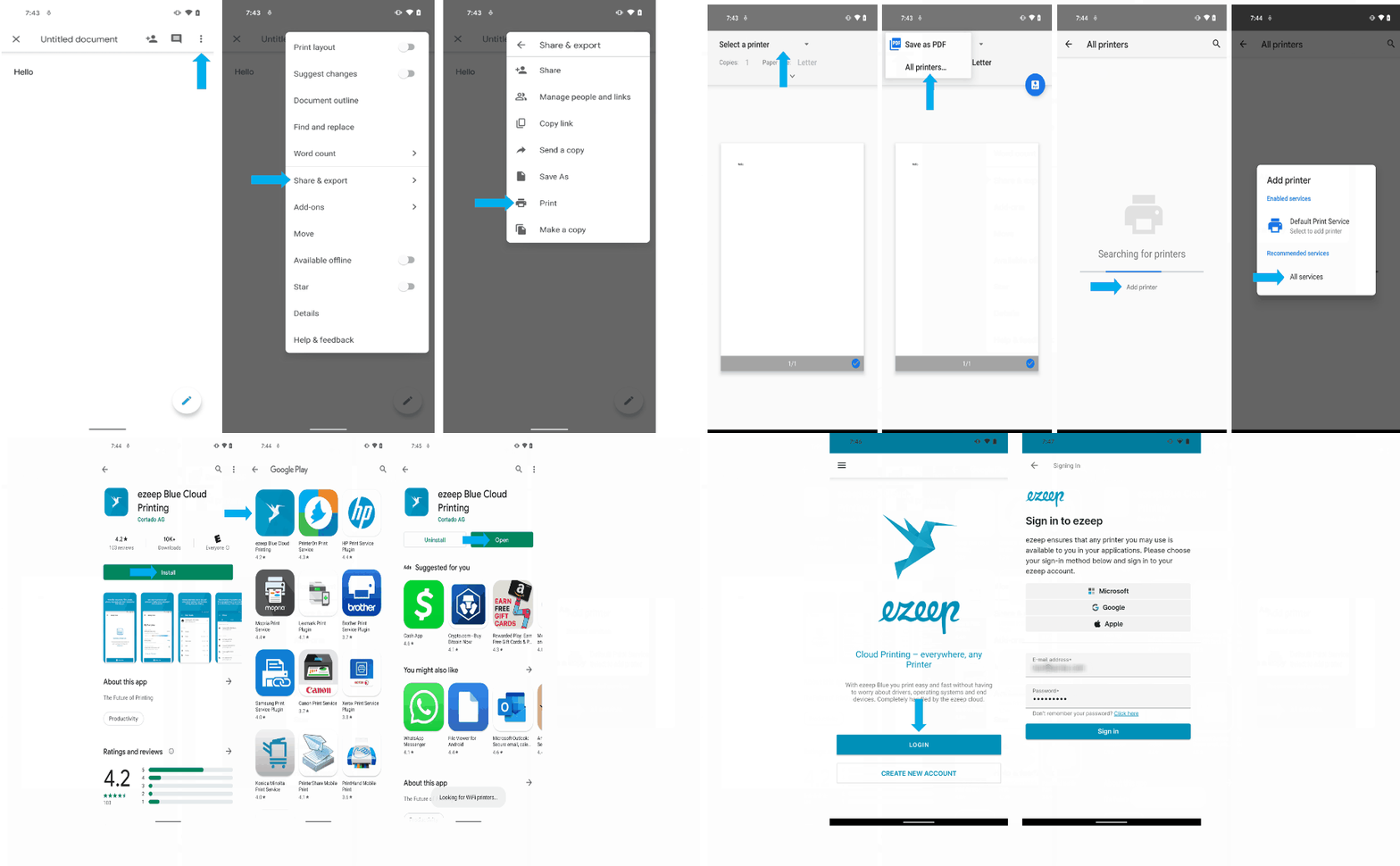
Install ezeep as an Android print provider from the system print dialog. You can also use Google Play; see ezeep Print App for Android.
Technical Requirements
For technical requirements, see this link: Technical Requirements
Install & Download
Follow these steps on your Android device:
- Open any document.
- Tap the three dots in the top right corner.
- Tap "Share & Export".
- Tap "Print".
- Tap "Select Printer".
- Tap "All Printers".
- Tap "Add printer".
- Tap "All Services".
- Select ezeep Cloud.
- Tap "Install".
- Wait for the installation to finish, then tap "Open".
- Tap "Login" and enter your ezeep credentials.
- You are ready to start printing! See the next article: Printing from Android device.