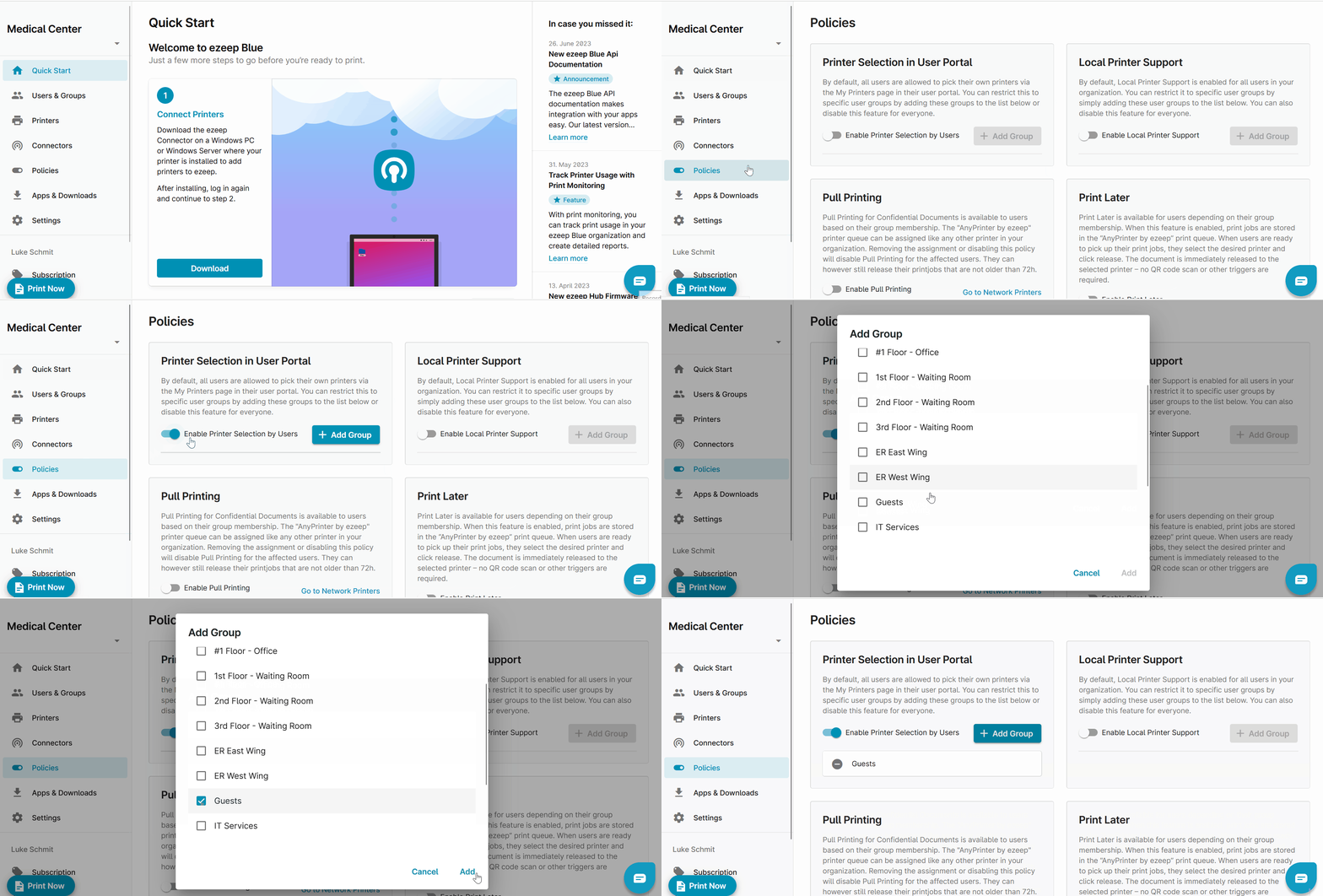
The Printer Selection in User Portal policy controls who can choose printers through My Printers. Administrators can enable it for everyone, limit it to specified groups, or disable it.
Note: The "My Printers" page in the ezeep user portal will be available only if policy is enabled.
Enable Printer Selection Policy
- Log into the ezeep portal with your admin credentials
- Open the menu item "Policies" in the left pane.
- Find the policy "Printer Selection in User Portal" and enable it by moving the toggle to the right.
- Select "+Add Group" and select the groups that will access printer selection via "My Printers".
- When the user logs into the ezeep user portal, they will see the "Printers" section on the left pane.