
Local Printer Support lets users print from a virtual desktop to printers connected to their own devices. Administrators can enable this policy for specific groups or disable it organization-wide.
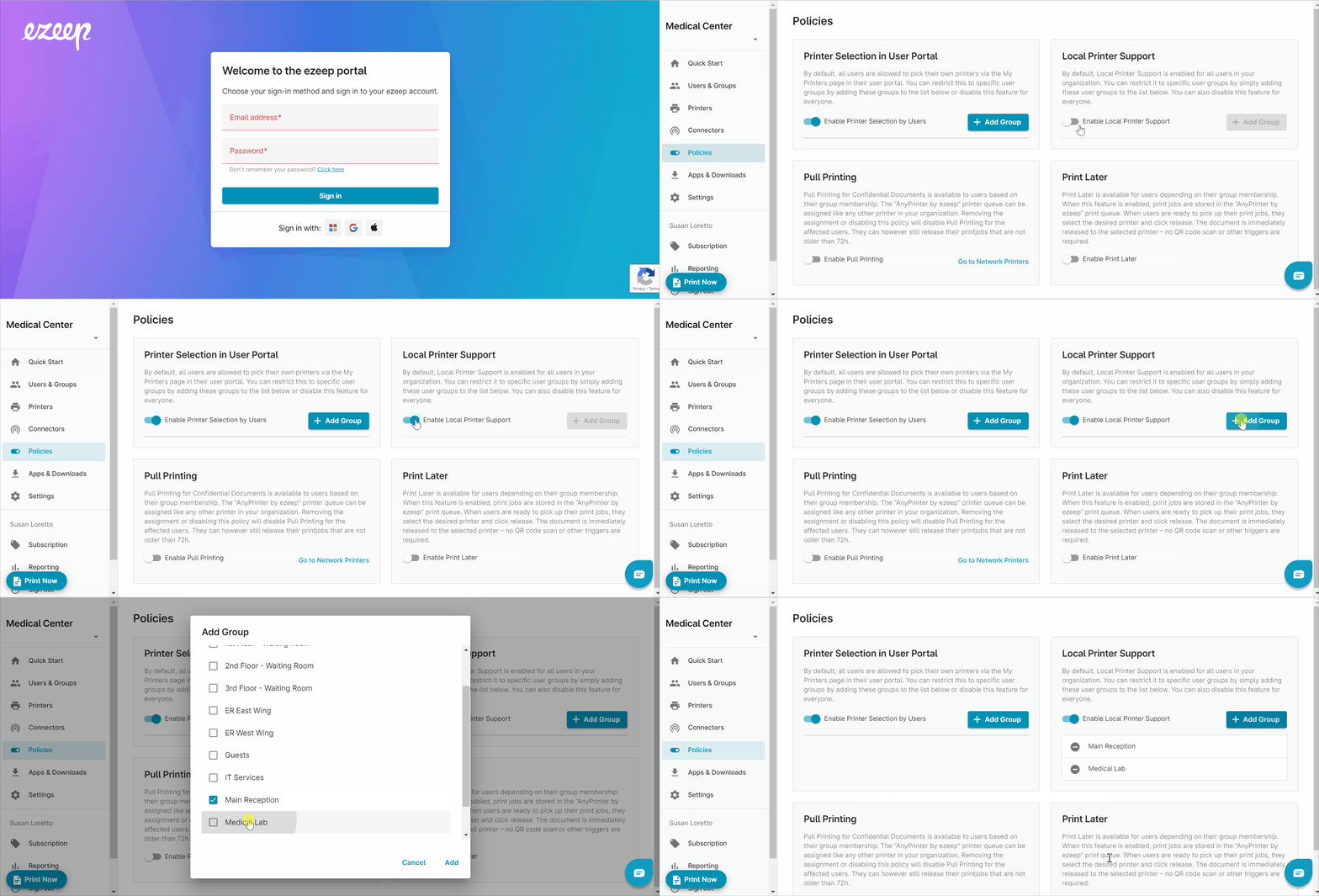
Enable Local Printer Support Policy
- Log into the ezeep portal with your admin credentials
- Open the menu item "Policies" in the left pane.
- Find the policy "Local Printer Support" and enable it by moving the toggle to the right.
- Select "+Add Group" and select the groups that will be allowed to redirect their local printers to their virtual desktops.
After local printer support is enabled, the user will need to download and install the ezeep Remote Desktop Agent on their local PC where their local printer(s) are set up. See link: ezeep Remote Desktop Agent for Windows & MacOS.