
Cancel your ezeep subscription from the Admin Portal using the steps below. Subscriptions purchased through Azure Marketplace must be managed there instead.
Note: Did you subscribe via the Azure Marketplace? If so, you must cancel through the Azure MarketPlace.
How to Cancel ezeep Subscription
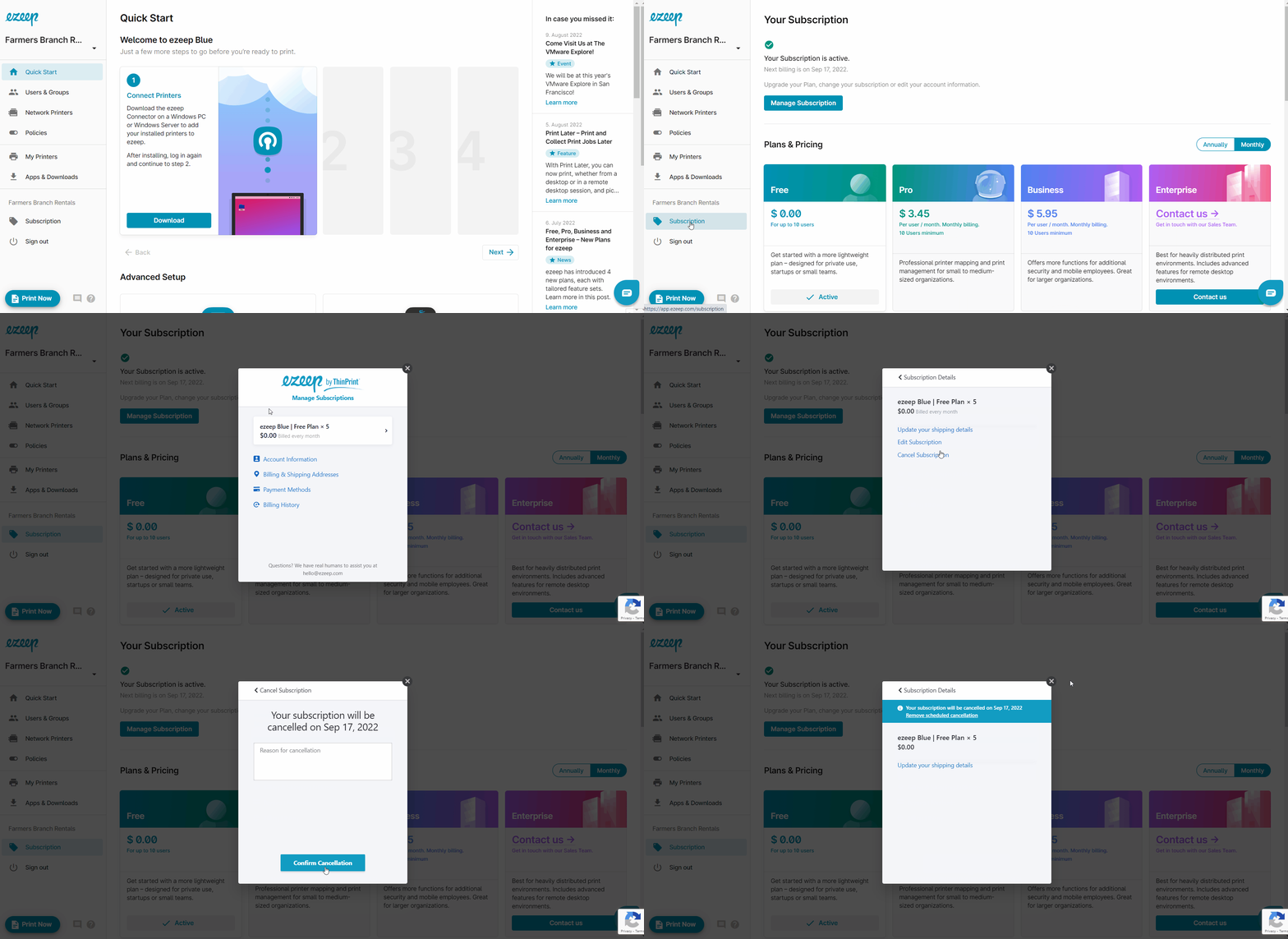
- Go to the ezeep Admin Portal and login with your credentials
- Scroll down to "Subscription" on the left pane
- Select “Manage Subscription”
- Select the subscription you want to cancel.
- Select “Cancel Subscription".
- Review your subscription information, enter a reason for cancellation
- Select “Confirm Cancellation.”
Note: If you're still in the trial period, please contact ezeep support for assistance with your cancellation request.