
Reactivate an ezeep subscription through the Admin Portal after a trial expires or a subscription is canceled, using the steps below.
How to reactivate ezeep Subscription
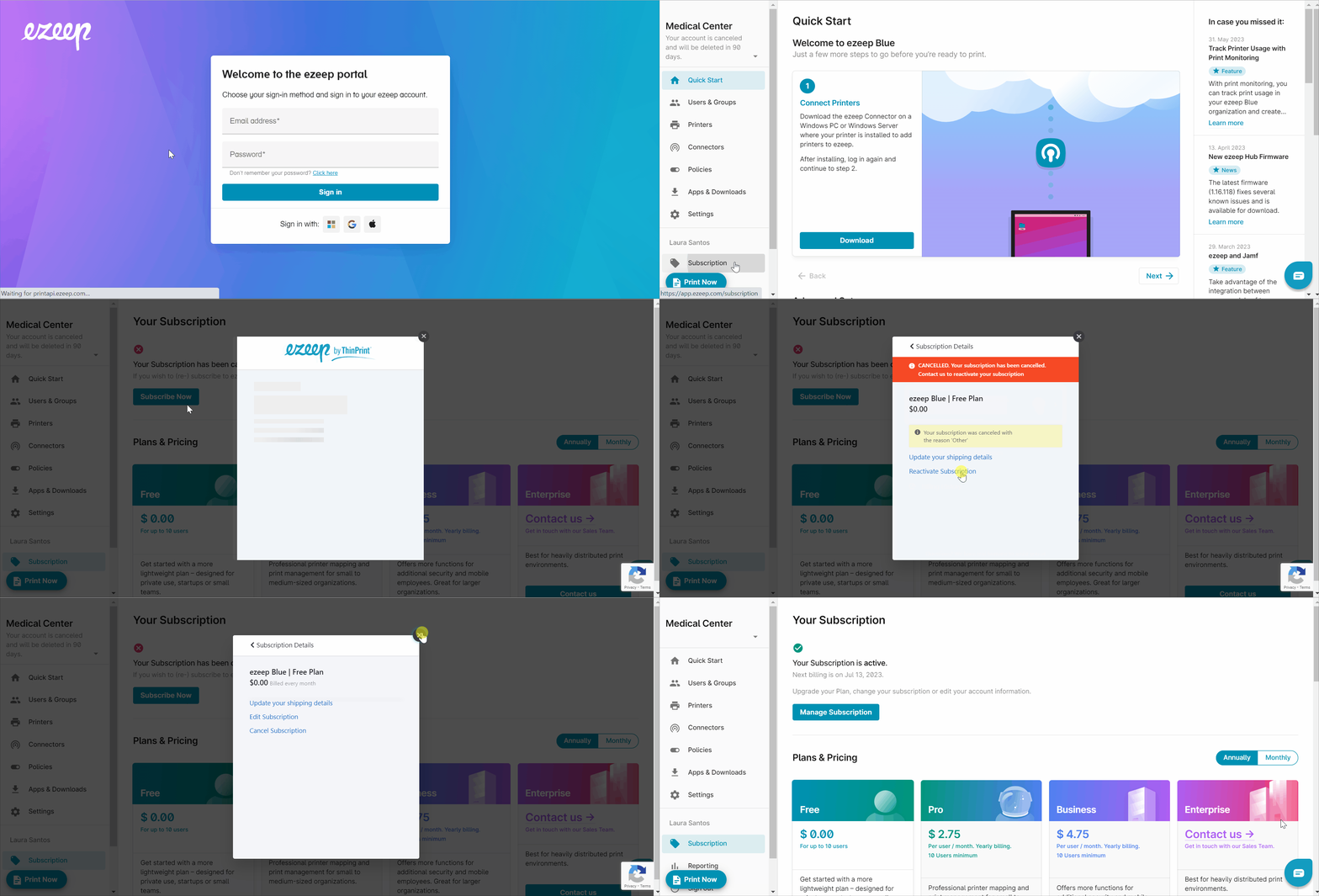 Steps:
- Log in to the ezeep Admin Portal with your credentials
- Select "Subscription" on the left pane
- Click "Subscribe Now"
- Click Payment Methods to add or update your payment information
- Click Billing & Shipping Addresses to ensure that your Billing Address is correct.
- Click "Reactivate Subscription" and confirm.
- You can now select the ezeep plan that best suits your printing needs.
- The ezeep subscription billing cycle starts immediately. You will receive your first invoice and payment confirmation by email.
- You are ready to start printing again!