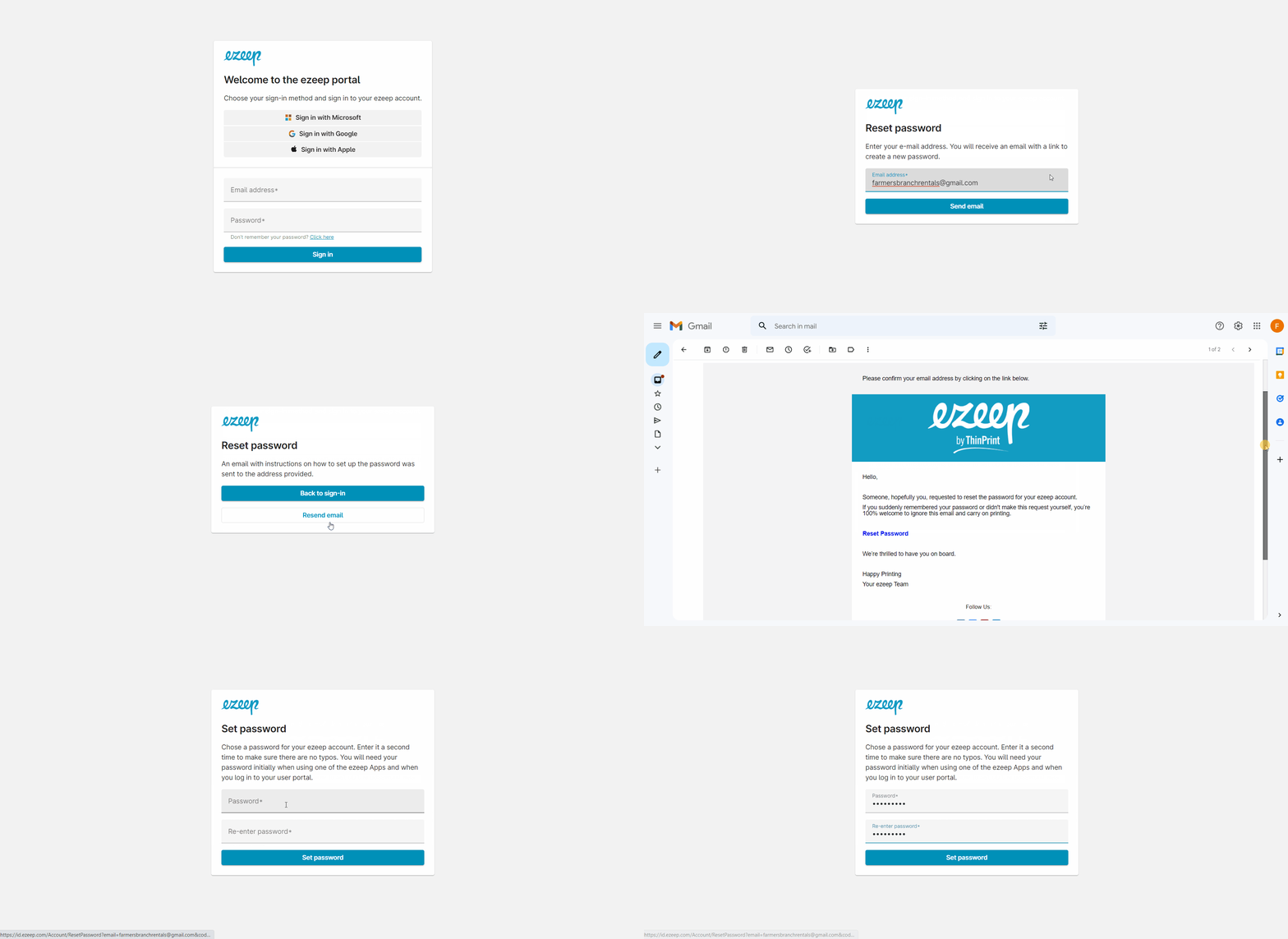
Reset your ezeep account password using the appropriate recovery method. Accounts using Microsoft, Google, or Apple sign-in must manage their credentials with that identity provider.
Note: These steps do not apply if you signed up using Single Sign-On (SSO) with Google, Microsoft, or Apple accounts.
Resetting Your ezeep Password
To reset your password, go to the ezeep Portal Login and select "Don't remember your password?" to initiate the password reset process.
- Enter your registered email address and select "Send email" to receive a password reset link.
- Open the email from ezeep and click the password reset link provided.
- Enter a new password in the reset form and confirm it.
- Your password has been updated. You can now log in to the ezeep Admin/User Portal using your new credentials.