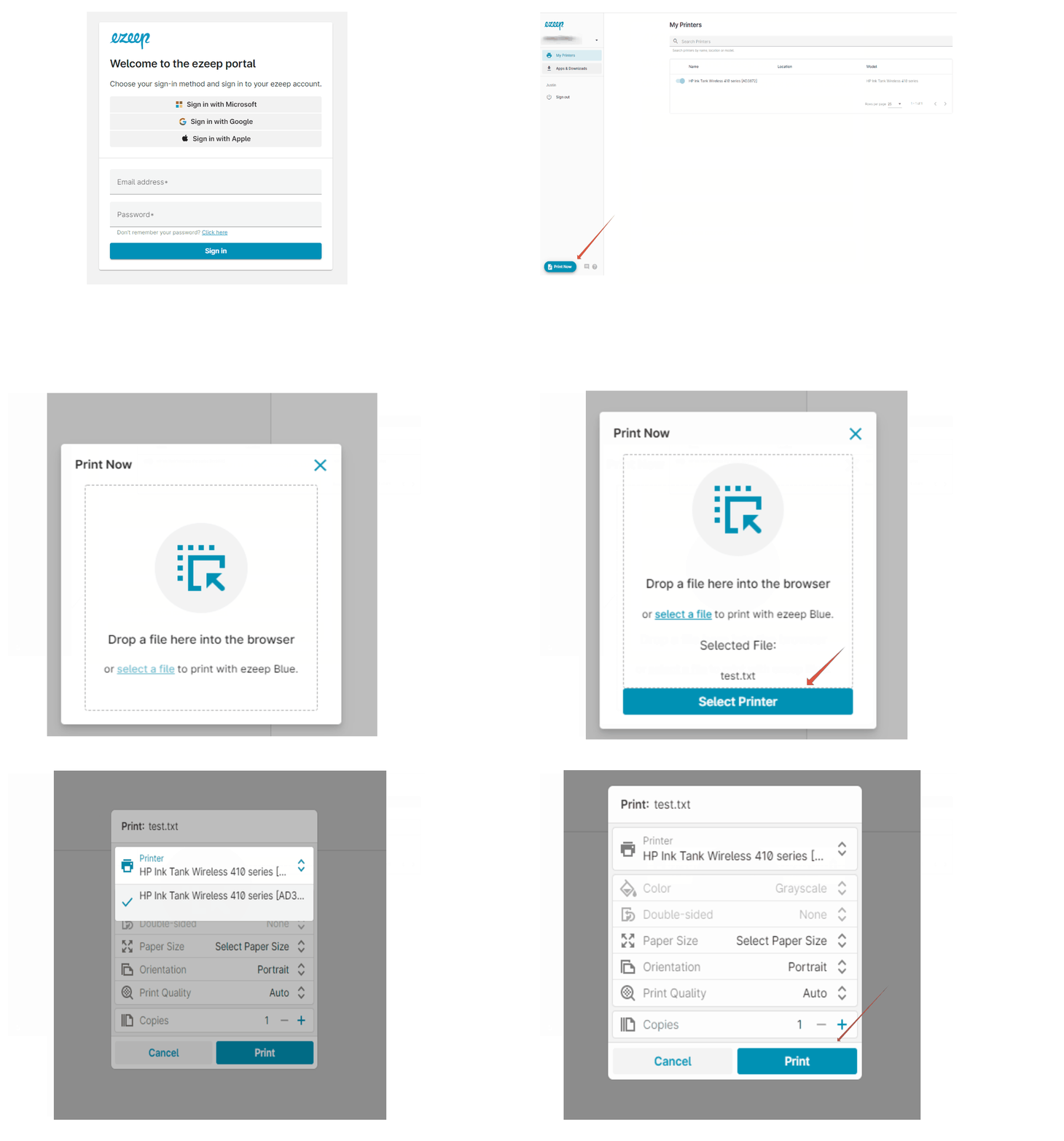
Use Print Now in the ezeep user web portal to send documents to assigned printers without installing a desktop app. If no printers appear, see Assigning Network Printers.
- Log in to the ezeep Portal
- Click the "Print Now" button on the left pane.
- Select a File.
- Select a Printer.
- Click "Print".
- Congratulations, you've now printed a page from the ezeep user portal!