Managed service providers can manage multiple customer organizations from one administrator account. Create a separate ezeep organization for each tenant, then switch between organizations in the Admin Portal.
Note: an existing organization is required by signing up to ezeep. If you have not signed up, follow this link first Sign-Up via the ezeep website
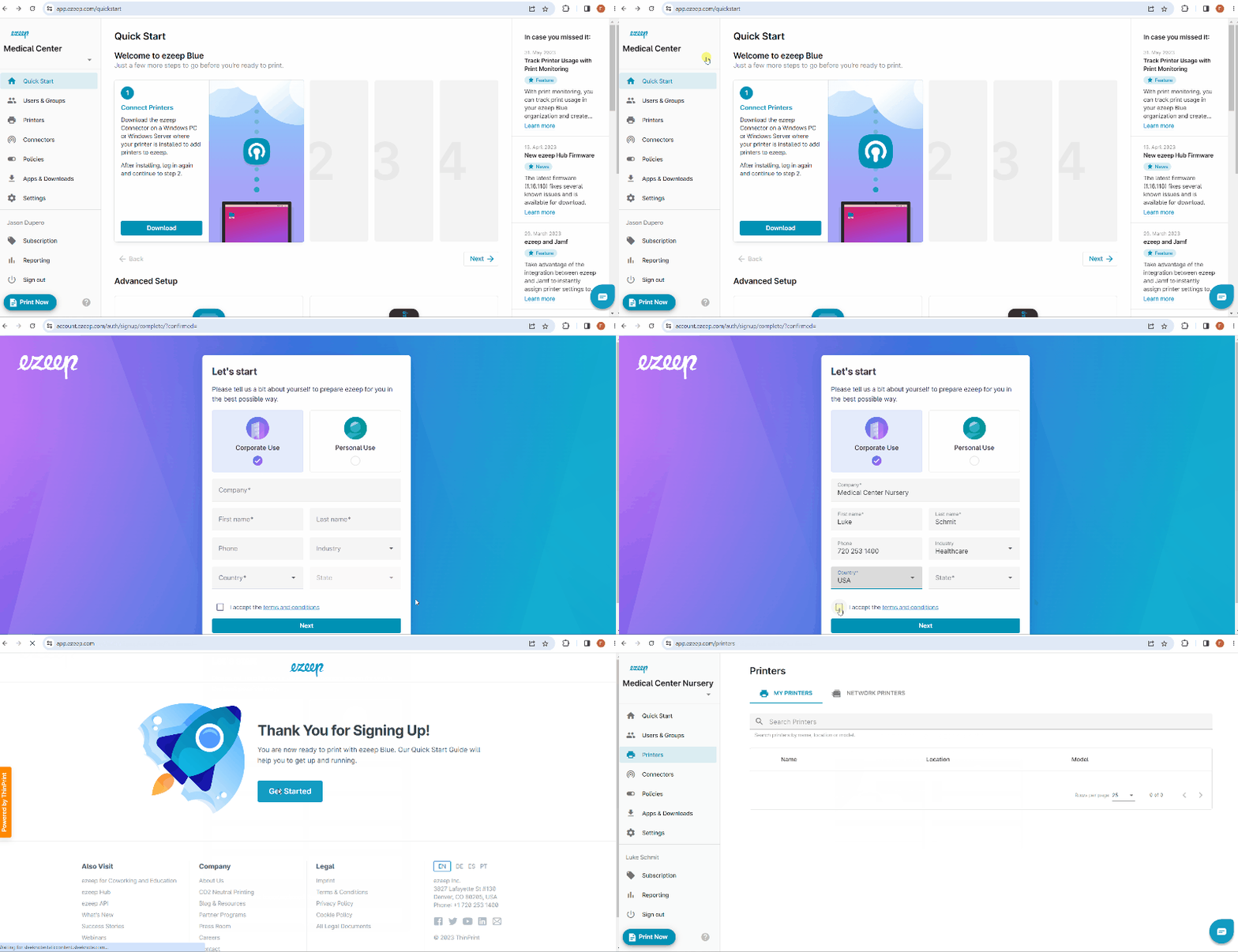
- Log in to the ezeep Admin Portal
- Click the drop-down arrow by the organization name
- Click + "Create Organization".
- Choose option "Corporate Use" or "Personal Use".
- Enter your contact information and select "Next". You´ll be ready to use your new ezeep account.
- Once you log in to the ezeep Admin Portal, You can manage each of your tenants from each of their portals individually by selecting the organization in the drop down on the left-top pane.