Use Cortado MDM to deploy managed ezeep app settings to enrolled devices. For available configuration keys and options, see Managed app configurations when using an EMM solution.
Set up Managed Configurations on Android
Set up Managed Configurations on iOS
Set up Managed Configurations on Android
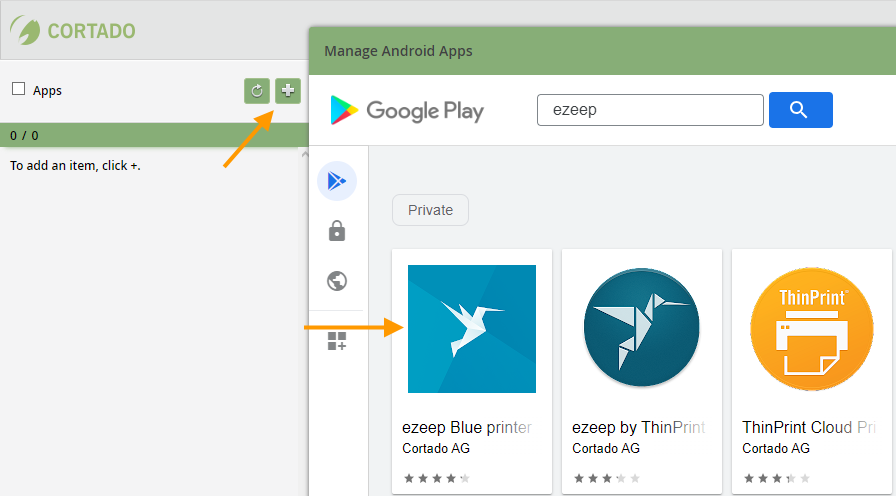
- Import the ezeep app into the Cortado administration portal.
- To do this, click the Plus button (left arrow in illus.) under Administration→ Apps. Then select the platform Android and Google Play Store apps. Search for and approve the app (right arrow in illus.).
- You can find detailed instructions on how to do this in our help article Add Android apps from the Google Play Store.
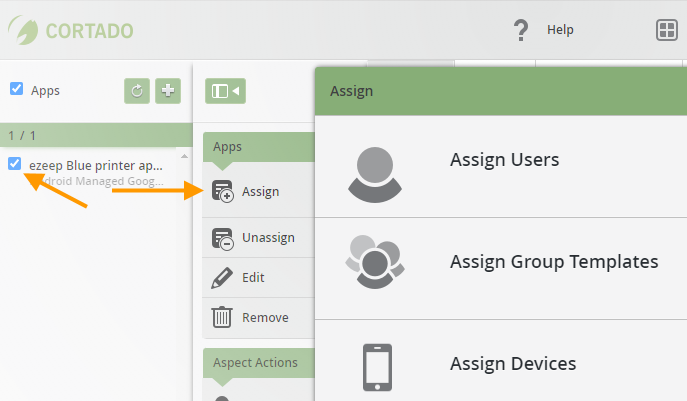
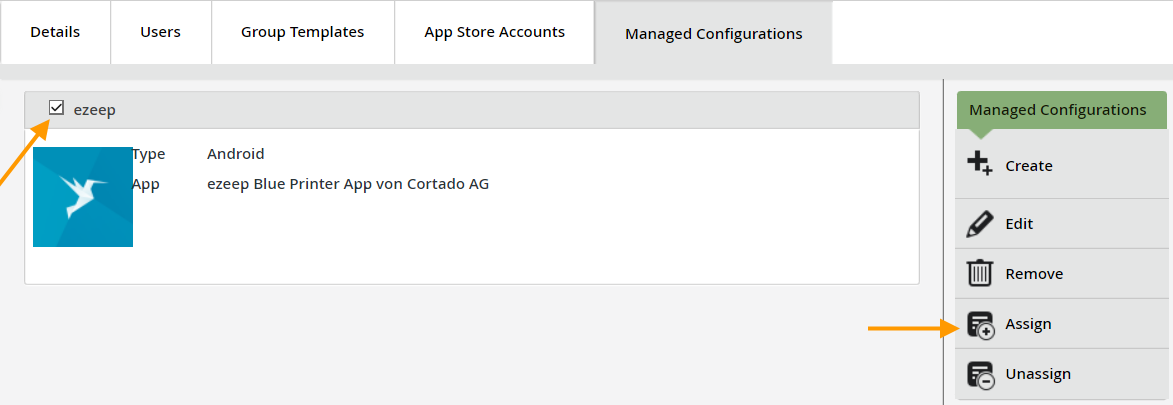
- After configuration select the app (left arrow in illus.) and assign it to the users/group templates/devices (right arrow in illus.).
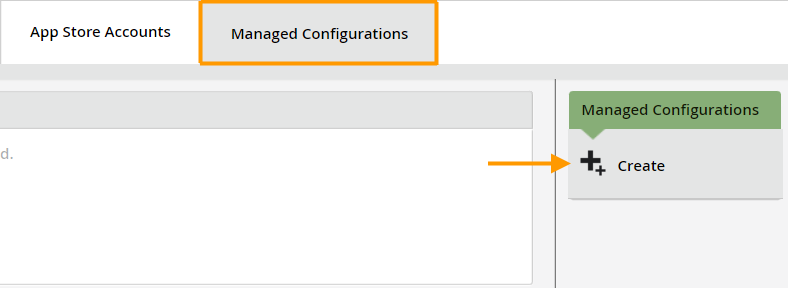
- In the app management click Create under Managed Configurations (right arrow in illus.).
- Add a managed configuration for the ezeep app. You can learn how to do this in our help article Creating managed configurations for Android apps.
- Now all configuration options available for the ezeep app are displayed. All information about this can be found in our help article Set up Managed Configurations when using an EMM solution.
- In the example, some configurations has been made (arrows in illus.).
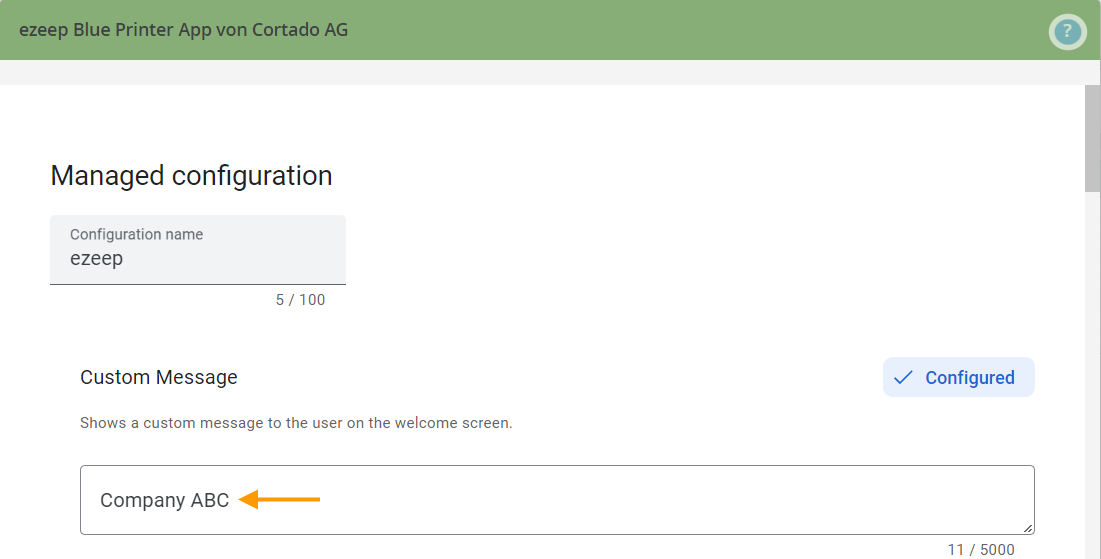
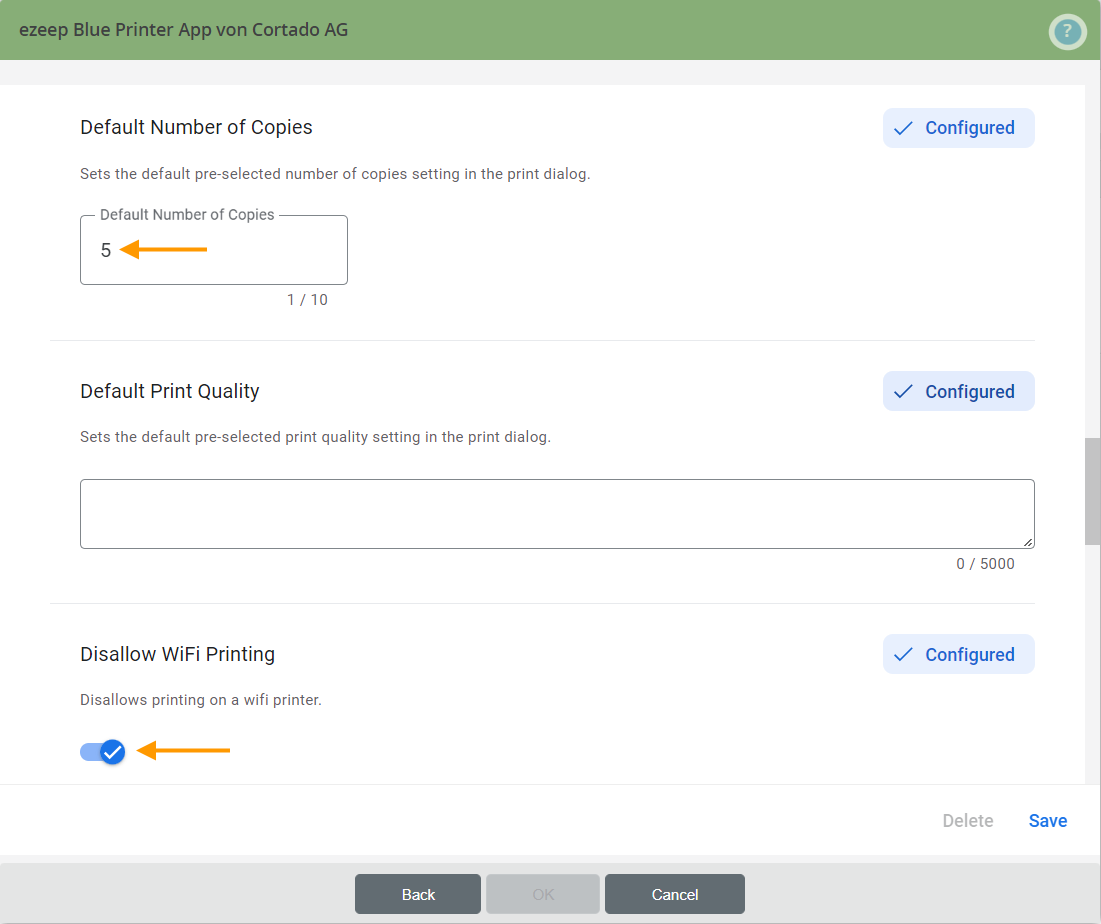
Save the managed configuration, select it (left arrow in illus.) and then assign it to the desired users/group templates/devices (right arrow in illus.).
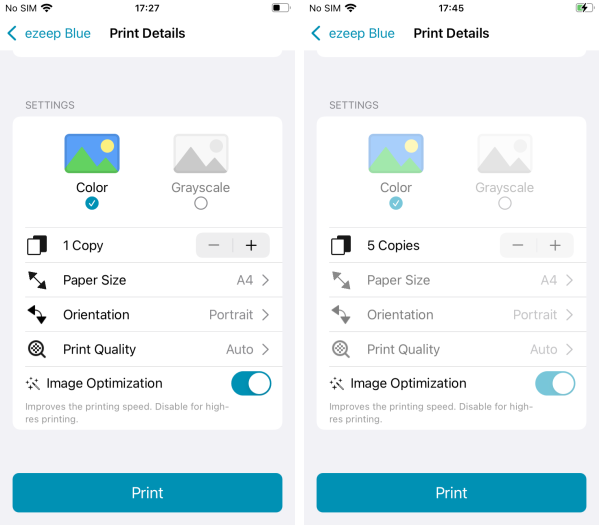
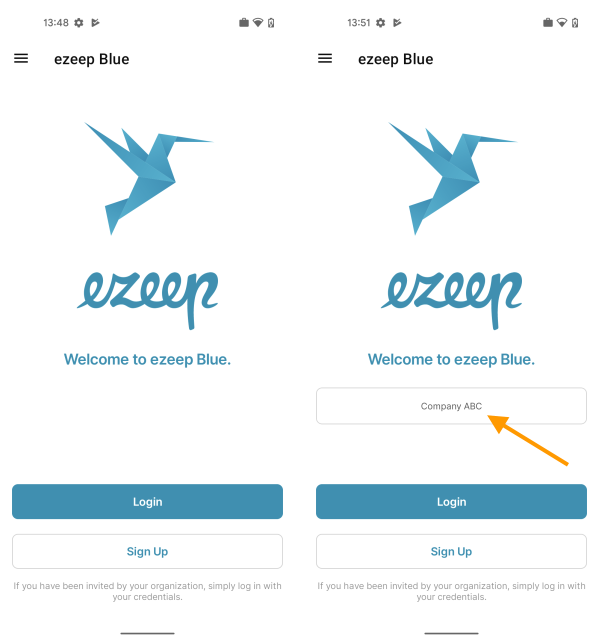
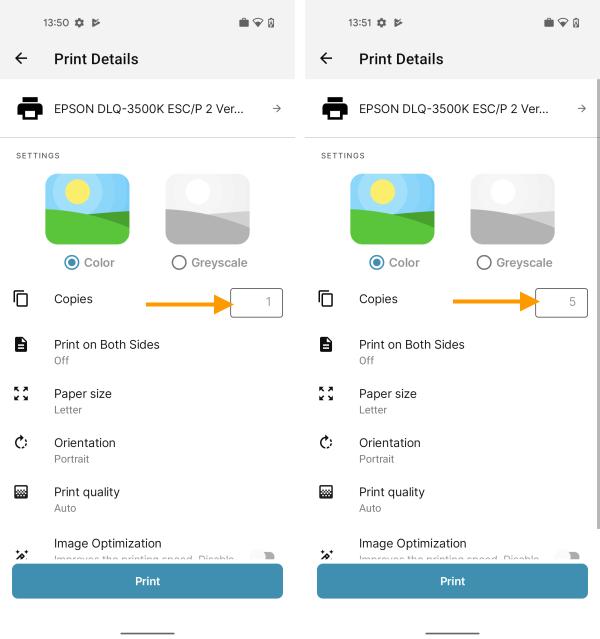
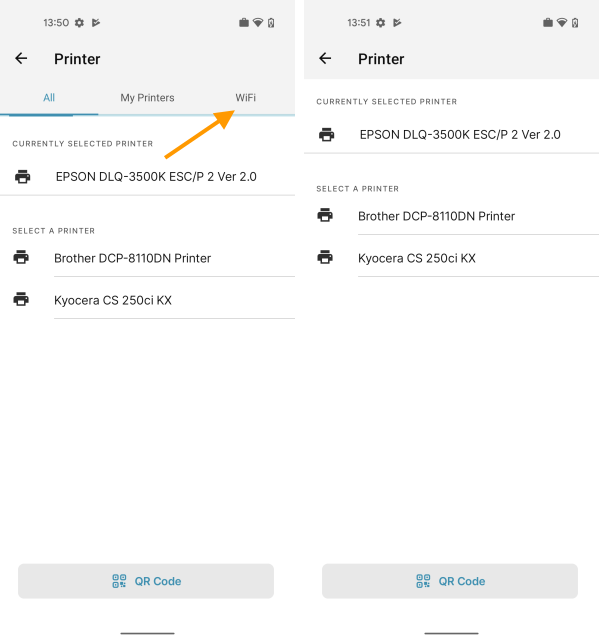
The Managed Configurations used for the example have the following effect in the app (left without configuration, right with Managed Configurations):
Custom Message:
Default Number of Copies:
Disallow Wi-Fi Printing:
Set up Managed Configurations on iOS
- Import the ezeep app into the Cortado administration portal either via the Apple Business Manager or via the plus button under Administration→ Apps. You can find detailed instructions on this in our help articles Import and distribute apps from Apple Business Manager and Add iOS apps from the App Store.
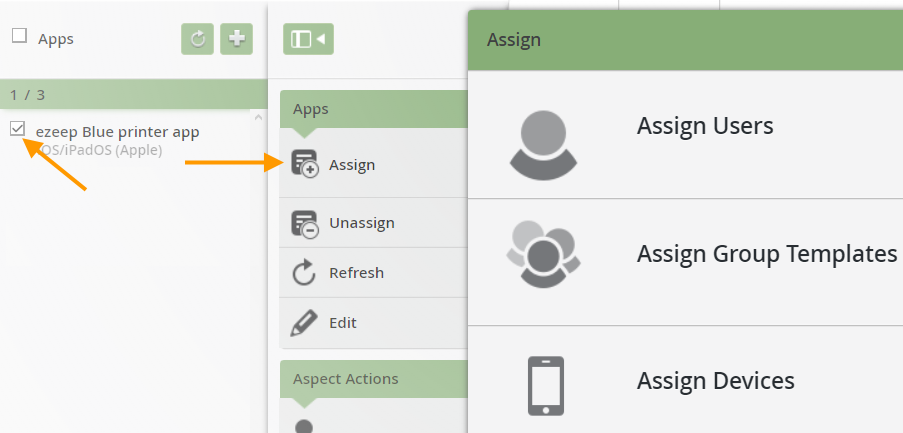
- Then select the app (left arrow in illus.) and assign it to the users/group templates/devices (right arrow in illus.).
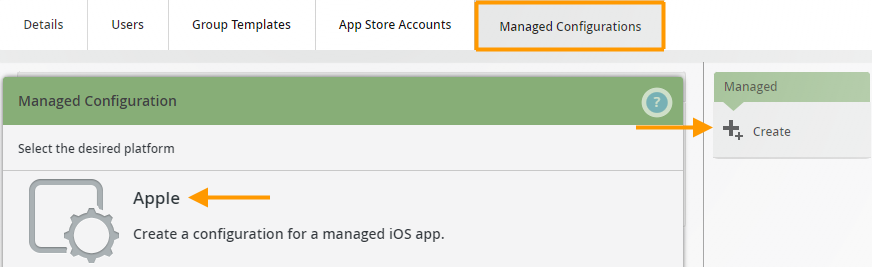
- After this select Administration→ Apps→ Managed Configurations→ Create→ Apple.
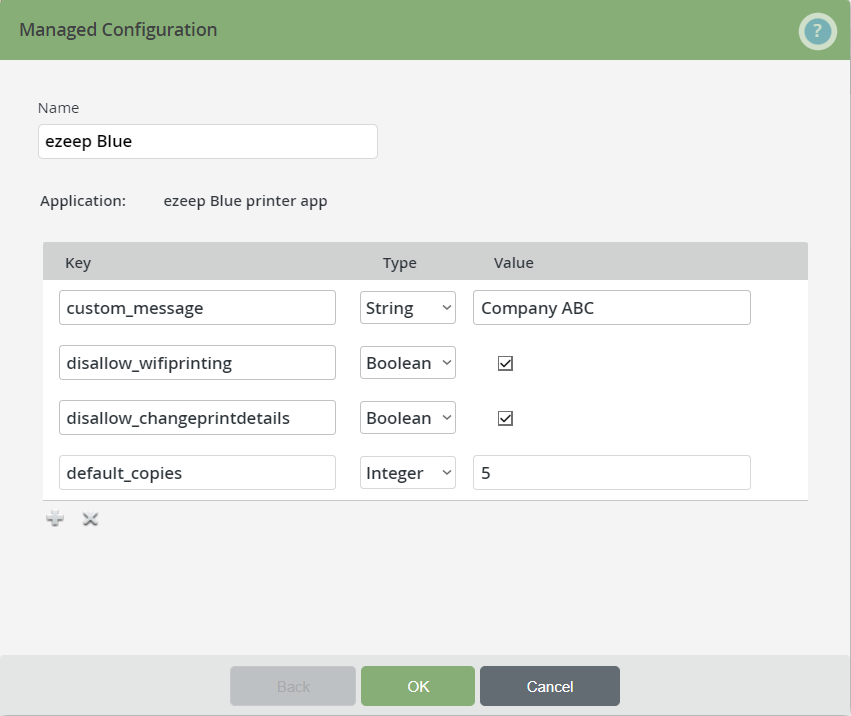
- Set a name and select the ezeep app by clicking Select App.
- Now configure the ezeep app using the values Key, Type and Value (example in illus.). You can find all information about this values in our help article Managed app configurations when using an EMM solution.
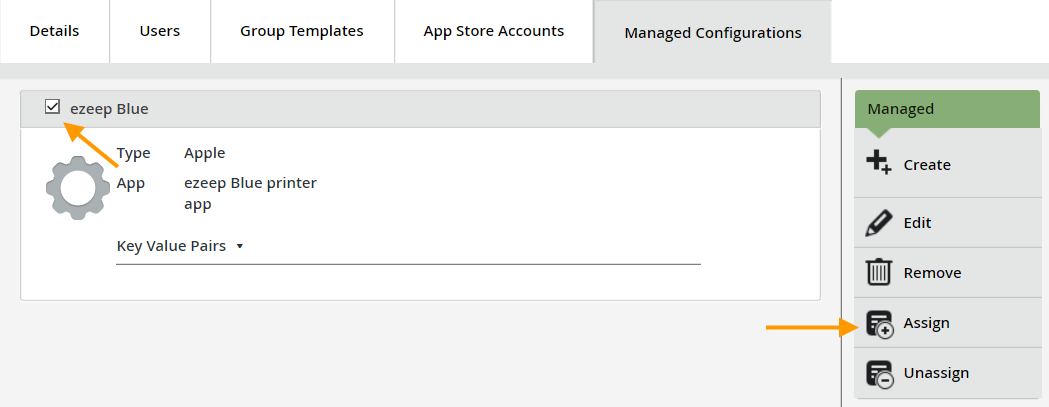
- Select the Managed Configurations from ezeep (left arrow in illus.) and assign them to the users/group templates/devices (right arrow in illus.).
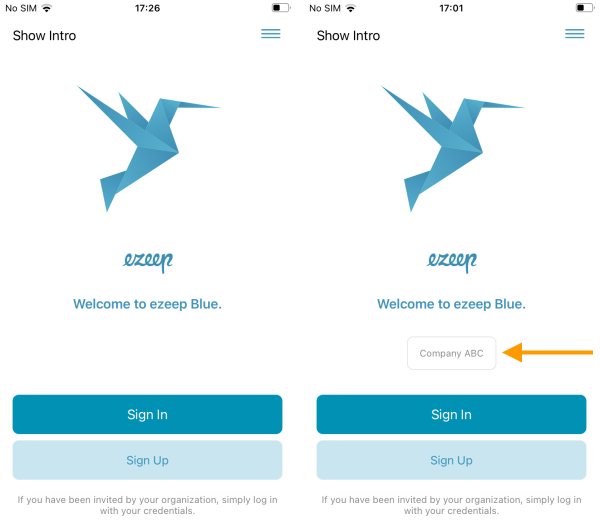
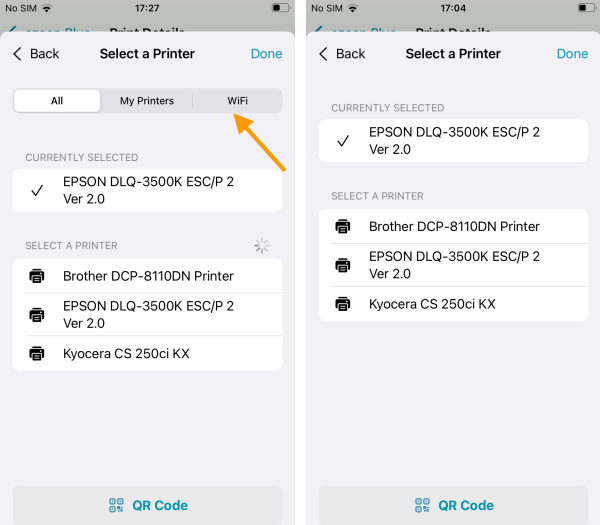
The Managed Configurations used for the example have the following effect in the app (left without configuration, right with Managed Configurations):
Custom Message on Login/Signup Screen

Disallow Wi-Fi Printing

Default selected number of copies and Disallow changing Print Details