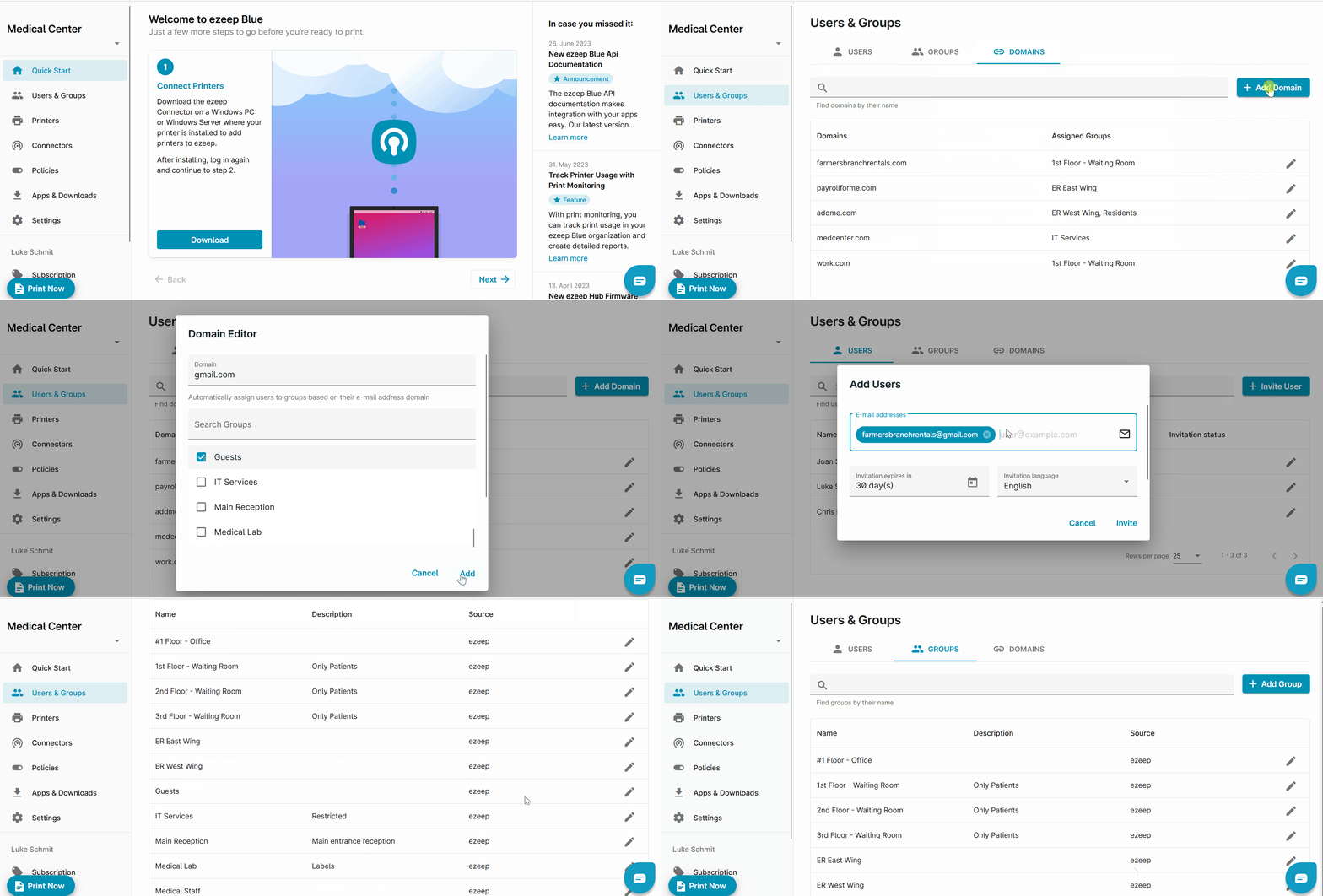
Automatically assign new users to an ezeep group based on their email domain. This helps maintain printer access consistently as people join an organization.
- Go to the ezeep Admin Portal and log in with your admin credentials.
- Click the "Users & Groups" on the left pane.
- Click the "Domains" tab.
- Click the "+add Domain" button.
- Enter the email domain, and choose the group to which users with this email domain should be added.
- Now, when a new user with the assigned email domain is added, they will be automatically added to the desired group.