
Install the ezeep Print App on your iPhone or iPad, sign in, and select an available printer.
For Technical Requirements, see link: Technical Requirements
Install
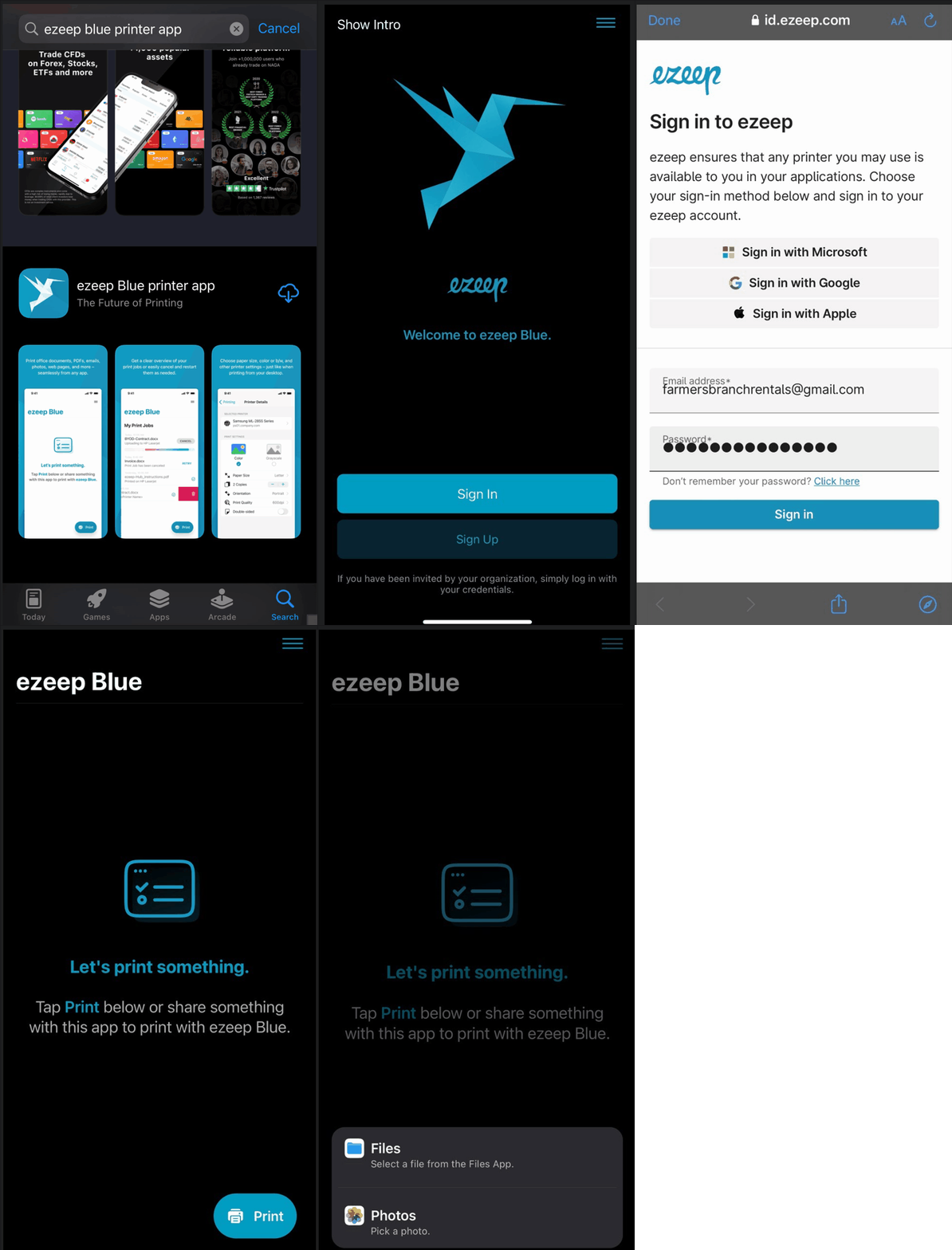
- On your iOS device, go to the App Store and search for "ezeep printer app".
- Download & Open the ezeep printer app
- Log in with your ezeep credentials or sign-up
- You are ready to start printing! See next article Printing from iOS device
Uninstall
- Touch and hold the app.
- Tap Remove App
 .
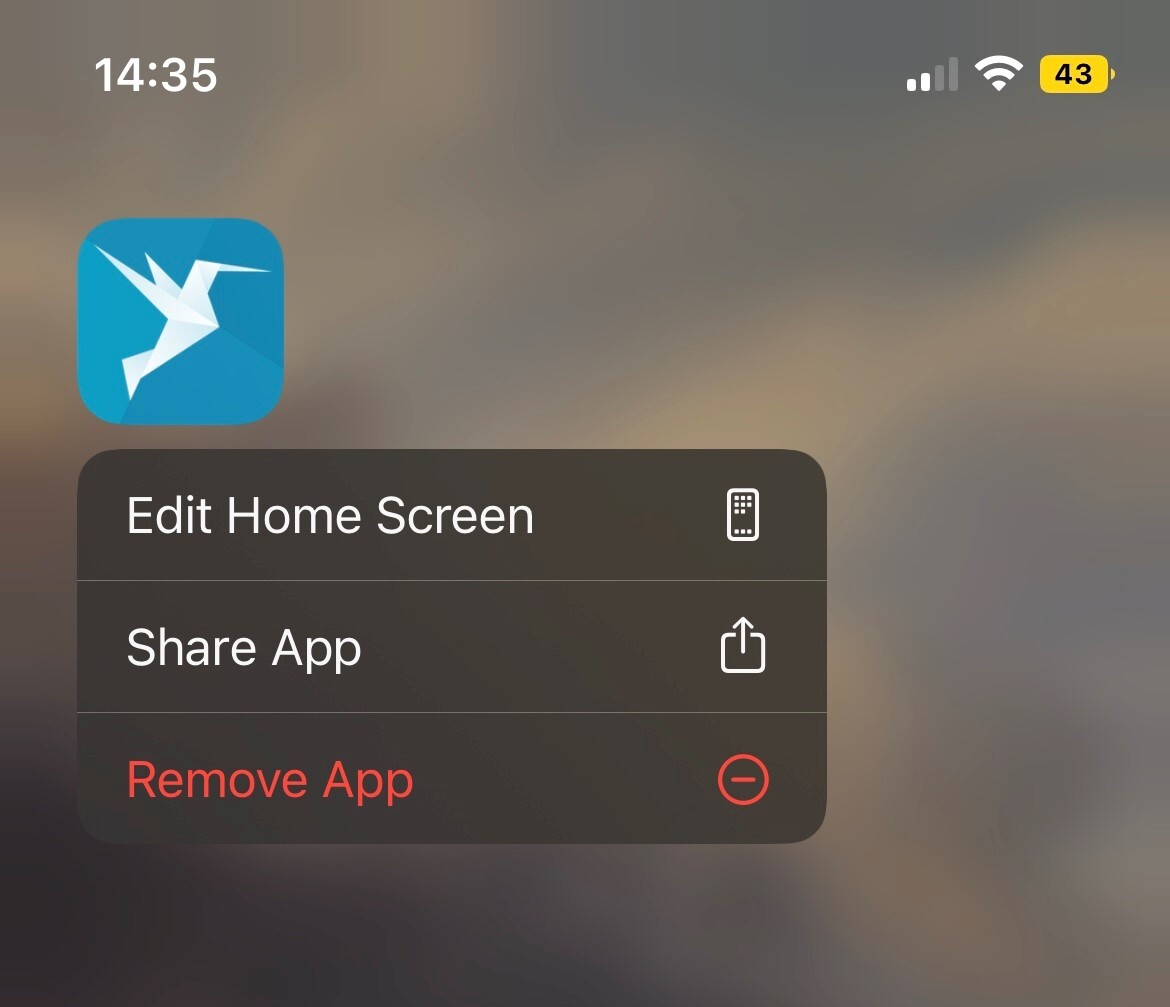
- Tap Delete App, then tap Delete to confirm.
If you touch and hold an app from the Home Screen and the apps start to jiggle:
- Tap the Remove icon
 in the upper-left corner of the app.
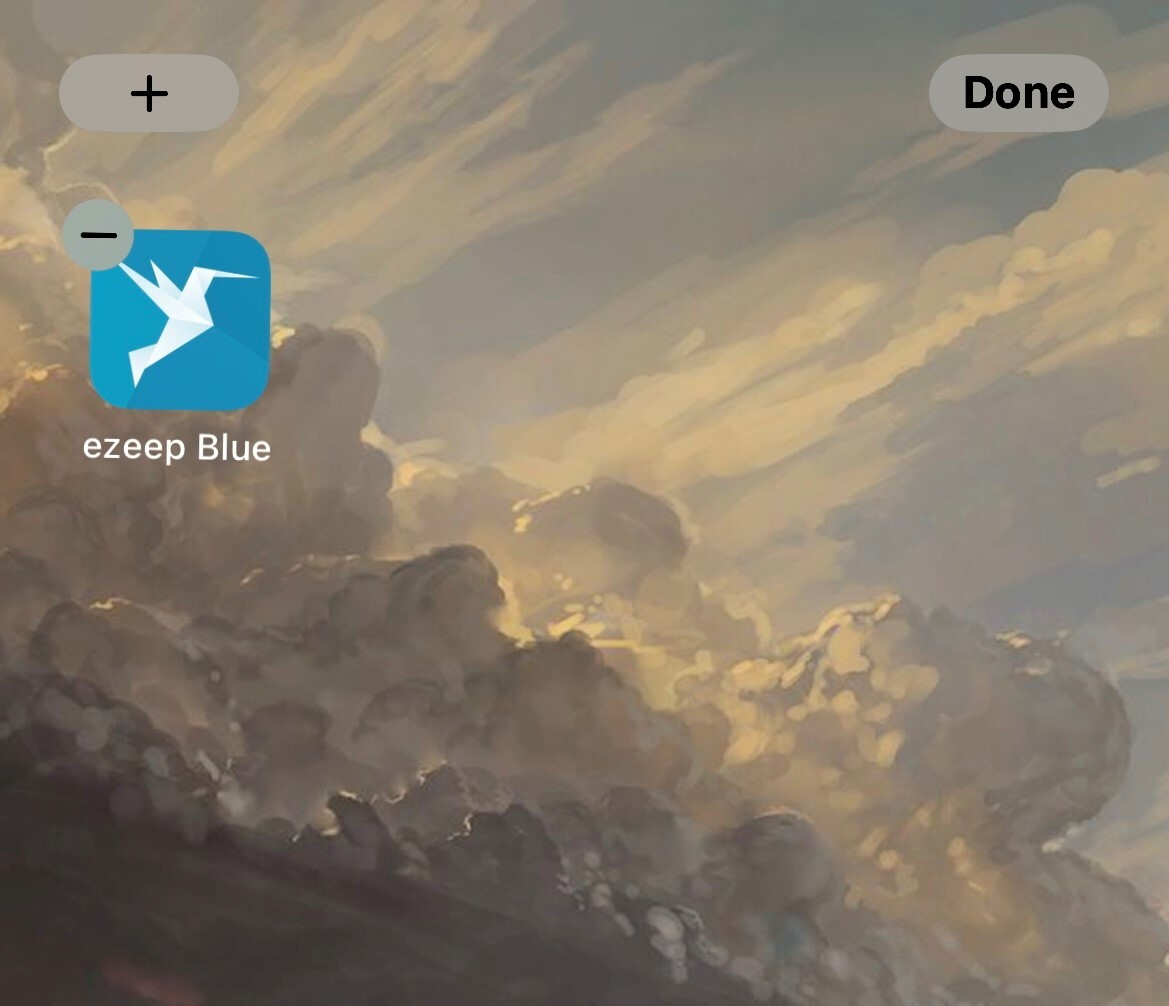
- Tap Delete App, then tap Delete to confirm.
- Tap Done.