
Change your account locale in the ezeep Admin Portal to select the language used for subscription communications and the associated billing locale.
- Sign in to your ezeep account.
- Navigate to the “Subscription” tab.
- Go to “Manage Subscription”
- Click “Account Information”
- Navigate to “Locale” and you´ll be able to choose the language of your preference.
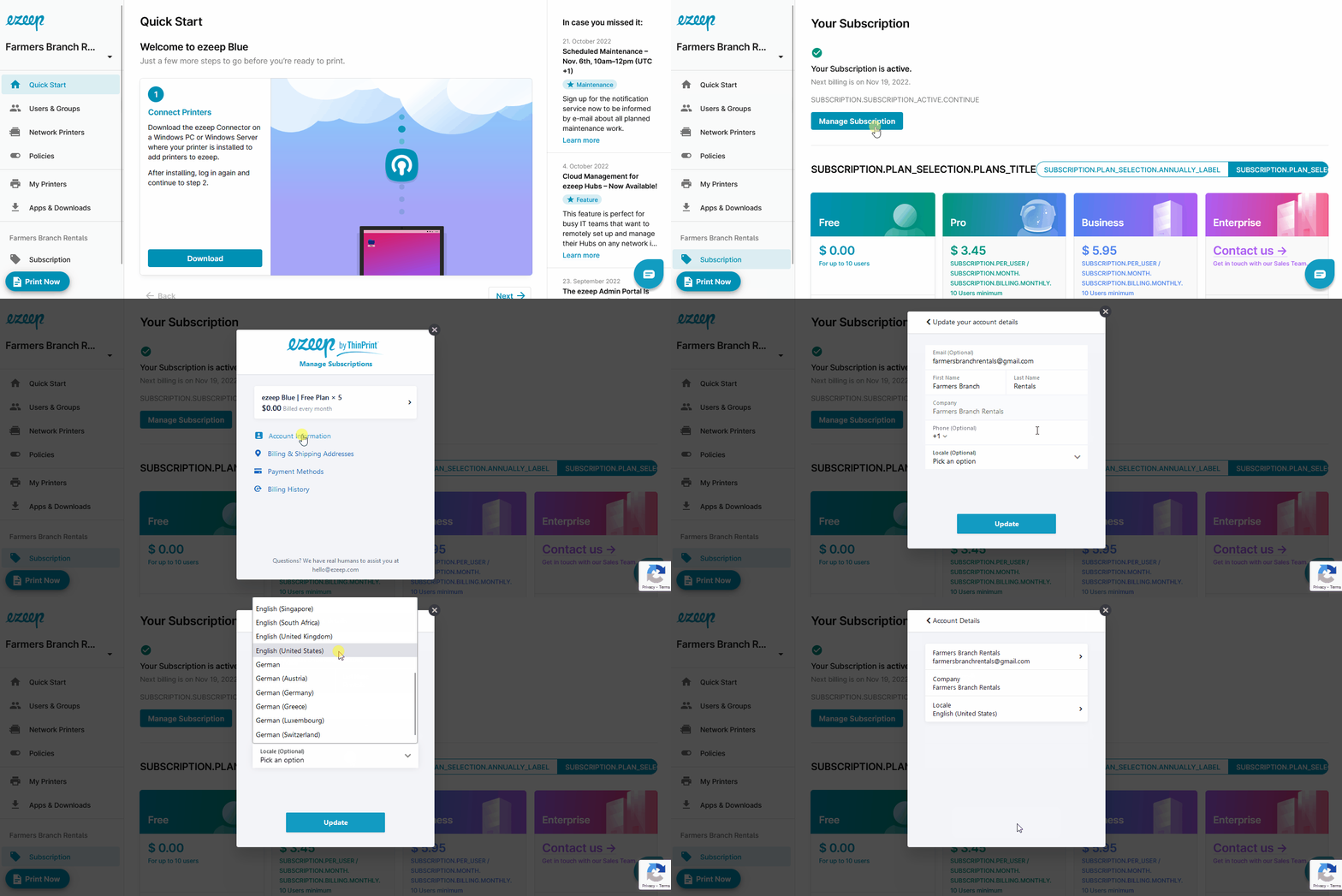
The changes made will also be reflected in the currency and the next invoices.