Connect Microsoft Entra ID to import directory groups into ezeep. You can then use those groups to assign printer access without manually maintaining each membership in the Admin Portal.
Note: Entra ID Group Import is available in the Business and Enterprise Plan.
Enable Entra ID Group Sync
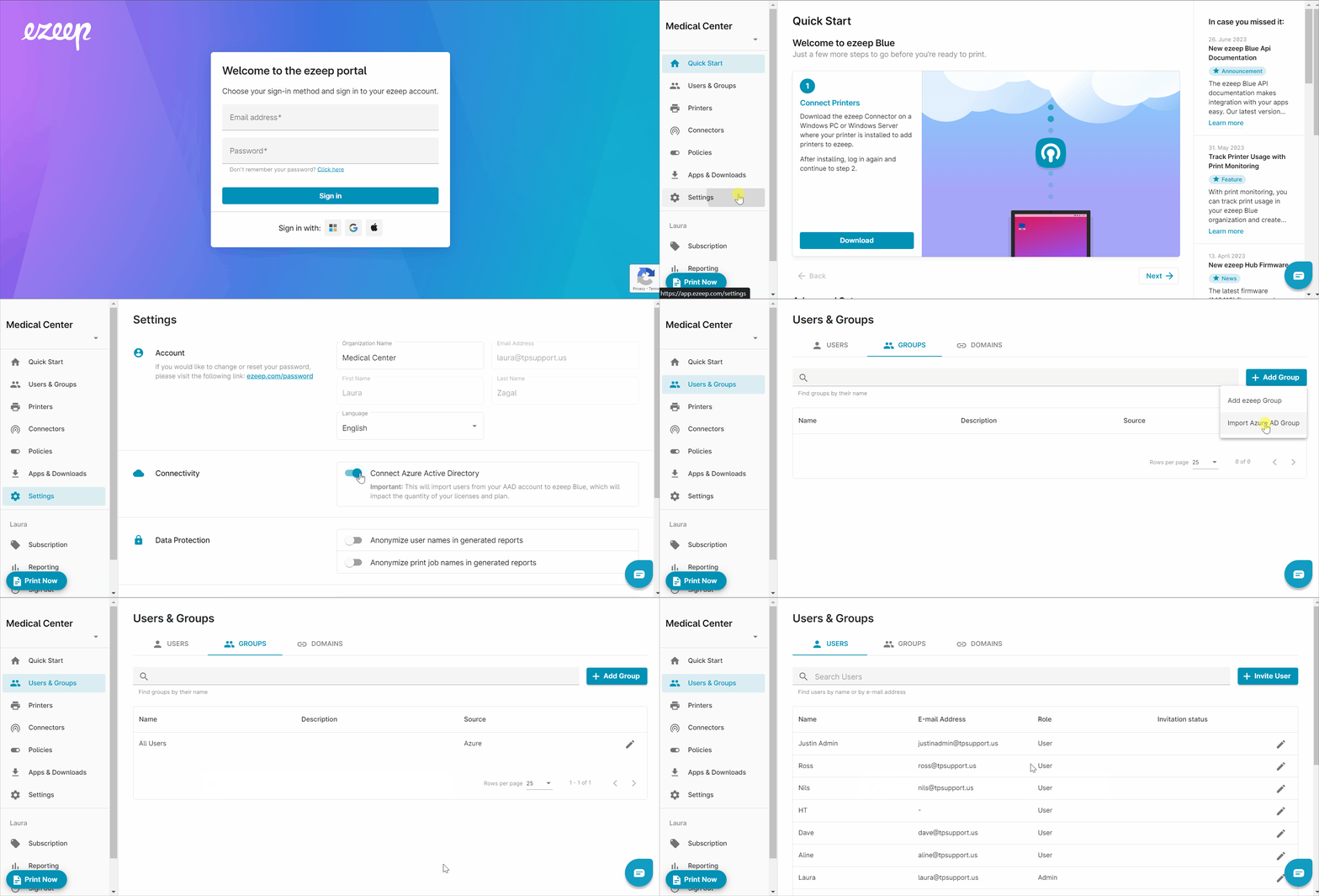
- Log in to the ezeep Portal
- On the left pane, scroll down and click the "Settings" icon
- Enable the "Connect Azure Active Directory" toggle button
- Select your Microsoft Account.
- Accept the "Permissions"
- That's it! you can now go to the "Users & Groups" and import your Azure AD groups. You are ready to assign printers to the users/groups