Problem/Symptom
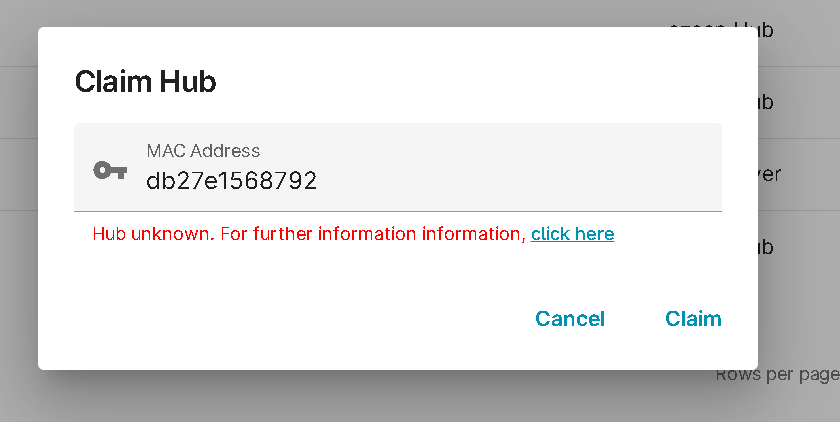
If the Admin Portal displays "Hub Unknown" when you claim an ezeep Hub, check the device firmware and the connection steps below.
Cause
Hub firmware versions prior to 1.13 do not support Hub remote access or claiming. However, it is unlikely you would receive a Hub with a firmware version this old. If a Hub was updated to a recent firmware without a live internet connection, it may cause the Hub to not be registered in the cloud database.
Solution/Workaround
- Update the ezeep Hub firmware. You will need to log in to the ezeep Hub console.
- Download the TPhubfinder.exe (attached below)
- Run and execute the TPHubfinder.exe on any windows pc
- The tool will automatically scan the network to find the ezeep Hub
- Click the IP address URL and this will open a web browser
- Enter the default password print4life
- You are now logged in to the ezeep Hub console
- Download Firmware
- Make sure your Hub is connected to the internet (ensure it is plugged into a router or switch that has an active connection to the internet).
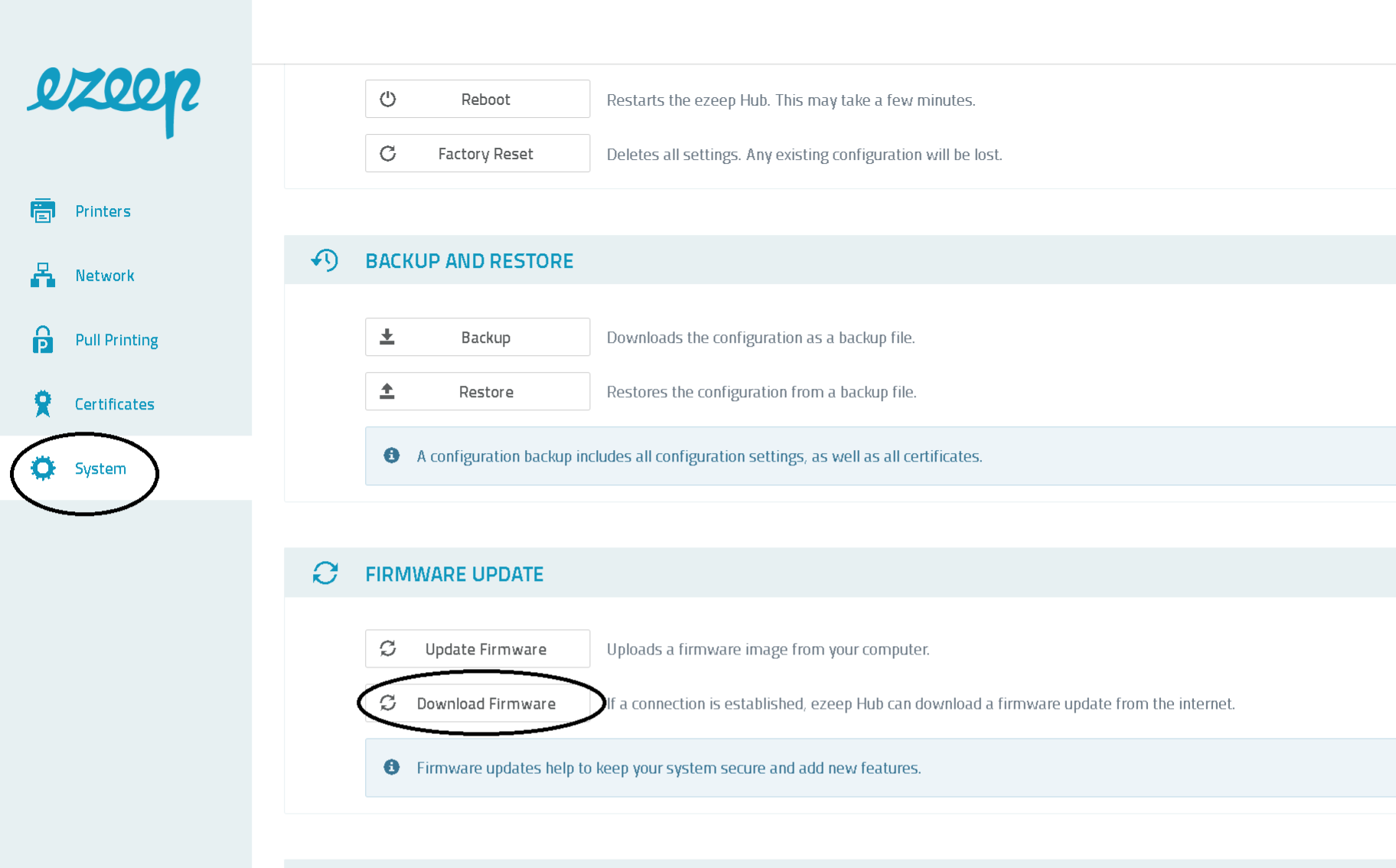
- Click the "System" on the left pane
- Click "Download Firmware"
- Wait for the installation finishes and the reboot.
- Try to claim the hub again.