Problem/Symptom:
If the ezeep Hub cannot detect a USB or network printer, use these checks to diagnose its connection and printer-discovery settings.
The network printers are not detected by the ezeep Hub.
Cause:
There can be several reasons for this problem:
1. The hub firmware is outdated.
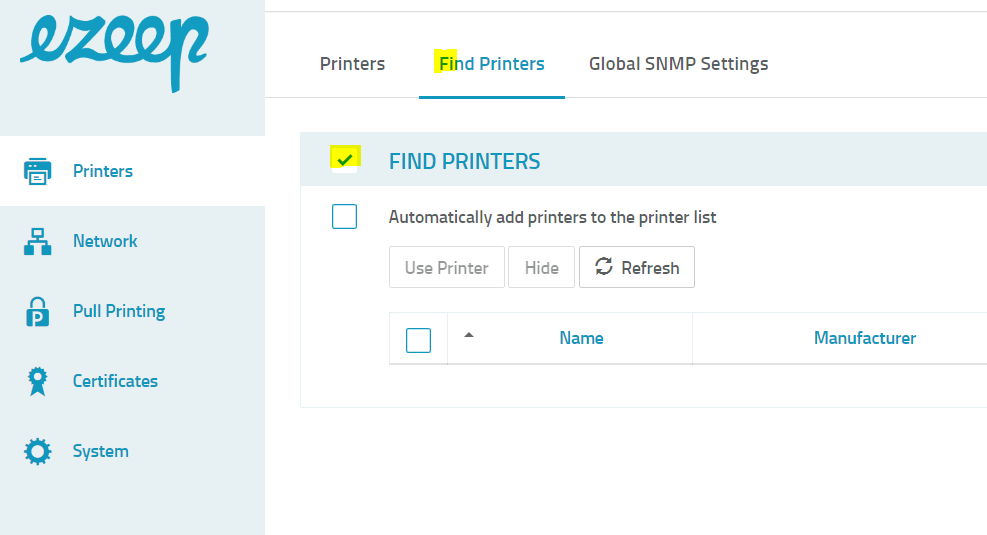
2. The "Find Printers" option is disabled on the ezeep Hub
Solution/Workaround:
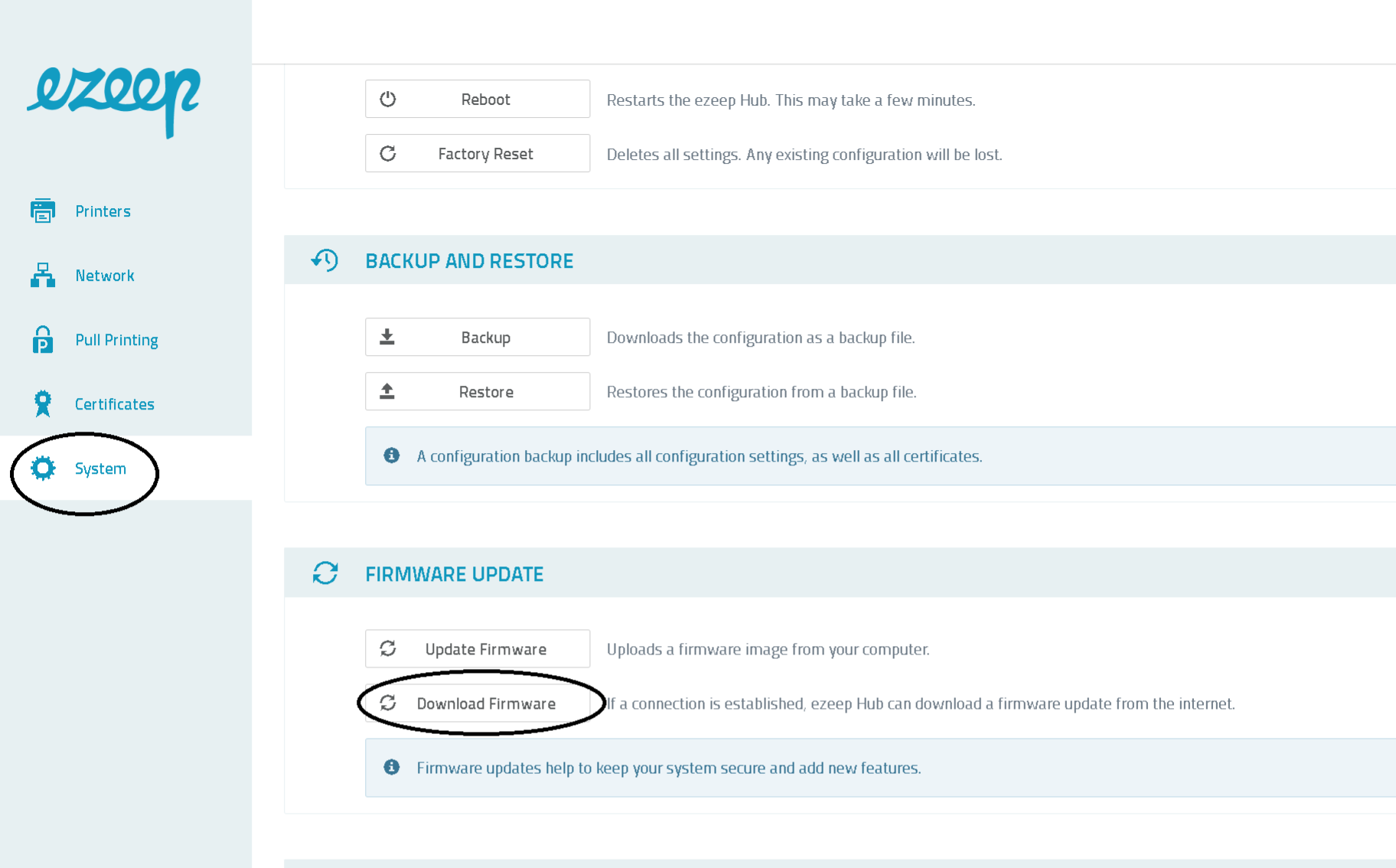
1. Make sure you have the latest ezeep Hub firmware. You can update the firmware on the ezeep Hub console.
- Log in to the ezeep Hub console
- Click "System" on the left pane
- Select "Download Firmware"
- Let it finish rebooting.
2. Make sure the "Find printers" option is enabled on the ezeep Hub console.
- Log in to the ezeep Hub console. (default password: print4life)
- Select "Printers" on the left pane
- Select "Find Printers" on the top
- Check the box "Find Printers"