
Problem:
If the computer running an ezeep Connector repeatedly opens sign-in tabs, follow these steps to check the connector's authentication state.
Cause:
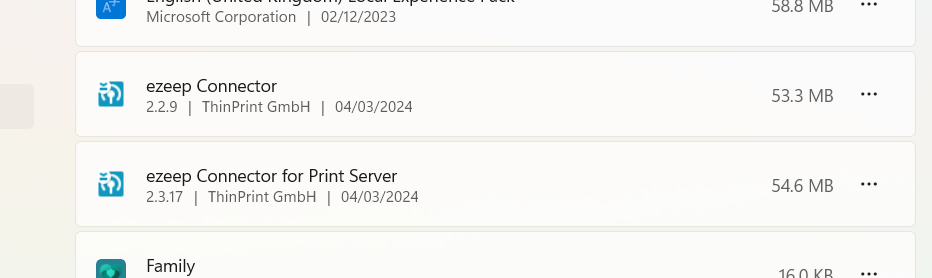
When you install ezeep connector for PS and ezeep remote desktop agent on the same PC, you will get the multiple login tabs. When you installed multiple software they can conflict. You can check if you have multiple ezeep apps installed by going to the Add/Remove Programs:
Solution/Workaround:
There is no need to have multiple ezeep software apps on the same machine. Each software is intended for different use case. Below is a brief summary of the use case:
ezeep Connector for Print server:
install this software on the PC where you host your printer objects. The ezeep connector for PS will connecto the printers to the ezeep cloud and make them available for users, so they can print from anywhere at at any time.
ezeep Connector:
This is the app "Remote Desktop Agent (Only for Virtual Desktop Sessions) ". This desktop agent has to be installed on the device which accesses the virtual desktop. It interacts with the Print App for Desktops so that the local available printers are automatically available on the virtual desktop.
Now that you know the use case for each, then uninstall both of the ezeep apps and re-install only the one you need for your use case to fix the multiple tabs problem.