
Change the number of licensed users in your ezeep subscription through the Admin Portal. Review the effective date and billing adjustments before saving.
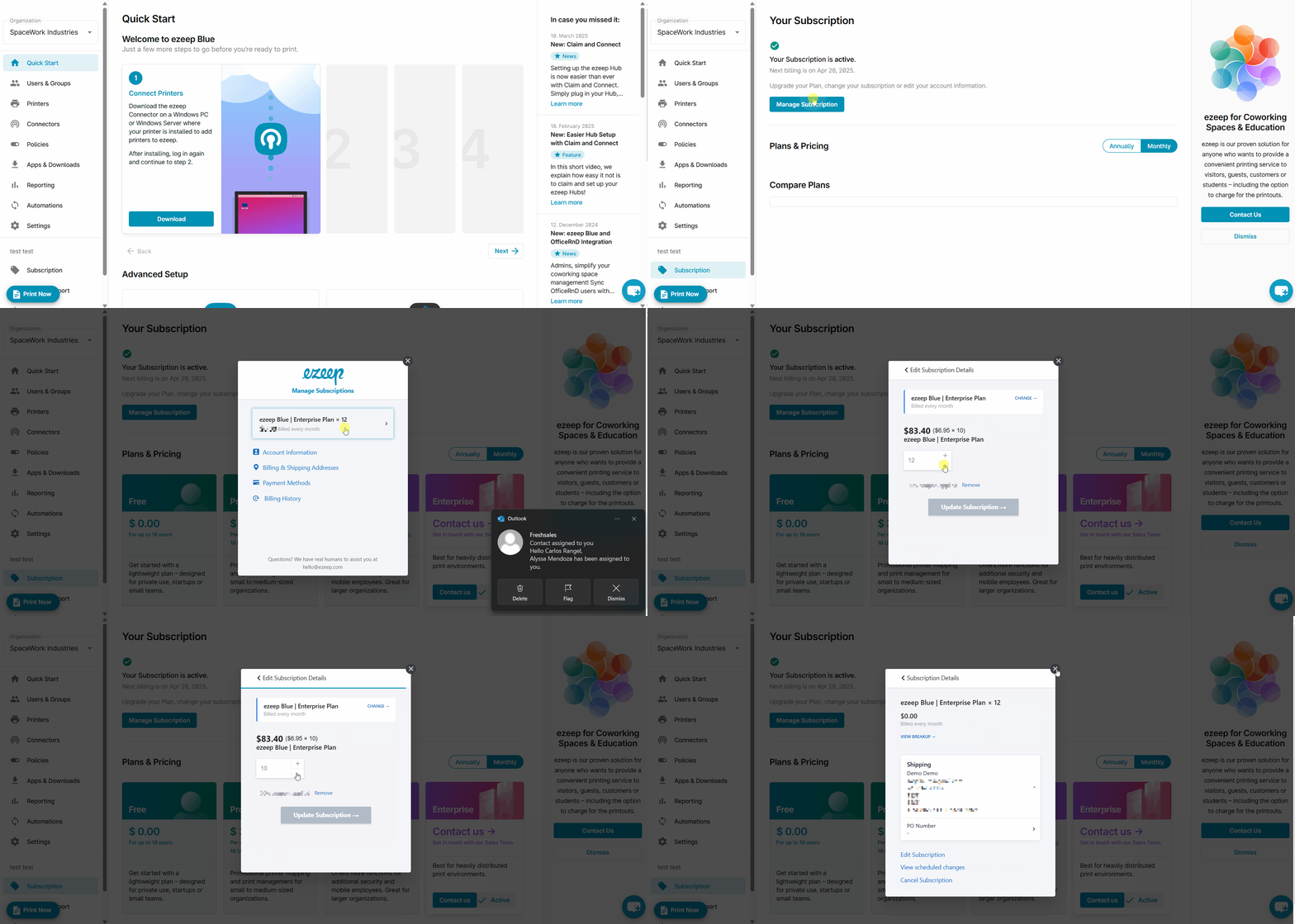
- Log in to the ezeep Admin Portal
Go to https://app.ezeep.com/ and sign in with your admin credentials. - Navigate to Your Subscription Settings
In the left-hand menu, click Subscription, then select Manage Subscription. - Choose Your Current Plan
You’ll see the details of your active subscription. Click it to view more options. - Edit Your Subscription
Click Edit Subscription and adjust the number of users according to your current needs. - Confirm the Changes
Review your new subscription details and confirm to apply the downgrade.
Note: The updated subscription will take effect immediately, and your billing will be adjusted accordingly in your next invoice.
If you run into any issues or have questions, feel free to contact our support team. We're happy to help!