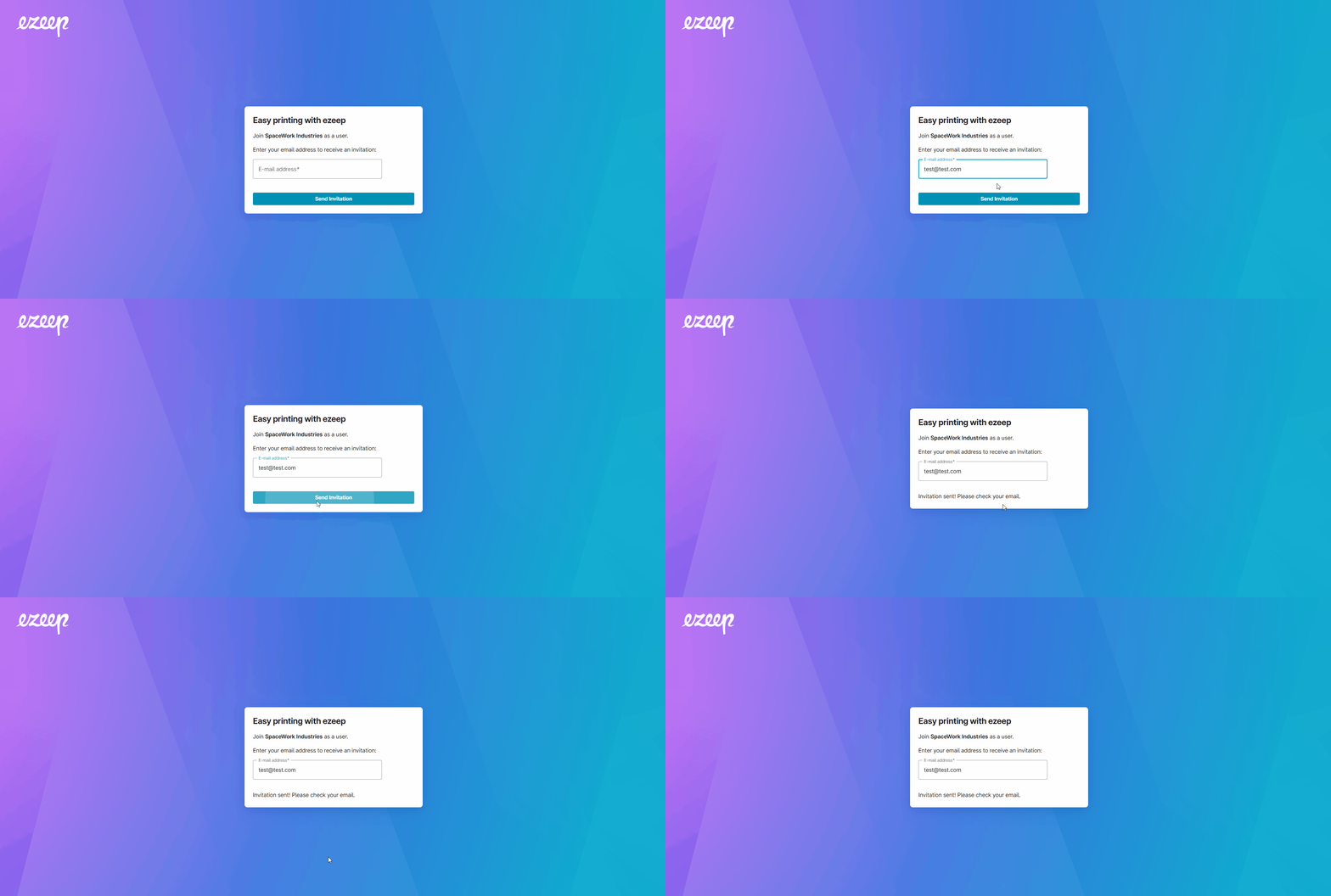
Self-Join lets users join your ezeep organization through a shared link or QR code. They verify their email address, complete sign-up, and receive printer access through the configured group assignment.
Note: This feature is available in the Business, Enterprise, Coworking and Educational plans.
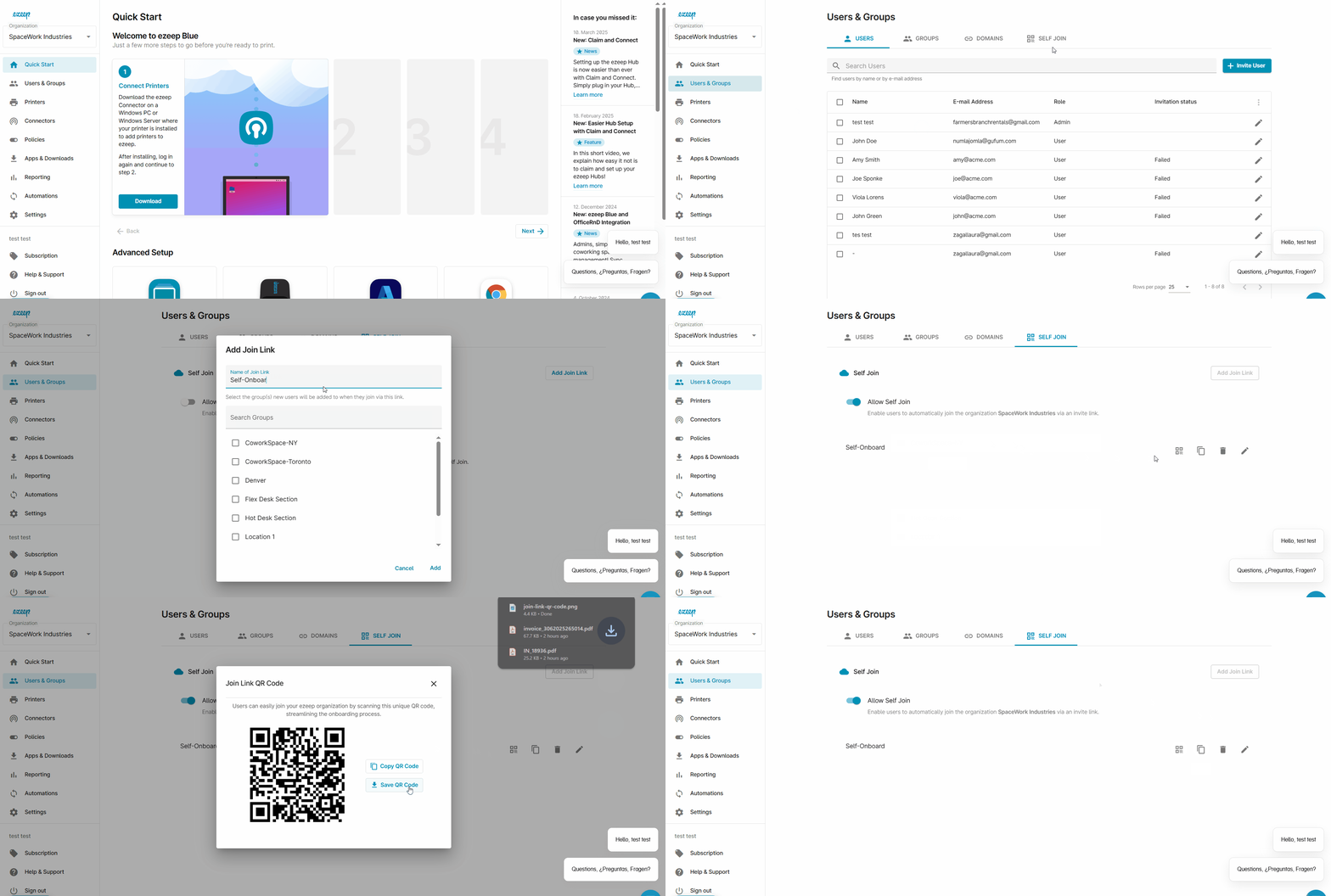
Step 1: Enable ezeep Self-Join
- Log in to the ezeep Admin Portal with your ezeep admin credentials
- Select "Users & Groups" from the left-hand pane.
- Select "Self-Join" tab on the top
- Click Add "Join Link" and enter a name for the link and select the group.
- Save changes
- You can now share the link or QR code.
Step 2: Users can scan the QR code or open the link on their preferred device.
- User enters their email address to sign up
- User must verify their email address by opening the invite and clicking on the verify link.
- User is prompted to create an ezeep account. Follow the prompts.
- The user is ready to print via the ezeep portal or download the ezeep print app! See Install the ezeep print app