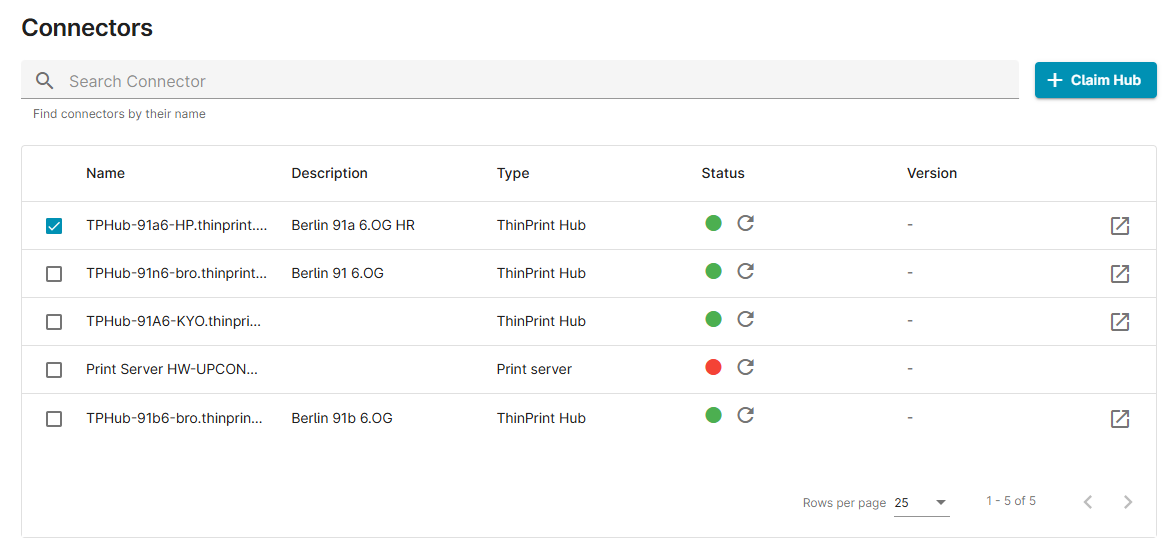
Check the Connectors section of the ezeep Admin Portal to see whether your connector is online, offline, or claimed but not connected.
Just log in to the ezeep admin portal, click connectors to view the status.
Color Statuses:
- RED = the last successful connect was more than 10 minutes ago
- GREEN = connector is online
- GREY= connector is only claimed but not connected