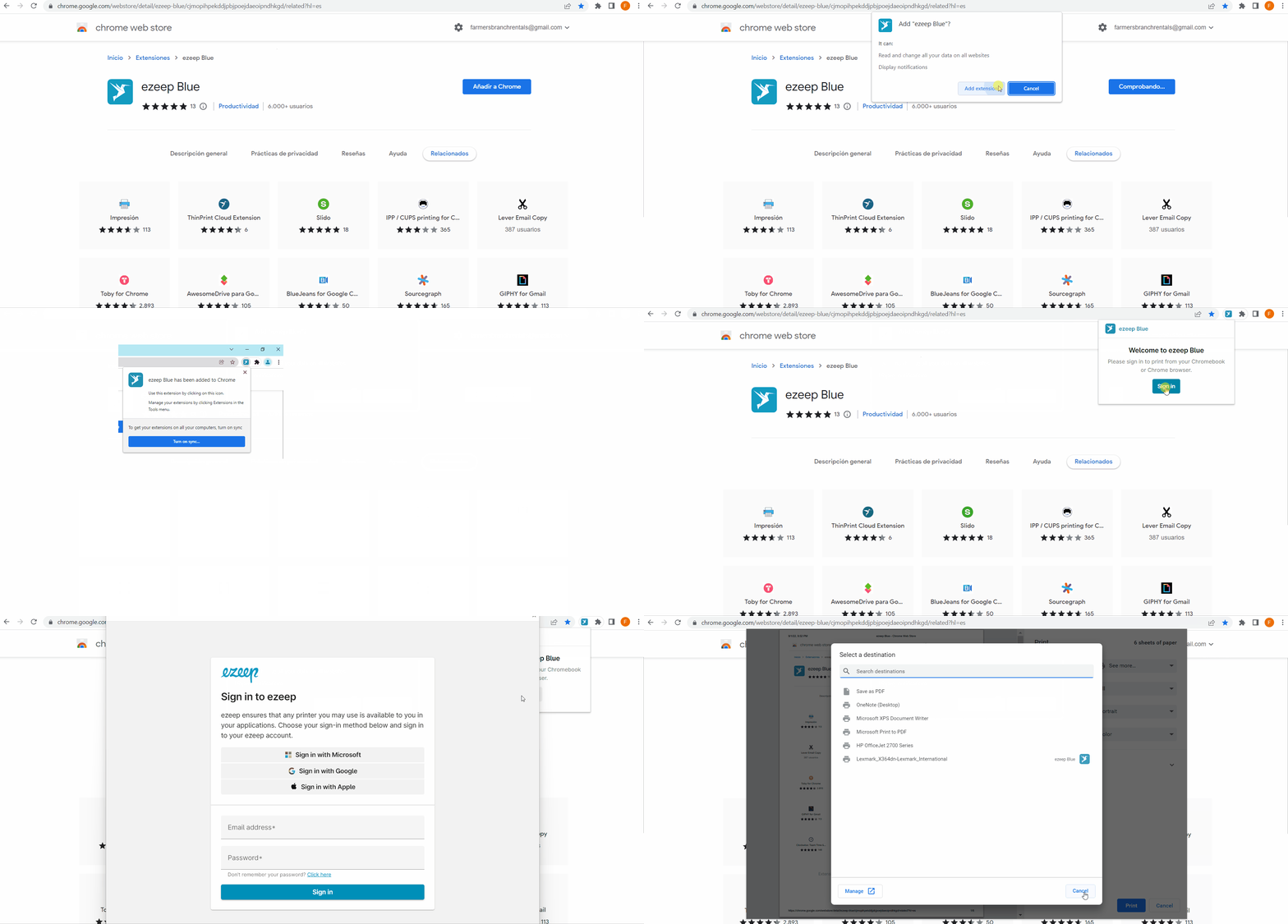
With the ezeep Chrome extension installed and printer access assigned, you can print directly from the Chrome browser or your Chromebook.
If you haven't completed the steps mentioned above, then go back to these links:
ezeep Print App for Chrome Browser & Chromebook
Note: Printers redirected via the ezeep remote desktop agent will not be available.
Printing from Chrome
- Find the ezeep Chrome extension in your browser extensions bar.
- Click the icon and select "Sign in."
- Sign in with your ezeep credentials
- Click "Print"
- Select your preferred ezeep printer that is depicted by the blue bird icon.