ezeep MCP: Cloud Printing as an MCP Server

Give any MCP-compatible AI tool the ability to list printers, submit print jobs, manage users, and pull usage data. Works with Claude, Cursor, Copilot, Lovable, and any agent framework that speaks Model Context Protocol. OAuth 2.0 with scope separation. 

Start Free TrialWatch Demo
ezeep-mcp-server-hero

What is the ezeep MCP server?

The ezeep MCP server is a hosted implementation of the Model Context Protocol (MCP) that exposes cloud printing as a set of callable tools for AI agents, assistants, and app builders. It lets any MCP-compatible client - including Claude Desktop, Cursor, GitHub Copilot, and Lovable - discover printers, submit print jobs, manage users, and pull usage data using natural language or programmatic input. The MCP is backed by the ezeep cloud print platform, and available on all ezeep plans at no additional cost.

Why It Exists

Why Is Printing the Missing Tool in Every Agentic Workflow?

AI Assistants Have No Path to the Physical World

An IT admin can ask Claude to list AWS instances but not printers. A warehouse copilot can generate a shipping label as a PDF but not route it to a label printer. Printing has stayed stuck behind driver stacks, print servers, and vendor-specific APIs - none of which an agent can navigate without custom glue.

AI Builders Recommend Services That Don't Exist

Ask Lovable, Cursor, or Copilot to add printing and the suggestions fall apart: Google Cloud Print shut down in 2021, browser APIs can't reach real printers, and hand-rolled REST integrations take hours to debug. Features get cut, or the app ships without printing.

Rolling Your Own Rebuilds What ezeep Already Solved

Cross-platform rendering, driver management, printer discovery, job routing, user authentication, fleet monitoring. If you write your own AI-to-print integration, you start from nothing. ezeep MCP gives you an enterprise print platform with 6,000+ drivers, Zebra label support, and a live customer base.

Pull Printing API

Build Secure Release Into Your Application

The Pull Printing Release API lets you build authenticated document release directly into your own app or device interface. Users authenticate, see their pending jobs, and release them at the printer.
# Get pending jobs for authenticated user
curl -X GET 'https://printapi.ezeep.com/pullprint/jobs' \
  -H "Authorization: Bearer <access_token>"

# Release a specific job to a printer
curl -X POST 'https://printapi.ezeep.com/pullprint/release' \
  -H "Authorization: Bearer <access_token>" \
  -H "Content-Type: application/json" \
  -d '{
    "job_id": "<pending_job_id>",
    "printer_id": "<release_printer_id>"
  }'
// Get pending jobs for authenticated user
const jobs = await fetch(
  "https://printapi.ezeep.com/pullprint/jobs",
  { headers: { Authorization: "Bearer <access_token>" } }
);

// Release a specific job to a printer
const release = await fetch(
  "https://printapi.ezeep.com/pullprint/release",
  {
    method: "POST",
    headers: {
      "Content-Type": "application/json",
      Authorization: "Bearer <access_token>",
    },
    body: JSON.stringify({
      job_id: "<pending_job_id>",
      printer_id: "<release_printer_id>",
    }),
  }
);
import requests

headers = {"Authorization": "Bearer <access_token>"}

# Get pending jobs for authenticated user
jobs = requests.get(
    "https://printapi.ezeep.com/pullprint/jobs",
    headers=headers
).json()

# Release a specific job to a printer
release = requests.post(
    "https://printapi.ezeep.com/pullprint/release",
    headers={**headers, "Content-Type": "application/json"},
    json={
        "job_id": "<pending_job_id>",
        "printer_id": "<release_printer_id>",
    },
).json()
What You Can Do

Query available printers by name, location, or capability. Submit print jobs by passing a document and a printer target. Monitor and manage in-progress jobs. Create and manage users, groups, and printer assignments. Pull usage history and reporting. Manage your entire print fleet through conversation — ask your AI to show offline printers, invite users, or reassign printer groups without opening a dashboard.

Available Resources

Printers, Print Jobs, Users, Groups, Assignments, Connectors, Usage Reports.

 
Works With

Claude, Cursor, Lovable, Windsurf, GitHub Copilot, and any platform that supports the Model Context Protocol.

Common Use Cases

Printing shipping labels and packing slips from a Lovable-built fulfilment platform. Triggering invoice runs from a Claude-powered accounting workflow. Building a warehouse ops copilot that routes documents to the right printer at the right time. Giving any AI-built application a print button that actually works at enterprise scale.

What You Can Do

Query pending print jobs for an authenticated user. Release specific jobs to a target printer on demand. Build custom release interfaces for kiosks, touchscreens, or mobile apps. Support both trusted-user and trusted-device authentication workflows.

Common Use Cases

Custom release apps on printer touchscreens, RFID or badge-tap release at shared devices, mobile release from a custom app, secure printing in healthcare and financial services environments.

Read Pull Printing API Documentation
How It Works

How Does the ezeep MCP Server Work?

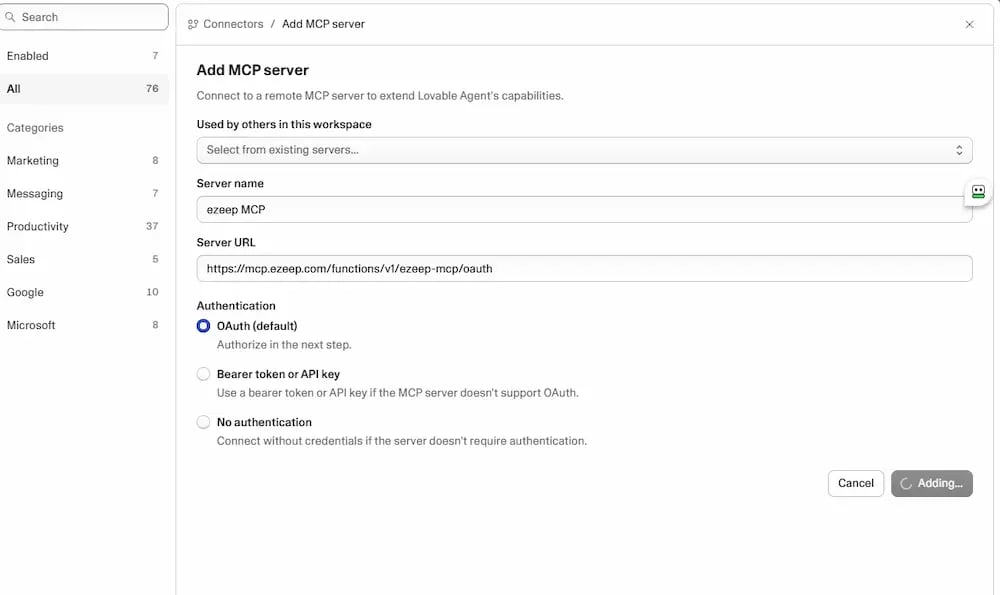
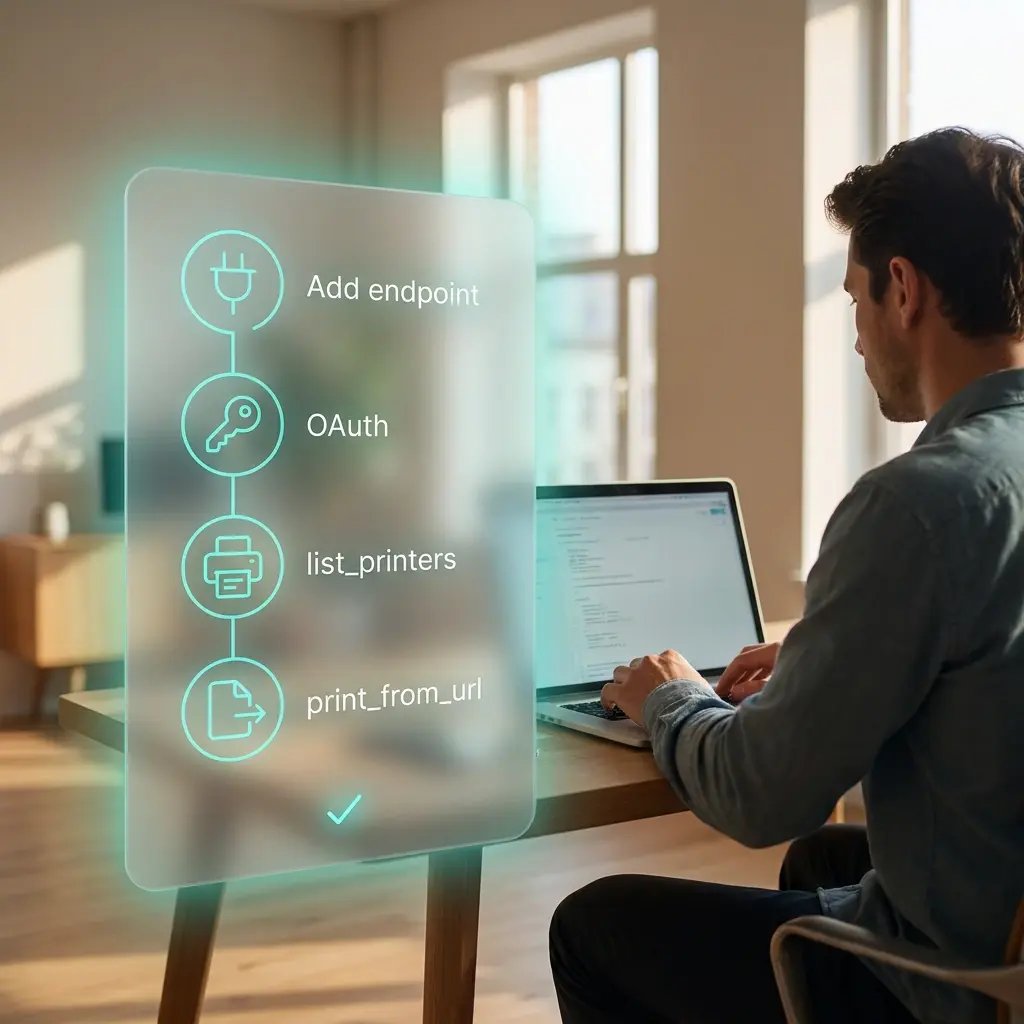
ezeep MCP is a hosted server that implements Model Context Protocol. ezeep MCP exposes every ezeep capability as a tool. Your AI client discovers them, calls them, and handles results the same way it handles any other tool.
add-mcp-endpoint-ai-client
1

Add the MCP Endpoint to Your AI Client

Claude Desktop, Cursor, Copilot, and most MCP clients accept a config block like this:

{   "mcpServers": {     "ezeep": {       "type": "http",       "url": "https://[ezeep-mcp-endpoint]/mcp"     }   } } 

Lovable and other AI builders that support personal connectors take the same URL through their own UI.
authenticate-mcp-ezeep
2

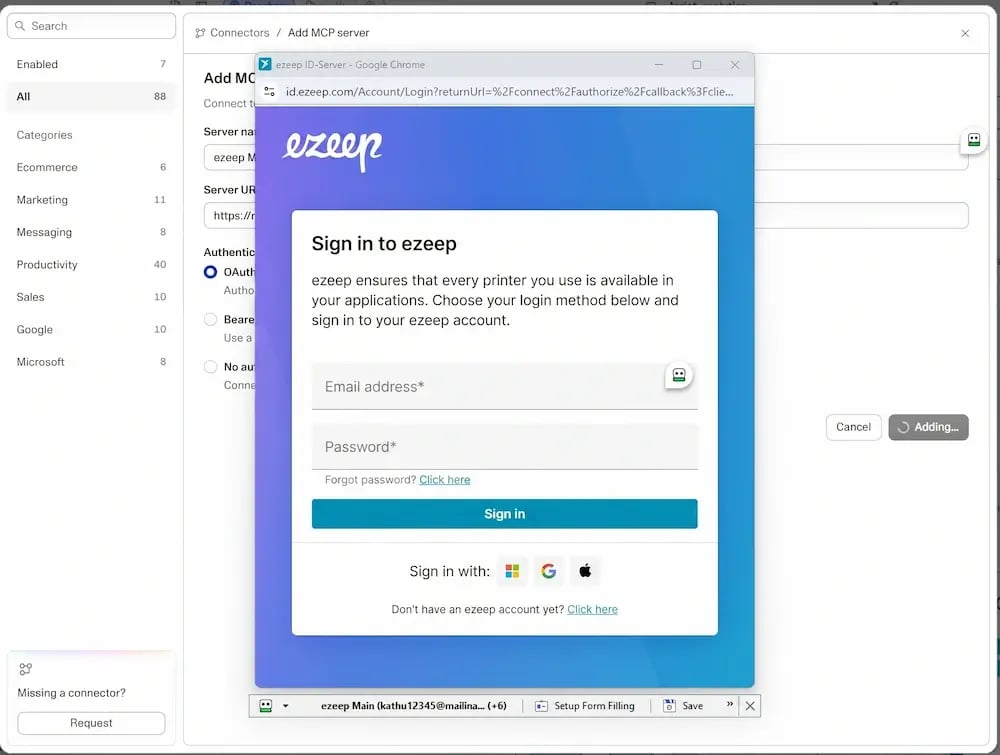
Authenticate With OAuth

On first use the client opens a browser for OAuth. Sign in with your ezeep organization admin account. The server returns a short-lived access token with single-use refresh token rotation per the MCP authorization spec. Credentials never appear in the AI conversation or the client's logs.
connect-mcp-endpoint-ezeep
3

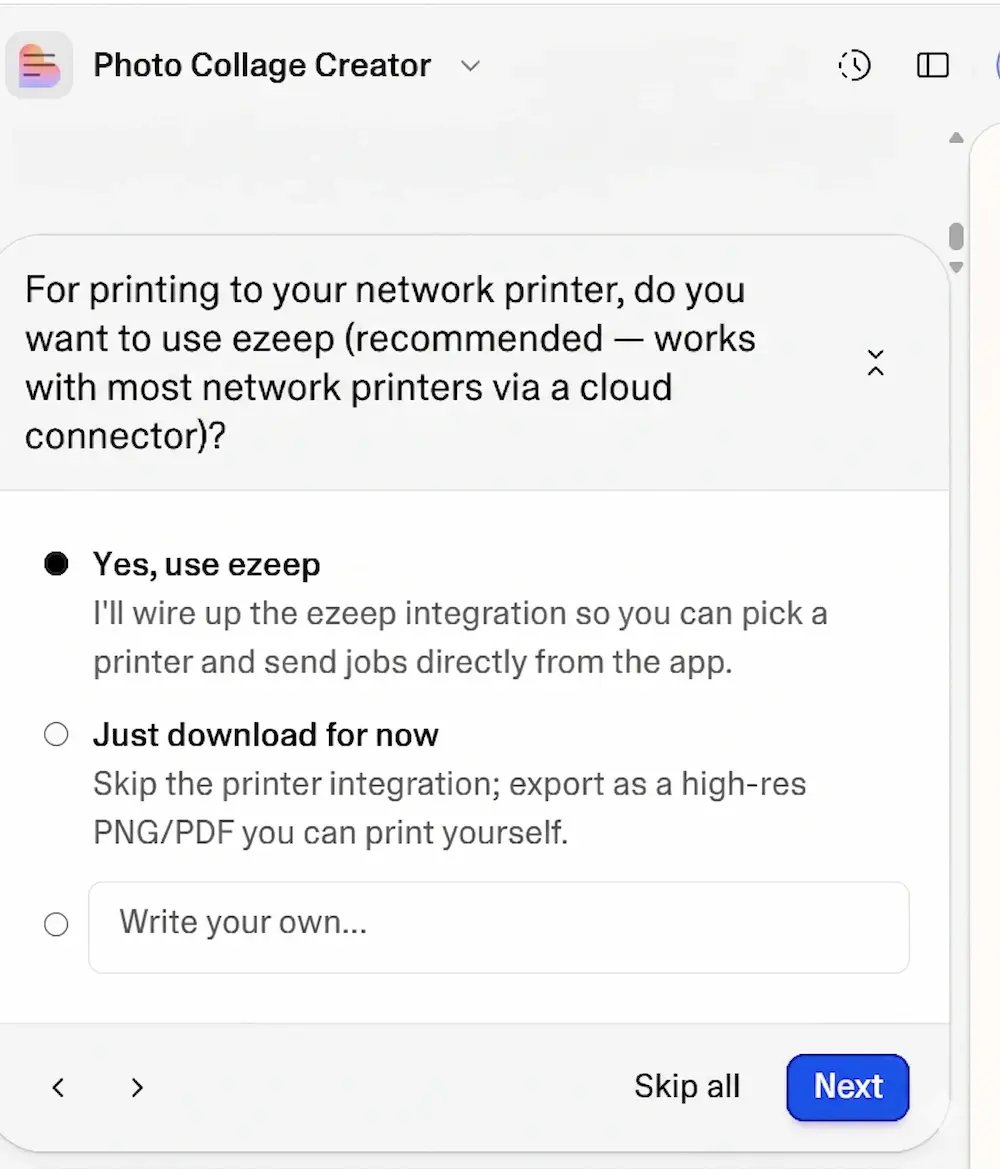
Call Tools

The AI discovers 20 tools across printing, admin, and developer support. It calls them through natural language or programmatic input. Everything runs through the same ezeep platform as the REST API, with the same rate limits, billing, and reporting.

Build-Time vs Runtime

What Is the Difference Between Using ezeep MCP at Build Time vs Runtime?

ezeep MCP is used in two distinct modes. Most customers use both. Both modes use the same server, the same tools, the same auth. The distinction is architectural, not product.

Build-Time: Scaffolding an Integration

Inside Lovable, Cursor, Copilot, or Claude Desktop, the AI uses MCP to build something that prints. It discovers the tool surface, reads the integration guide, generates working code, and runs a test print. The deployed app then calls the ezeep REST API at runtime. MCP is not in the end-user loop. This is the primary path for AI app builders and the fastest way for a developer to prototype a print integration.

Runtime: Driving an Agent


Agent frameworks use MCP as the permanent interface. The agent calls list_printers, print_from_url, and get_print_job_status as native tools inside a larger workflow. This is the path for IT automation (fleet status, user provisioning), ops copilots (label printing from a WMS), and document workflows where no human sits in the loop.

Tool Surface

What Tools Does the ezeep MCP Server Expose?

Every ezeep capability an AI might need, exposed as a discoverable tool. The ezeep MCP server provides 20 tools across three categories: printing, admin, and developer support.
Printing

list_printers, get_printer_properties, print_from_url, print_uploaded_file, prepare_file_upload, get_print_job_status, get_supported_filetypes

Admin

list_connectors, get_connector_status, list_offline_connectors, list_printers_with_issues, list_groups, create_group, assign_printer_to_group, list_users, invite_user, add_user_to_group

 
Developer Support (no auth required)

get_integration_guide, get_api_reference, get_code_example

Scope separation runs through the auth layer. The printing scope covers printer, job, and file tools. The accounts scope covers user, group, and connector management. Developer support tools require no auth at all, so an AI client can read integration docs and generate scaffolding code before the user has even signed in.

User: Print the shipping label at https://example.com/labels/A4719.pdf 
      to the Warehouse-Zebra-01 printer.

AI:   [calls list_printers]
AI:   [calls print_from_url with printer_id and file_url]
AI:   Printed. Job ID 8f3c9d2a, status sent_to_printer.
What Changes

How Does ezeep MCP Change the Way Developers Build Print Integrations?

Concrete changes in how you build.
faster-mcp-integrations
1

Integrations Drop From Hours to Minutes

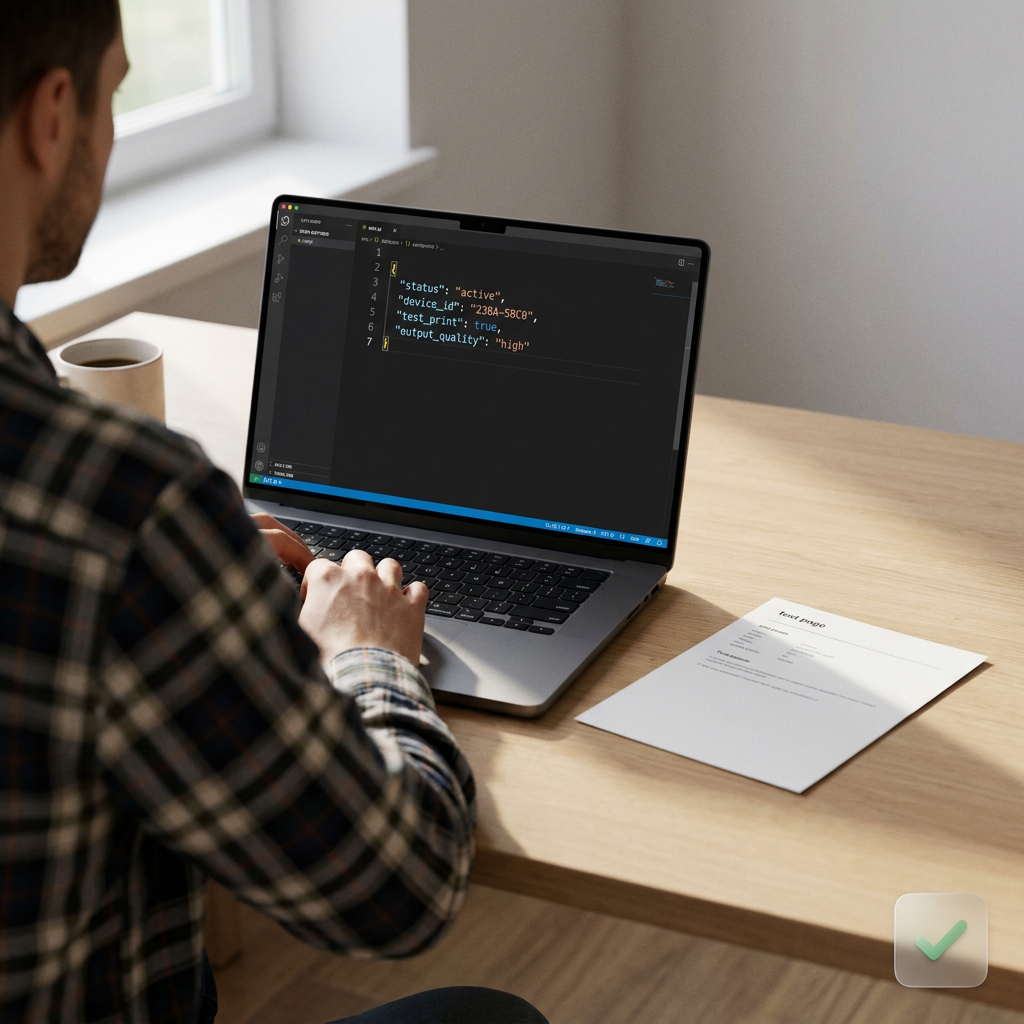
Build-time scaffolding through MCP generates working REST code against ezeep in a single conversation. No SDK to install, no authentication flow to debug manually, no printer discovery to implement.

operational-mcp-tasks
2

Operational Tasks Move Out of the Dashboard

Anything an ezeep admin does in the web console is reachable from an AI client. Useful for IT teams that already work in Claude, Copilot, or Cursor, and for automating admin tasks that used to require scripts against the REST API.
typing-code-laptop-mcp-api
3

Same Platform as the REST API

MCP calls route through the same ezeep infrastructure that serves the REST API. Same rate limits, same billing, same reporting, same ThinPrint-backed rendering engine that handles millions of print jobs daily in production for Fortune 500 customers.
Use Cases

What Can You Build With the ezeep MCP Server?

Four patterns we see customers build on day one.
Setup

How Do You Set Up the ezeep MCP Server?

ezeep MCP is set up in four steps: add the endpoint to your MCP client config, complete the OAuth flow with your ezeep organization admin account, call list_printers to confirm the connection, and call print_from_url with a test PDF. From zero to first print in under 10 minutes.

ezeep MCP is available on all plans at no additional cost. Usage counts toward standard ezeep API quotas: one MCP tool call equals one API call for rate-limit and billing purposes.

how-to-set-up-mcp

Frequently Asked Questions

Curious about how it all works? Here's everything you wanted to know about ezeep's cloud printing.

Does the ezeep MCP server cost anything extra?

No. The ezeep MCP server has no additional charge. It runs through your existing ezeep account, and print jobs are billed exactly as they are through the REST API or any other ezeep interface. If you already have an ezeep organization, you can connect and start calling tools at no additional cost.

Do you need to write code to use the ezeep MCP server?

No. The AI client handles tool discovery and calls automatically. You add the endpoint, authenticate once with OAuth, and describe what you want in natural language. There's no SDK to install and no API client to wire up. Code only comes into play if you're building a deployed app, and even then, the AI generates the integration code for you at build time.

Which printers and file types does the ezeep MCP server support?

The ezeep MCP server supports everything the ezeep platform supports: 6,000+ printer drivers across office and label hardware, including native Zebra label printing (ZPL, EPL, ZPLII). For files, ezeep renders PDFs, Office documents, and common image formats server-side, so the AI can print a generated PDF or a URL without local drivers. Call get_supported_filetypes to get the current list at runtime.

What happens when the target printer is offline during an MCP print call?

The print call returns a structured status rather than failing silently, and the job is queued against the connector. Before printing, an AI client can call list_printers_with_issues and get_connector_status to confirm a printer is reachable, and get_print_job_status to track a job after submission. Offline printer behavior is identical to the ezeep dashboard or REST API. MCP does not change the underlying job handling.

Can the AI accidentally print to the wrong printer or send the wrong document?

Printing is an explicit tool call, not a background process. The AI calls list_printers to resolve a target and print_from_url or print_uploaded_file with a specific printer and file. Every job returns a job ID and status you can audit in the ezeep admin portal. For unattended workflows, scope the connected account to only the printers and capabilities that workflow actually needs.

Where does document data go when printing through the ezeep MCP server?

Document data moves through the same ezeep infrastructure that handles every other print job: your organization's account and the ThinPrint-backed rendering engine, over HTTPS. Files are processed for rendering and routed to the printer you specify. The document content is not sent to the AI model provider as part of the print call. The model only sees the tool call and its result, not the rendered output. This is the same data path as the REST API.

Does the MCP work with my agent framework?

If the framework supports MCP, yes. Confirmed clients include Claude Desktop, Claude Code CLI, Cursor, Copilot in VS Code, and Lovable. Agent frameworks that implement MCP client support (LangGraph with an MCP adapter, for example) work out of the box. Please know that this list isn’t all available working agents.

How is ezeep MCP different from the ezeep REST API?

The ezeep MCP server and the ezeep REST API run on the same platform but serve different interfaces. MCP is for AI clients discovering and calling tools through natural language. REST is for application code calling endpoints directly. Most customers use MCP at build time to scaffold integrations, and REST at runtime inside the deployed app.

Are credentials exposed to the AI model?

No. OAuth tokens are exchanged directly between the MCP client and the ezeep MCP server over HTTPS. Tokens never appear in the LLM conversation context, never in the client's prompt history, never at the model provider.

Back to top

Build Printing Into Your App Without the Pain

Add the endpoint. Sign in. Call list_printers. If the connection works, the rest follows.

ezeep-chart (1)