Pull Printing holds a job in the AnyPrinter by ezeep queue until the user authenticates at a physical printer. Configure mobile QR-code authentication or card-based release, depending on your setup.
Note: This feature is available in the Business and Enterprise Plan.
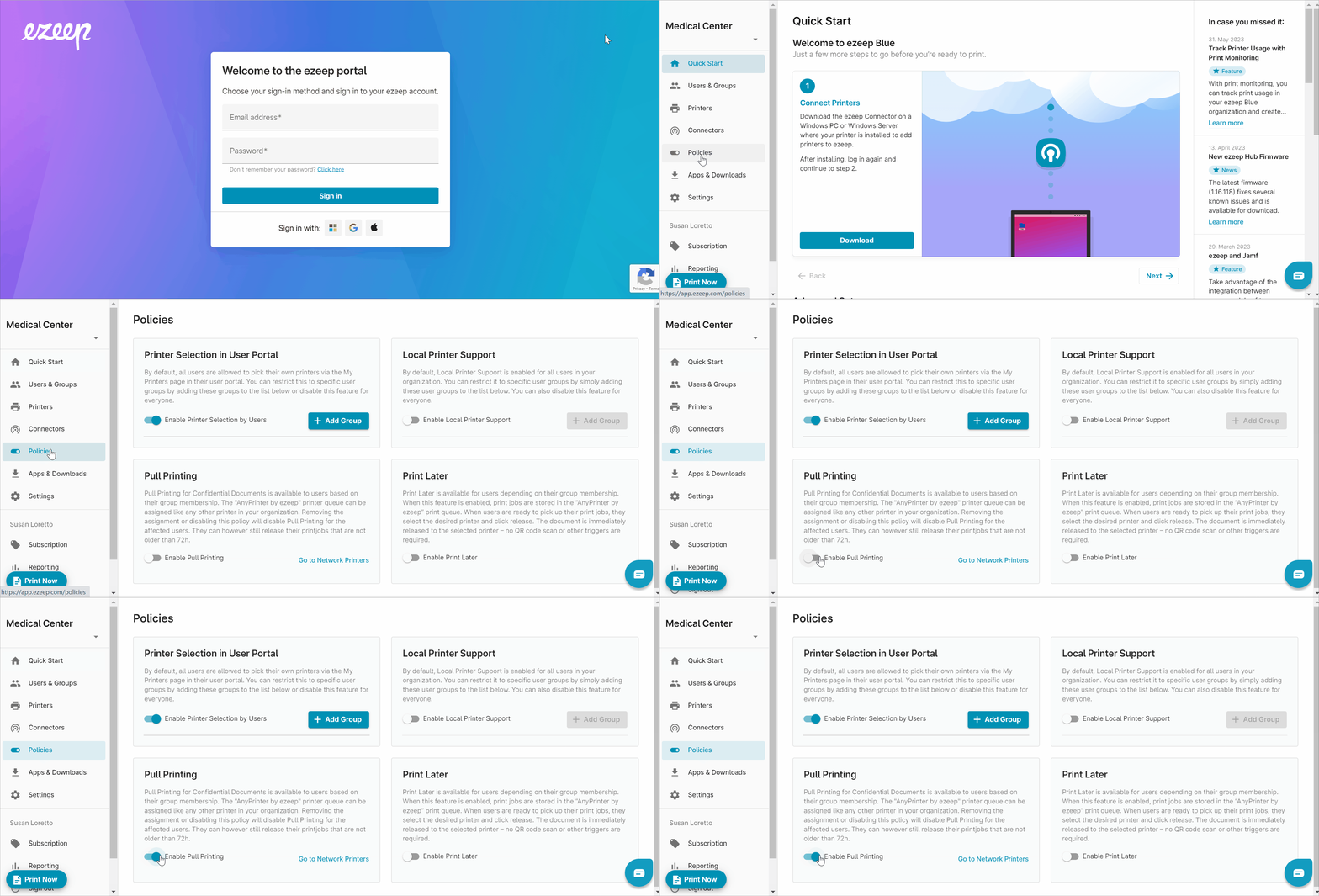
Step 1: Enable Pull Printing Policy
- Log into the ezeep portal with your admin credentials
- Open the menu item "Policies" in the left pane.
- Find the policy "Pull Printing" and enable it by moving the toggle to the right.