Update the ezeep Hub firmware to install fixes and supported improvements. This guide describes the available update methods.
- Update Firmware (Local)
- Download Firmware (Web)
In August 2025 ezeep introduced a major platform update to the ezeep Hub with Firmware version 2:
In order to update your ezeep Hub from Firmware version 1.19.24 to Firmware version 2.2.XXX you need to download the firmware from ThinPrint.com/downloads and use the "Download Firmware" option below.
Update Firmware
This option will upload a firmware image from your local computer.
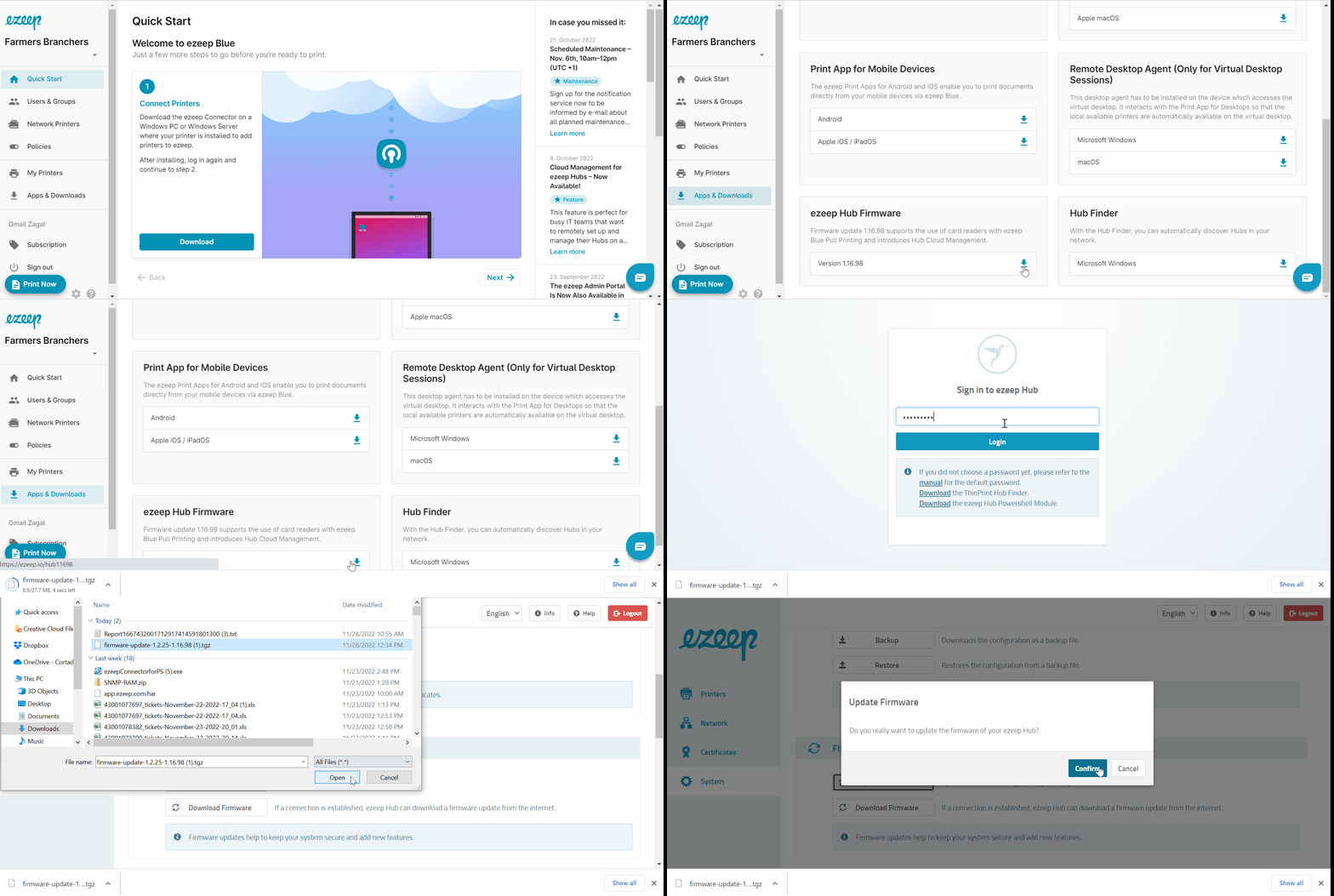
- Download the tgz package from the ezeep Admin Portal
- Log in to the ezeep Admin Portal
- Select "Apps & Downloads"
- Select the firmware under "ezeep Hub Firmware"
- The tgz package will be downloaded to your local pc
- Now, log in to the ezeep Hub console
- Select "System" on the left
- Select "Update Firmware"
- Select the tgz package that was just downloaded
- Select "Confirm
Download Firmware
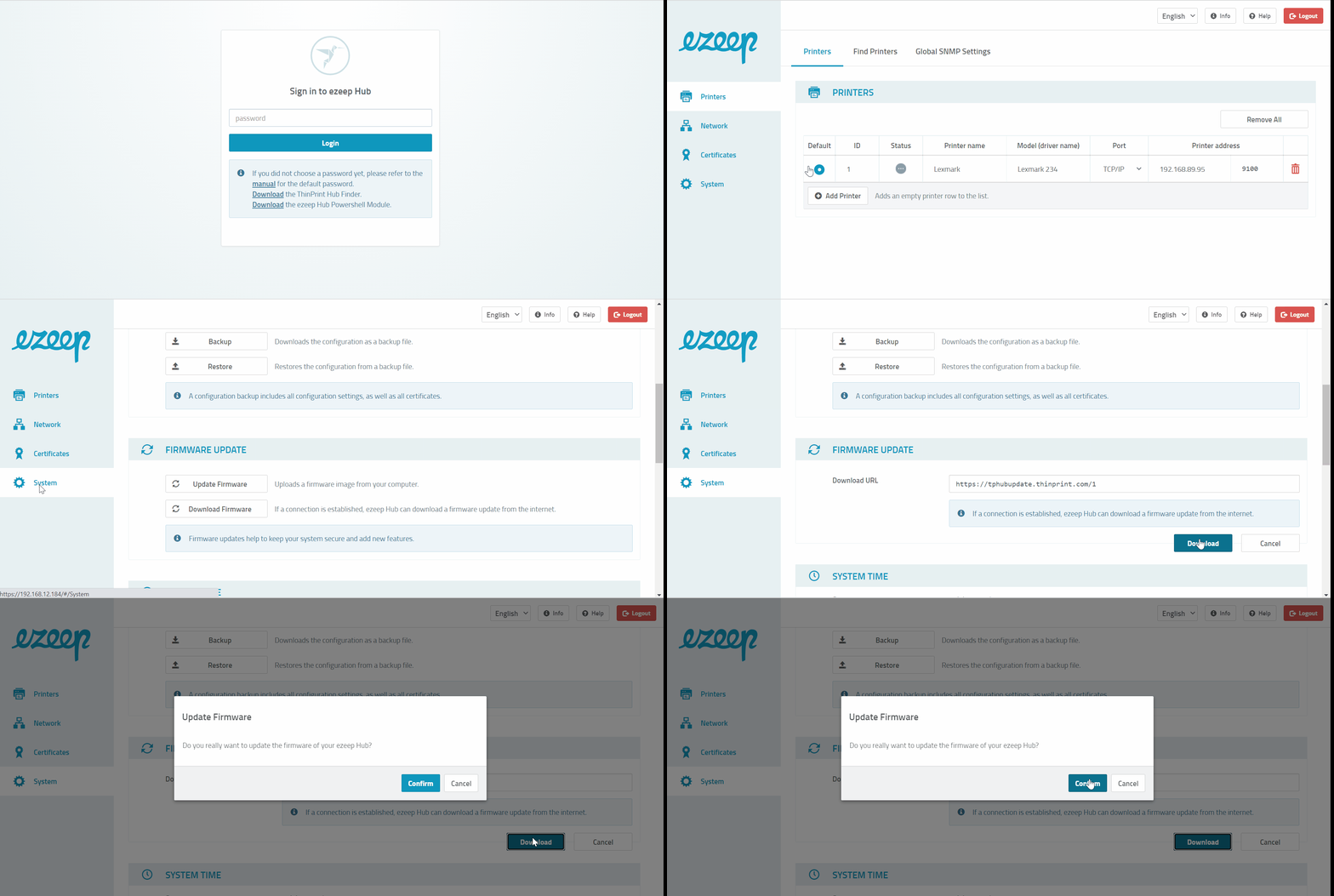
This option will download the firmware directly to the hub via internet. If a connection is established, ezeep Hub can download a firmware update from the internet.
- Log in to the ezeep Hub console
- Select "System" on the left
- Select "Download Firmware"
- Select "Download"
- Select "Confirm"