
Alternatywa dla Print Server: co faktycznie je zastępuje
Analiza komponent po komponencie: co przejmuje zadania po usunięciu print servers ze środowiska i jak wygląda to przejście w praktyce.
Dlaczego Print Servers są zastępowane
Print servers przez dziesięciolecia stanowiły podstawę drukowania w przedsiębiorstwach. Hostują współdzielone kolejki drukarek, dystrybuują sterowniki do podłączonych urządzeń, przetwarzają przypisywanie drukarek oparte na zasadach drukowaniai obsługują renderowanie zadań. Każde biuro lub budynek zazwyczaj potrzebuje co najmniej jednego, a każdy serwer generuje bieżące koszty: licencje Windows Server, licencje CAL, wymiany sprzętu co trzy–pięć lat, patchowanie, planowanie przełączeń awaryjnych oraz godziny pracy działu IT potrzebne do utrzymania wszystkiego w działaniu.
Odejście od print servers nie wynika z tego, że przestały działać. Dzieje się tak dlatego, że większość innych obciążeń została już przeniesiona do chmury, a print servers często są ostatnim elementem przestarzałej infrastruktury w serwerowni. Są kosztowne w stosunku do zakresu swoich zadań, zwiększają ryzyko przez luki w sterownikach i otwarte porty sieciowe oraz słabo skalują się w rozproszonych lub hybrydowych środowiskach pracy.
Alternatywa nie jest jednym produktem. To zmiana architektury: przeniesienie renderowania wydruków, routingu zadań, zarządzania użytkownikami i łączności z drukarkami z lokalnych serwerów do infrastruktury chmurowej. Poniższe sekcje wyjaśniają, co zastępuje każdą konkretną funkcję pełnioną przez print server.
Komponent po komponencie: co przejmuje zadania
What's Left On-Premises
After removing print servers, the on-premises footprint consists of two things: the printers themselves and a small hub or connector device at each location.
The Hub is a compact, maintenance-free device that connects printers to the cloud. It doesn't host drivers, queues, or user data. It maintains a persistent outbound connection to the cloud platform and delivers rendered print jobs to the local printers. If it loses power or connectivity, it reconnects automatically when service is restored. There's no more Windows patches, just a purpose built, hardened firmware with a configuration that can be backed up and restored in minutes.
For organizations that aren't ready to remove print servers immediately, most cloud printing platforms can run alongside existing servers during a transition period. You can migrate one site, one floor, or one department at a time, validate that everything works, and decommission print servers at your own pace.
Who Benefits Most from Replacing Print Servers
Multi-Location Organizations
Every office with a print server is another server to license, patch, and maintain. Replacing them with cloud connectivity and a hub per site cuts recurring costs and eliminates the need for on-site IT at each location.
Hybrid and Remote Workforces
Print servers require VPN tunnels or network proximity for users to print. Cloud printing routes jobs through the internet, so remote and hybrid workers print from anywhere without being on the corporate network.
IT Teams Reducing Infrastructure
Print servers are often the last piece of legacy Windows Server infrastructure in otherwise cloud-first environments. Removing them simplifies the stack and frees IT from a maintenance burden that doesn't justify its cost.
Security-Conscious Organizations
Every print server is an on-premises endpoint that needs hardening, patching, and monitoring. Replacing them removes an entire category of infrastructure from the vulnerability management program and eliminates driver-based attack vectors.
How ezeep Replaces Print Servers
ezeep replaces print servers with cloud rendering, a compact Hub device at each site, and a web-based admin console for managing printers, users, and policies.
The Hub connects any network or USB printer to the cloud without VPNs, drivers, or on-site IT. Organizations can run ezeep alongside existing print servers during migration and decommission servers at their own pace.

Dive Into the World of ezeep
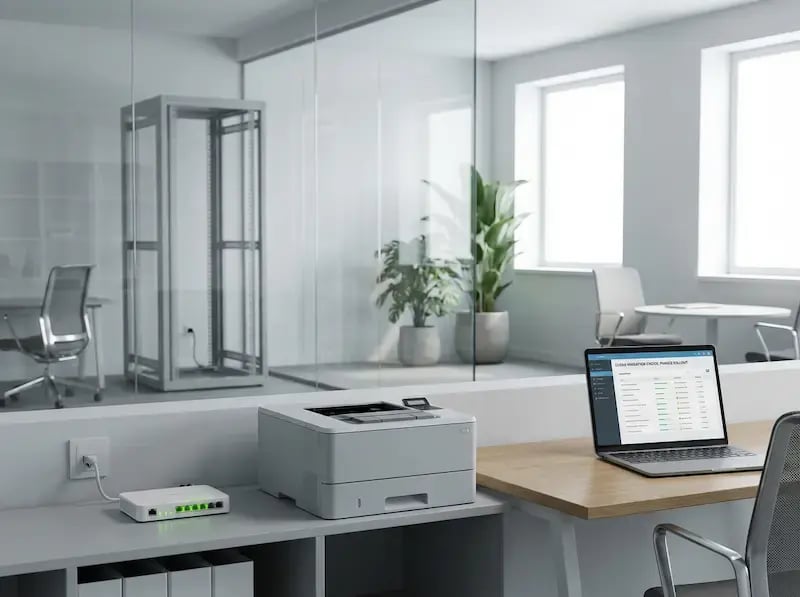
Cloud Print Migration
A phased approach to moving from print servers to cloud printing.

What is Cloud Printing?
The fundamentals of how cloud printing works and what it replaces.
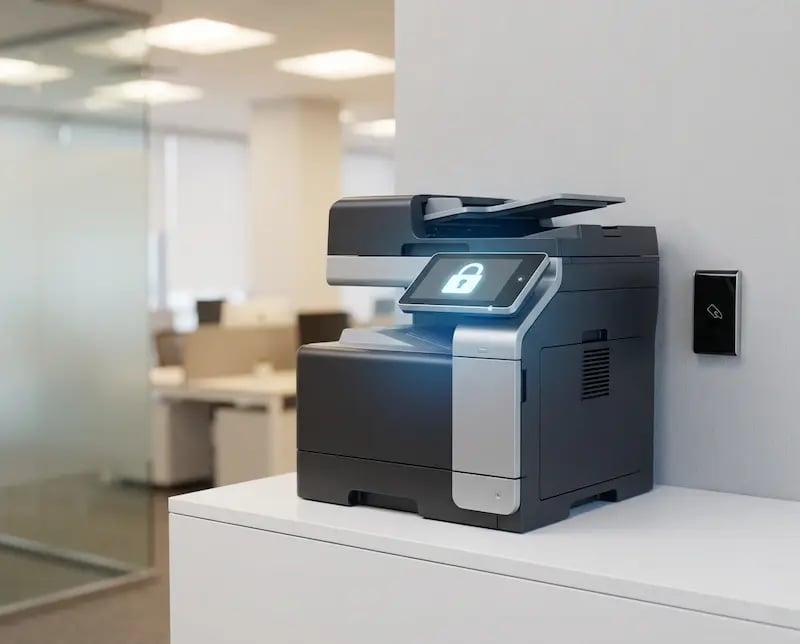
Cloud Print Security
How removing print servers actually improves your security posture.
Frequently Asked Questions
Curious about how it all works? Here's everything you wanted to know about ezeep's cloud printing solution!
Can cloud printing completely replace a print server?
Yes. Cloud printing replaces every function a print server performs: driver hosting, job rendering, printer sharing, user-based printer assignment, and print monitoring. The only on-premises component is a compact Hub or connector that bridges printers to the cloud. It doesn't host drivers, queues, or user data.
What about applications that depend on a print server for automated output?
Backend applications like ERP, WMS, and POS systems that send jobs to print server queues can be migrated to cloud-connected queues instead. The cloud platform creates persistent print queues on the local machine that applications print to like any normal Windows printer, with rendering and delivery handled in the cloud.
How much does a print server cost compared to a cloud printing alternative?
A single print server typically costs between $3,000 and $10,000 per year when you factor in Windows Server licensing, CALs, hardware amortization, power consumption, IT maintenance hours, and failover infrastructure. Cloud printing replaces that with a per-user subscription and a one-time Hub device cost. The exact savings depend on fleet size and the number of locations, but most organizations see a positive return within the first year.
Can I run cloud printing alongside my existing print servers during the transition?
Yes. Most cloud printing platforms can operate in parallel with existing print server infrastructure. You migrate one site, one team, or one floor at a time, validate that everything works, and decommission print servers at your own pace. There's no requirement for a simultaneous cutover.
Do I need to replace my printers when I remove the print server?
No. The printers stay. Cloud printing replaces the server and driver infrastructure behind them, not the hardware itself. A Hub or Connector device bridges your existing printers to the cloud. Most organizations migrate without replacing any printer hardware.
Ready to Retire Your Print Servers?
ezeep is free for up to 10 users. See what your environment looks like without print servers.
.webp?width=1920&height=1536&name=ezeep-chart%20(1).webp)