Cloud Management for ezeep Hubs
By Charles Ian Pritchard on September 29, 2022
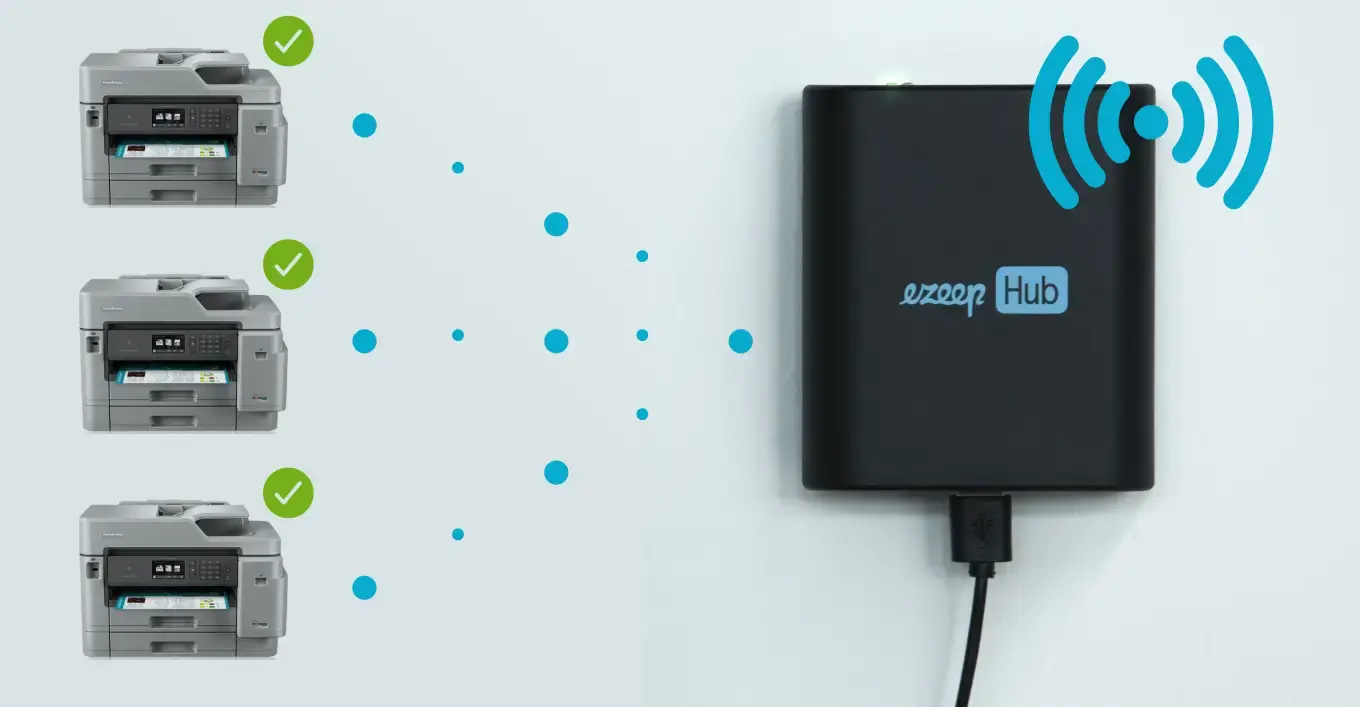
Remote cloud management for ezeep Hubs makes cloud-managed printing even better. IT teams can remotely set up and manage Hubs on any network globally, including home office, segmented, or zero-trust networks. This simplifies printer configuration, especially for remote workers, and ensures secure printing with minimal user effort.
How does cloud management for ezeep Hubs work?
Consider the home office scenario, which is now very common. Configuring printers for home offices often mixes personal and company devices or networks, requiring secure and easy connections. With cloud management, you can simply send a Hub to an employee for them to plug into their home office network.
Once a Hub connects to a local network, it automatically joins a cloud-hosted device pool. From the Admin Portal, IT can enter the MAC address of the Hub and claim it for their organization. The Hub then automatically discovers all printers on that network, allowing administrators to remotely set up printers, users, and groups through the Portal. This results in secure home office printing with almost no effort from the end user.
What are the benefits of remote Hub management?
- Manage and configure all your Hubs from a central web portal.
- No need to be on the same network as the ezeep Hub to configure it.
- No need to share ezeep Hub passwords with local teams for configuration.
- No need for local teams to assist with configuration – it is plug-and-play for home offices, branches, or wherever a Hub is used.
- Works with ezeep and ThinPrint Hubs, as well as Release Stations.
Cloud management works with all ezeep Hubs, ThinPrint Hubs, and Release Stations. ezeep Hubs replace costly and difficult-to-manage print servers. The ability to remotely configure and manage Hubs makes ezeep a powerful option for managing your print infrastructure from the cloud.
Begin using cloud management for ezeep Hubs today!
Already an ezeep user? Watch the video embedded on this page to see how to begin. Make sure your ezeep hubs are updated to firmware version 1.16.98, available for download from the ezeep Admin Portal in the Apps & Downloads section.
New to ezeep? Use ezeep for free today. The ezeep Hub can also be tested for free on our website.
Frequently Asked Questions
What is ezeep Hub cloud management?
ezeep Hub cloud management allows IT teams to remotely set up and manage ezeep Hubs from anywhere. This feature is designed for managing Hubs across different networks globally, including home office and zero-trust environments.
How does ezeep Hub cloud management help with home office printing?
ezeep Hub cloud management simplifies home office printing by allowing IT to send a Hub to an employee for easy plug-and-play setup. Once connected, the Hub automatically discovers printers on the home network, enabling IT to configure printing remotely from the Admin Portal.
How do I add an ezeep Hub to my organization's cloud management?
After an ezeep Hub is plugged into a local network, it automatically becomes visible in a cloud-hosted device pool. IT administrators can then claim the Hub for their organization by entering its MAC address in the ezeep Admin Portal.
What are the benefits of remote ezeep Hub management for IT teams?
Remote ezeep Hub management saves IT teams time and effort by allowing them to configure and oversee printing infrastructure without needing to be physically present. This simplifies deployments and ongoing management, particularly for distributed or remote workforces.
Can I manage ezeep Hubs in a zero-trust network environment?
Yes, ezeep Hub cloud management supports zero-trust networks. This capability ensures that IT teams can securely manage Hubs and printing even in highly secure or segmented network setups.
- April 2026 (2)
- March 2026 (3)
- February 2026 (2)
- January 2026 (2)
- December 2025 (1)
- November 2025 (4)
- October 2025 (4)
- September 2025 (1)
- August 2025 (4)
- July 2025 (1)
- June 2025 (3)
- May 2025 (3)
- April 2025 (5)
- March 2025 (6)
- February 2025 (5)
- January 2025 (3)
- December 2024 (4)
- November 2024 (4)
- October 2024 (6)
- September 2024 (2)
- August 2024 (2)
- July 2024 (4)
- May 2024 (4)
- March 2024 (1)
- February 2024 (3)
- January 2024 (1)
- December 2023 (1)
- November 2023 (2)
- October 2023 (3)
- September 2023 (2)
- August 2023 (1)
- July 2023 (2)
- June 2023 (2)
- May 2023 (1)
- April 2023 (3)
- March 2023 (5)
- February 2023 (4)
- January 2023 (2)
- December 2022 (3)
- November 2022 (2)
- October 2022 (5)
- September 2022 (4)
- August 2022 (1)
- July 2022 (3)
- June 2022 (4)
- May 2022 (2)
- April 2022 (4)
- March 2022 (4)
- February 2022 (2)
- January 2022 (1)
- October 2021 (1)
- July 2021 (5)
- June 2021 (4)
- May 2021 (3)
- April 2021 (1)
- March 2021 (4)
- February 2021 (1)
- December 2020 (1)
- November 2020 (1)
- October 2020 (1)
- September 2020 (1)
- July 2020 (1)
- June 2020 (1)
- April 2020 (4)
- March 2020 (3)
- February 2020 (3)
- January 2020 (1)
- August 2019 (2)
- May 2019 (1)
- January 2018 (1)
You May Also Like
These Related Stories

Secure Cloud Printing with Zero Trust: ezeep's Innovative Approach

How to Print to Remote Printers without VPN