No-Code Automation for Print Workflows
By Clara Salomon on December 11, 2024

No-code solutions are transforming business automation by simplifying tasks and reducing IT reliance. Until recently, complex print workflows, especially for specialized needs like label printing, remained a challenge. ezeep changes this by integrating print capabilities directly into popular no-code platforms, making print automation accessible to everyone without a single line of code.
The Power of No-Code Automation
No-code platforms allow users to create complex processes using visual interfaces. This approach offers clear advantages:
- Speed: Automate workflows in minutes, not weeks.
- Accessibility: Non-technical users can design and manage workflows.
- Cost Efficiency: Less reliance on expensive development resources.
- Better Control and Oversight: Companies maintain control over processes, reducing IT support needs.
- Higher ROI: Faster development and flexible processes lead to better returns.
- Reduced Staffing Needs: No specialized technicians are required.
These tools are already used for many scenarios, from onboarding to email automation. Print workflows, however, often remain unaddressed.
Challenges in Automating Print Workflows
Automating print tasks, such as label printing or print-on-demand, presents several hurdles:
- Hardware Integration: Specific drivers and configurations are often needed for different printers.
- Document Formats: Print jobs can involve various formats like PDFs or custom templates.
- Scalability: Managing multiple printers across locations can be complex.
- Security: Confidential documents require secure processing.
Traditional print solutions generally rely on complex print servers or custom scripts, which goes against the simplicity of no-code.
ezeep: The No-Code Answer for Printing
ezeep is a cloud-based printing platform that integrates with no-code tools. It helps you automate even complex print workflows, including:
- Easy Printer Integration: Connect devices like label printers across multiple locations. This makes print automation simple for everyone.
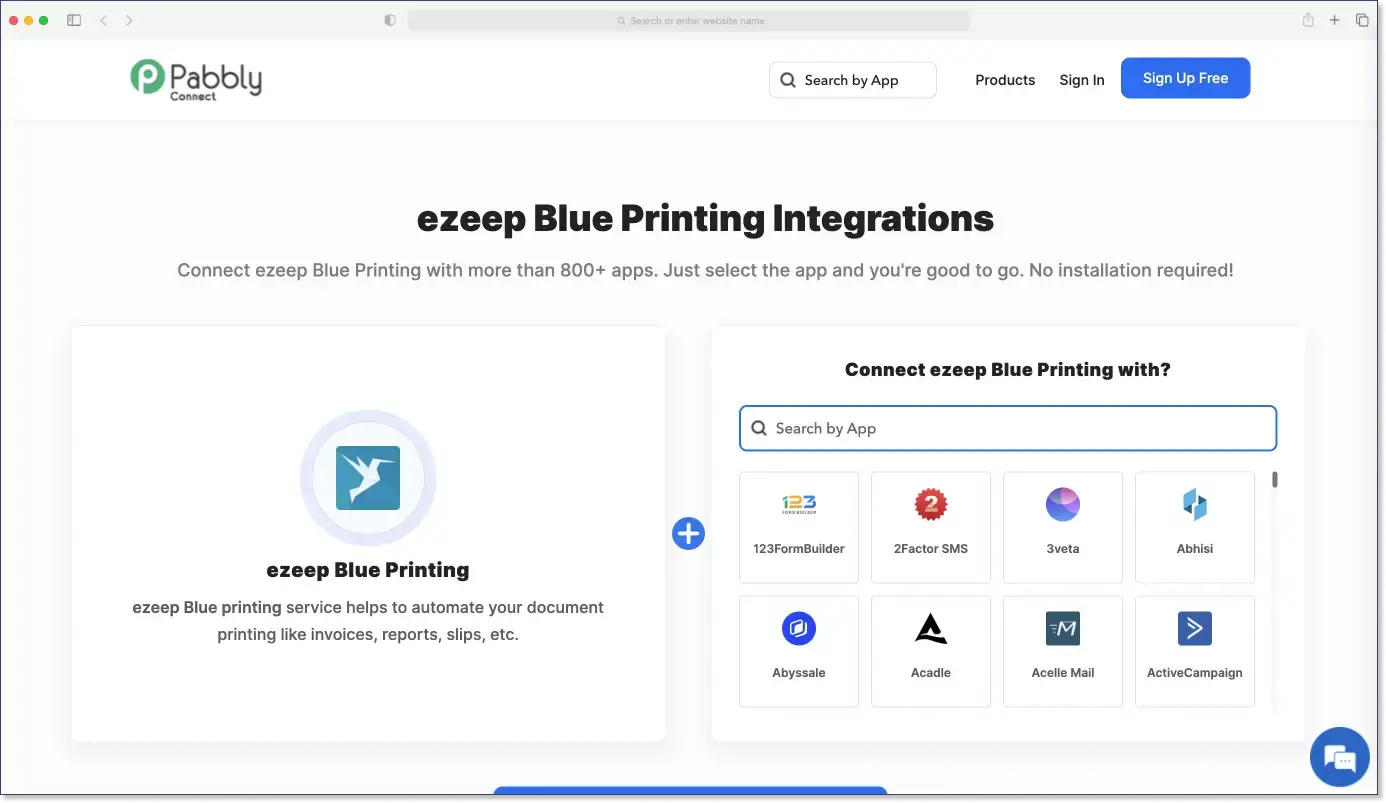
- No-Code Workflow Automation: By integrating with platforms like Zapier, Make, or Pabbly, you can create automated workflows that trigger print jobs.
- Automatically generate a shipping label when an e-commerce order is placed.
- Print production schedules when a task is updated in tools like Trello or Asana.
- Customizable Print Rules: Set rules for which printers handle specific document types or users, all without programming.
- Secure Printing Anywhere: With encryption and secure processing, ezeep protects sensitive data, which is useful for industries like healthcare or logistics.
How It Works: Automating Label Printing for E-Commerce
An e-commerce business using Shopify can automatically print shipping labels for new orders:
- Shopify connects to ezeep using Zapier.
- When a new order arrives, Zapier triggers the printing of the label on a connected label printer.
- This creates an automated process that saves manual effort and reduces errors.
Why ezeep for No-Code Print Automation?
ezeep simplifies printing while upholding the no-code philosophy. Its advantages include:
- Quick Setup: Start automating print workflows quickly.
- Hardware Flexibility: Works with most printers, from standard to specialized devices.
- Scalability: Manages workflows for teams of any size, even across multiple locations.
- Innovation: Regular updates keep ezeep up-to-date.
Examples of No-Code Print Automation with ezeep
- L5 Navigation Systems AB, a Swedish company, optimized its warehouse processes by integrating ezeep and Zapier. Automated print jobs for shipping labels and marking stickers improved workflows and reduced human error by 90%, achieving ROI in under 3 months.
- An industrial company automated its SAP label printing by storing generated labels in OneDrive and outputting them directly to Zebra printers using ezeep and Zapier. This made warehouse staff more efficient and enhanced the overall print workflow.
- Blue Carrot Catering automated email and attachment printing with ezeep and Zapier after Google Cloud Print was discontinued. With the ezeep Hub, local printers became accessible online without a VPN or print servers.
Improve Your Print Workflows
The future of process automation includes print workflows. With ezeep, companies can easily integrate their printing needs into no-code platforms, improve efficiency, and reduce complexity. Whether for label printing in the warehouse or office documents, ezeep offers the flexibility you need. Built on ThinPrint technology, trusted by Fortune 500 organizations, ezeep handles millions of pages daily.
Frequently Asked Questions
Can no-code automation handle print workflows?
Yes, no-code automation can manage print workflows, even for specialized setups like label printers. These platforms allow businesses to integrate printing into automated processes without needing to write code, simplifying tasks that might otherwise require IT intervention.
What are the main benefits of no-code automation for businesses?
No-code automation offers several key benefits, including increased speed in workflow creation, greater accessibility for non-technical users, and improved cost efficiency. These platforms empower teams to build and manage their own automated processes, reducing reliance on IT departments for development tasks.
How does no-code automation reduce reliance on IT?
No-code automation reduces reliance on IT by providing visual interfaces and drag-and-drop features that enable business users to design and implement workflows themselves. This shifts the responsibility for process automation from IT specialists to the teams directly involved, freeing up IT resources for more complex tasks.
Can I use ezeep with no-code automation platforms?
Yes, ezeep can be integrated with various no-code automation platforms to streamline print workflows. This allows for automated printing as part of larger business processes, such as generating shipping labels or invoices directly from your existing business applications.
What kind of print tasks can be automated with no-code solutions?
No-code solutions can automate a wide range of print tasks, from standard document printing to more specialized requirements like label printing for logistics or retail. They can integrate printing into various business processes, ensuring that documents are printed automatically when triggered by specific events in other applications.
- October 2026 (2)
- September 2026 (14)
- August 2026 (11)
- July 2026 (9)
- June 2026 (12)
- May 2026 (3)
- April 2026 (3)
- March 2026 (3)
- February 2026 (2)
- January 2026 (2)
- December 2025 (1)
- November 2025 (4)
- October 2025 (4)
- September 2025 (1)
- August 2025 (4)
- July 2025 (1)
- June 2025 (3)
- May 2025 (3)
- April 2025 (5)
- March 2025 (6)
- February 2025 (5)
- January 2025 (3)
- December 2024 (5)
- November 2024 (5)
- October 2024 (6)
- September 2024 (2)
- August 2024 (2)
- July 2024 (4)
- May 2024 (4)
- March 2024 (1)
- February 2024 (3)
- January 2024 (1)
- December 2023 (1)
- November 2023 (2)
- October 2023 (3)
- September 2023 (2)
- August 2023 (1)
- July 2023 (2)
- June 2023 (2)
- May 2023 (1)
- April 2023 (3)
- March 2023 (5)
- February 2023 (4)
- January 2023 (2)
- December 2022 (3)
- November 2022 (1)
- October 2022 (5)
- September 2022 (4)
- August 2022 (1)
- July 2022 (3)
- June 2022 (4)
- May 2022 (2)
- April 2022 (4)
- March 2022 (4)
- February 2022 (2)
- January 2022 (1)
- October 2021 (1)
- July 2021 (5)
- June 2021 (4)
- May 2021 (3)
- April 2021 (1)
- March 2021 (4)
- February 2021 (1)
- December 2020 (1)
- November 2020 (1)
- October 2020 (1)
- September 2020 (1)
- July 2020 (1)
- June 2020 (1)
- April 2020 (4)
- March 2020 (3)
- February 2020 (3)
- January 2020 (1)
- August 2019 (2)
- May 2019 (1)
- January 2018 (1)
You May Also Like
These Related Stories
Automated Printing with ezeep and Zapier
Print from Thousands of Apps with Zapier Integration