By Ines Reinhardt on May 5, 2026
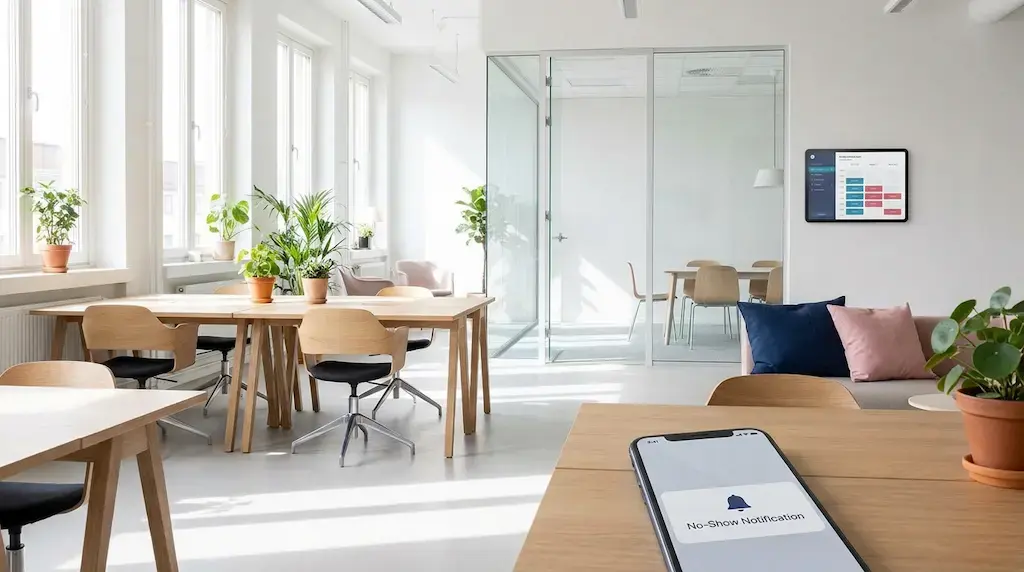
Empty desks, booked rooms, lost revenue. No-shows are one of the biggest revenue killers in the coworking business. We’ll show you how to tackle the problem at the root with clear policies and smart automations.
Why No-Shows Cost Your Coworking Space More than You Think
A member books a conference room for three hours and simply doesn’t show up. No call, no cancellation, no apology. At the same time, another member was looking for that exact room and saw it listed as “booked.”
No-shows are one of the most common frustrations in day-to-day coworking operations. One thing is clear: even just a few unused bookings per week can add up to noticeable financial damage over the course of a year. For coworking spaces, this means:
-
Direct revenue loss from unused but blocked resources
-
Frustration among other members who cannot find availability
-
Distorted utilization data that undermines your capacity planning
-
Unnecessary admin work for your team
No-shows are not inevitable. With the right combination of policy and automation, you can significantly reduce your no-show rate,without annoying your community.
Part 1: Setting Up the Right No-Show Policy
Before you automate anything, you need a clear set of rules. A good policy is fair, transparent, and consistent. It protects your business without feeling like a list of penalties.
The basic principles of an effective policy:
-
Transparency before booking: Communicate your rules during onboarding and in the booking flow, not just in the fine print. Members who know the rules are more likely to follow them.
-
Proportionality: Distinguish between a one-time slip-up and repeated behavior. Escalation levels make your policy feel human and credible.
-
Simplicity: The more complicated the rule, the harder it is to enforce. Keep it simple.
Policy Model 1: The Warning System Recommended for Community-focused Spaces
This model focuses on behavior change instead of immediate penalties:
1st no-show: Friendly email reminder, no consequence
2nd no-show: Personal conversation or message from the community team
3rd no-show: Temporary booking restriction, such as only being able to book 24 hours in advance
4th no-show: Fee or suspension of booking privileges
Benefit: Low-barrier, community-friendly, and gives members the chance to change their behavior.
Policy Model 2: The Credit Points System
Each member starts with a balance of “booking points.” No-shows cost points, while timely cancellations earn points back:
-
Booking created: 0 points
-
Cancellation more than 2 hours in advance: +1 point bonus
-
Cancellation less than 2 hours in advance: -1 point
-
No-show: -3 points
-
Below 0 points: Booking window is restricted
Benefit: Adds a gamification effect, actively rewards good behavior, and is easy to automate.
Policy Model 3: The Fee Model Recommended for Premium Spaces
Clear financial consequences, similar to hotels or medical practices:
-
Cancellation more than 24 hours in advance: Free
-
Cancellation 2–24 hours in advance: 50% of the booking fee
-
Cancellation less than 2 hours before the booking or no-show: 100% of the booking fee
Benefit: Creates maximum commitment and is especially effective for high-value resources like event spaces or podcast studios.
One approach that works well is a combination of models 1 and 3. Use the warning system for standard bookings and the fee model for high-value resources with longer booking windows.
What Your Policy Absolutely Needs to Cover
No matter which model you choose, these points should always be included:
Cancellation deadline: When is a cancellation considered “on time”?
Cancellation method: Only through the app? Also by email or phone?
Definition of a no-show: Is someone considered a no-show if they are 15 minutes late or only if they do not show up at all?
Exceptions: How do you handle illness, technical issues, or force majeure?
Communication channel: Where and how are members informed about violations?
Part 2: The Reminder Automations that Reduce No-Shows
Policies alone are not enough. Many no-shows do not happen out of bad intentions. People often simply forget that they made a booking. This is where automations come in.
The Reminder Sequence: Timing is Everything
A single confirmation email is not enough. Effective reminder sequences use several touchpoints.
Touchpoint 1: Instant Confirmation Right After Booking
Channel: Email plus push notification in the app
Content:
-
Booking details, including resource, time, and duration
-
Direct cancellation link with one-click cancellation
-
Brief reminder of the cancellation deadline
-
Calendar export button with ICS file
Why it works: The calendar export is underrated. When the booking is in someone’s calendar, they are less likely to forget it.
Touchpoint 2: 24-Hour Reminder
Channel: Email or SMS
Content:
-
Short, friendly reminder
-
Cancellation link placed prominently again
-
Optional: Weather or directions information for external guests
Example subject line: “Tomorrow at 10 AM: Your meeting room is ready. Still good to go?”
Why it works: The direct cancellation link dramatically lowers the barrier to canceling. Nobody wants to click through three menus just to release a room.
Touchpoint 3: 2-Hour Reminder, the Key One
Channel: Push notification or SMS, not email because it is too easy to miss
Content:
-
Very short and direct
-
Prominent cancellation option
-
Optional note about the waitlist: “Someone is waiting for this room”
Example text: “Your room starts in 2 hours. Can’t make it? Release it now, others are waiting.”
Why it works: The social angle, “someone is waiting,” activates a sense of responsibility. This trigger is psychologically more effective than a simple reminder.
Touchpoint 4: Check-in automation, optional but powerful
Channel: App or on-site QR code
Mechanism: Members need to check in 10–15 minutes before the booking starts. If they do not check in, the booking is automatically released.
Benefit: Resources become available again in real time. This is ideal for high-traffic spaces.
Important: Communicate this mechanism clearly in advance. An unexpected cancellation because of a missed check-in can cause frustration.
How to Implement Automations Technically
Most modern coworking management tools can be connected to communication tools through automation platforms like Zapier or Make. So no coding experience is required. This makes it easy to set up confirmations, reminders, and no-show logic as simple workflows:
-
Booking created → confirmation email plus calendar link
-
24 hours before → reminder by email or SMS
-
2 hours before → push notification or SMS
-
No check-in → automatic release plus notification
Communication: Tone Matters
Reminders should remind, not shame. In coworking spaces, where community is at the heart of the offer, the right tone makes all the difference.
Not like this:
Attention: Your booking #4521 starts in 2 hours. Fees will apply if you do not show up.
Better like this:
Hey [Name], your room starts soon! Still good to go? If your plans have changed, you can release it with one click so someone else can use it. Thanks for looking out for the community!
The difference: Same information, completely different feeling. The second example activates a sense of community instead of fear of punishment.
Part 3: Measure, Learn, Optimize
A no-show strategy is not a set-it-and-forget-it project. Track these metrics regularly:
-
Overall no-show rate, with under 5% as a benchmark for well-optimized spaces
-
No-show rate by resource type, such as conference rooms versus individual desks
-
No-show rate by member segment, such as day pass users versus members
-
Cancellation rate after each reminder, showing which touchpoint triggers the most cancellations
-
Utilization after policy rollout, showing whether usage has improved
Review your numbers monthly and adjust reminder timing, tone, and policy levels accordingly.
Conclusion: Fewer No-Shows, More Community Trust
Reducing no-shows is not about being strict or controlling. It is about clarity and communication. When you communicate fair rules transparently and follow up with smart reminders, you create an environment where members take responsibility. Not because they have to, but because they want to.
The combination of a well-designed policy and an automated reminder sequence will bring your no-show rate down. That means more revenue, better utilization, and a community that feels treated fairly.
Meeting Room Rules in Coworking: Clear Processes, Fewer Conflicts
Showers in Coworking Spaces: A Must-Have?