By Karen Thulmann on September 10, 2026

If you're already working in Claude Code, adding printing to whatever you're building doesn't need a REST client, an API key you have to manually store somewhere, or a read-through of ezeep's docs before you write a line. Claude Code can connect to the ezeep MCP server directly, discover the print tools, and start calling them in the same session.
How to Add the ezeep MCP Server to Claude Code
One command from the terminal:
claude mcp add --transport http ezeep https://mcp.ezeep.com/mcp

That's the whole setup. No token to generate first, no config file to hand-edit. The OAuth URL means Claude Code manages the sign-in and the token refresh on its own, so nothing ezeep-related sits in a local file for you to lose track of.
What Happens on Claude Code's First ezeep Tool Call
Claude Code doesn't prompt for anything at connection time. The first time you actually ask it to do something that touches ezeep (list your printers, print a test file), it opens a browser tab to the ezeep login page. Sign in, consent if asked, and control returns to Claude Code. From then on in that session, the print tools work like any other tool Claude Code has access to, and the token refreshes in the background without asking you to sign in again.
Shared Account vs. Per-User: Choosing an ezeep Integration Model
ezeep MCP asks this before it lets an agent build anything that prints on someone else's behalf: one shared ezeep account behind the whole thing, or each end user signing in with their own account.
For most of what gets built in Claude Code, the shared account model is the right call. It works with no setup on the ezeep side, and it fits internal tools, backend scripts, and anything where the printer belongs to you or your team rather than to a stranger using a hosted app. If you're building something where separate people each need to print as themselves, that's the per-user OAuth path instead, and it involves registering an OAuth client first. Claude Code can do that step for you if you ask.
Build-Time vs. Runtime: Two Ways to Use the ezeep MCP Server
Two different ways this ends up getting used, and it's worth knowing which one you're doing.
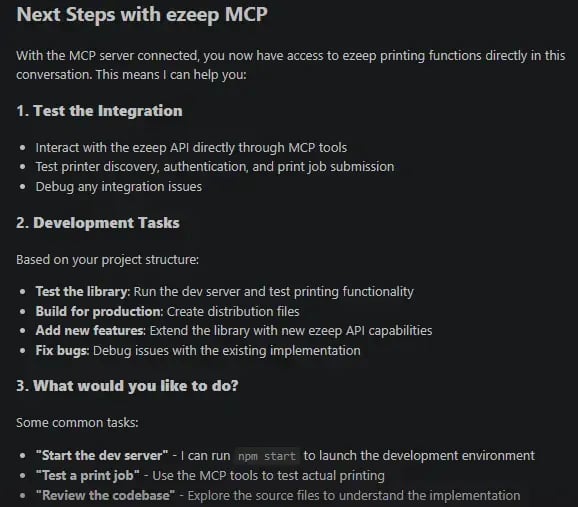
1. Build-time. You're scaffolding a feature. Ask Claude Code to add printing to an app, it reads the ezeep tools, writes the integration code, and tests it with a real print job. Once it works, your app calls ezeep's REST API directly from then on. MCP's job was getting you there without reading documentation first.
2. Runtime. MCP stays in the picture permanently, as part of something Claude Code (or an agent built on the same protocol) runs on an ongoing basis. IT automation that checks for offline printers, a script that prints a report on a schedule, anything where printing is one tool among several an agent reaches for as needed.
Same server, same tools, same login either way. What changes is how long the MCP connection sticks around after the first working version.
One Thing to Know Before You Test the ezeep MCP Server
There's no simulation mode. The first print_from_url call you run sends a real job to a real printer. Point it at something you don't mind wasting a sheet of paper on for that first test.
If you're looking for an easy way to always check your ezeep status in the AI tools you use on the daily, the ezeep MCP is definitely worth checking out.


ezeep MCP Is Live: Give Your AI the Ability to Print

Check Print Fleet Status From Claude Desktop via ezeep MCP