By Clara Salomon on March 3, 2026
Microsoft is fundamentally modernizing the Windows print stack. With Windows Protected Print Mode (WPP) and the end of driver servicing via Windows Update, IT departments are facing concrete questions. These changes impact how new devices are deployed and how existing printers remain usable. This guide provides a clear overview, offering practical answers for IT decision-makers.
What Is Windows Protected Print Mode (WPP)?
Windows Protected Print Mode is an optional security configuration introduced with Windows 11 24H2 and Windows Server 2025. It is part of Microsoft's long-term strategy to reduce the attack surface of the Windows print subsystem. When WPP is enabled, third-party drivers are blocked, and printing is only possible via Microsoft's modern IPP stack, significantly reducing vulnerabilities.
When WPP is enabled:
- Third-party drivers are blocked – no installation of legacy V3/V4 drivers on endpoints.
- Printing is only possible via Microsoft's modern IPP stack.
- The attack surface of the print subsystem is significantly reduced.
Important: WPP is not enabled by default in the standard Windows installation. Administrators must explicitly activate this configuration.
Microsoft Ends Driver Delivery via Windows Update
Independently of WPP, Microsoft has stopped providing new V3/V4 printer drivers via Windows Update. This does not mean existing printers will immediately stop working, but it has medium-term implications for new device deployments, operating system reinstallations, hardware refresh cycles, and the long-term availability of drivers. These two developments signal that relying on locally installed legacy drivers is becoming increasingly difficult.
This has medium-term implications for:
- New device deployments
- Operating system reinstallations
- Hardware refresh cycles
- The long-term availability of drivers
Together, these two developments send a clear signal: maintaining a dependency on locally installed legacy drivers is becoming increasingly difficult.
What Does This Mean for Businesses?
Many organizations operate printer fleets based on legacy drivers. These printers generally work perfectly fine and represent significant capital investments. Replacing them solely because Microsoft is modernizing its driver model is not a viable strategy. The key question then becomes: How can organizations continue to reliably operate legacy printers in a modern Windows environment?
Many organizations operate printer fleets based on legacy drivers. These printers:
- Generally work perfectly fine.
- Represent significant capital investments.
- Are not necessarily IPP-native or Mopria-compatible.
Replacing them solely because Microsoft is modernizing its driver model is not a viable strategy.
Therefore, the key question is: How can organizations continue to reliably operate legacy printers in a modern Windows environment?
How ezeep Bridges the Gap
ezeep supports both modern and legacy print environments. While Microsoft reduces driver dependency at the endpoint level, ezeep maintains a centralized driver pool in the cloud. This means legacy printers remain usable without each endpoint needing to manage its own drivers, and hardware lifecycles are extended, avoiding forced replacement of functioning devices.
In concrete terms, this means:
- Legacy printers remain usable – without each endpoint having to manage its own drivers.
- Driver complexity is handled centrally – uniformly, controlled, and with high availability.
- Endpoint load is reduced – no individual driver installations required.
- Hardware lifecycles are extended – no forced replacement of functioning devices.
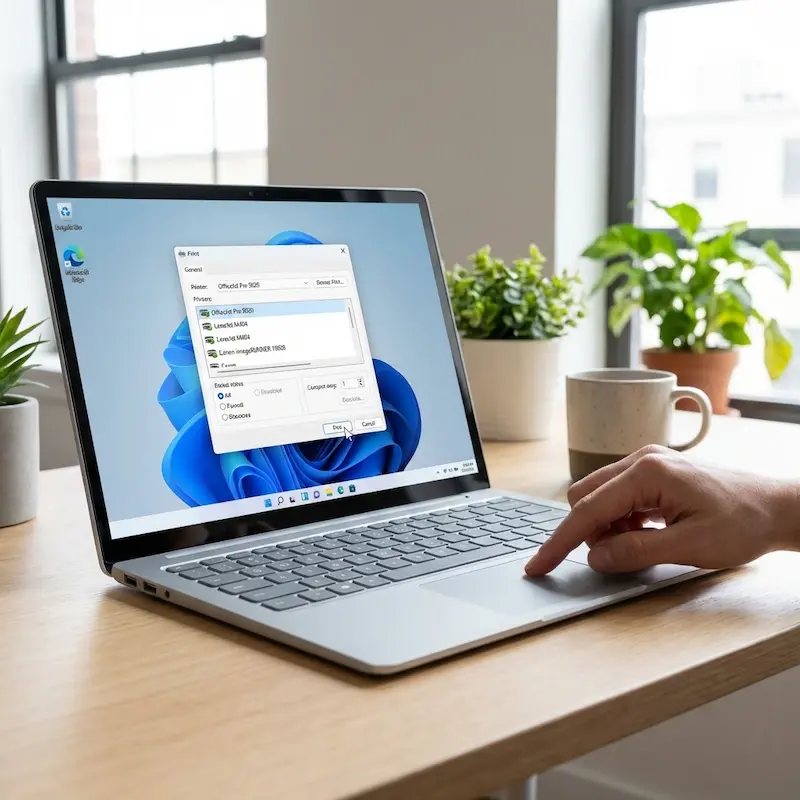
For environments where Windows Protected Print Mode is actively enabled, the latest ezeep Print App for Windows (released in May 2026) closes the last compatibility gap. It maps ezeep printers on Windows 11 24H2 and Windows Server 2025 machines with WPP on, using a WPP-specific compatibility layer that works inside Microsoft's constraints. So cloud printing keeps running, and WPP stays fully enabled. Read our WPP solution launch announcement to find out more details.
In short: driver support does not disappear – it shifts. Instead of every Windows device maintaining its own driver stack, driver management is consolidated, centrally controlled, and now fully compatible with WPP.
Printing Without Drivers: Solutions for Restrictive Windows Environments
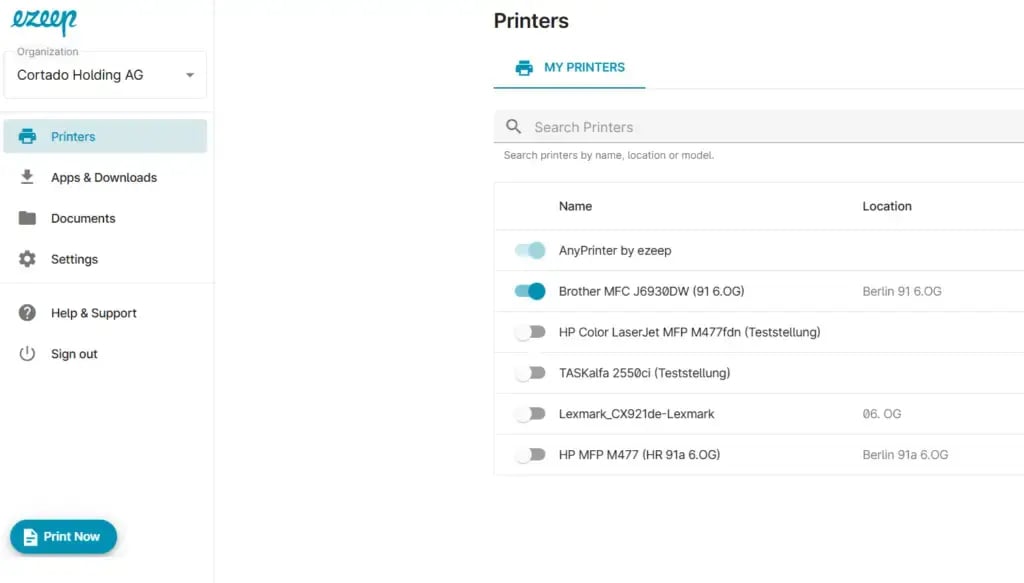
For environments that have enabled WPP or use particularly restrictive endpoint policies, ezeep offers two driver-independent print workflows: PrintNow via the ezeep Portal for browser-based ad-hoc printing, and the latest ezeep Print App for Windows for mapping ezeep printers directly on devices with WPP enabled.
PrintNow via the ezeep Portal
- Browser-based upload-to-print: print documents directly from the browser.
- No Windows printer object required.
- No driver installation on the endpoint necessary.
This keeps print operations running even when strict driver restrictions apply at the endpoint level.
The Latest ezeep Print App for Windows
- Maps ezeep printers directly on devices with APP enabled.
- Runs in the user context with a WPP-specific compatibility layer.
- Printer management continues through the ezeep Portal as usual.
WPP stays fully enabled. Read the launch announcement for the full technical details.
What You Should Review Now
If you are planning a rollout of Windows 11 24H2 or evaluating WPP, we recommend reviewing your current print infrastructure. Assess which printers depend on legacy drivers, how drivers are currently deployed, and what your strategy for driver lifecycle management is. The changes in Windows printing require planning, not panic.
- Which printers in your fleet depend on legacy drivers?
- How are drivers currently deployed and updated?
- What will happen during device refresh cycles or OS reinstallations?
- Do you have a central strategy for driver lifecycle management?
The shift in Windows printing should not cause panic – but it does require planning. Use our checklist to see what you need to do before the July 2027 deadline.
Conclusion
Microsoft is consistently modernizing its print architecture: legacy drivers are increasingly restricted at the endpoint, driver delivery via Windows Update is being phased out, and security modes like WPP could become the standard in the future. Organizations relying on locally installed legacy drivers today should plan how to operate their printer fleets stably long-term, avoiding issues with every Windows update or device change.
ezeep ensures that:
- Legacy printers remain usable.
- Drivers are managed centrally and uniformly – without local overhead.
- No premature hardware replacement is necessary.
- Print operations remain stable throughout the Windows modernization process.
Driver management is changing. Discover how these developments affect your environment and explore practical next steps by contacting our team today.

The Latest ezeep Print App for Windows: Cloud Printing With Windows Protected Print (WPP) Mode Enabled

Windows Protected Print vs. Windows Ready Print: What Changed