
By Franck Raison on October 29, 2026
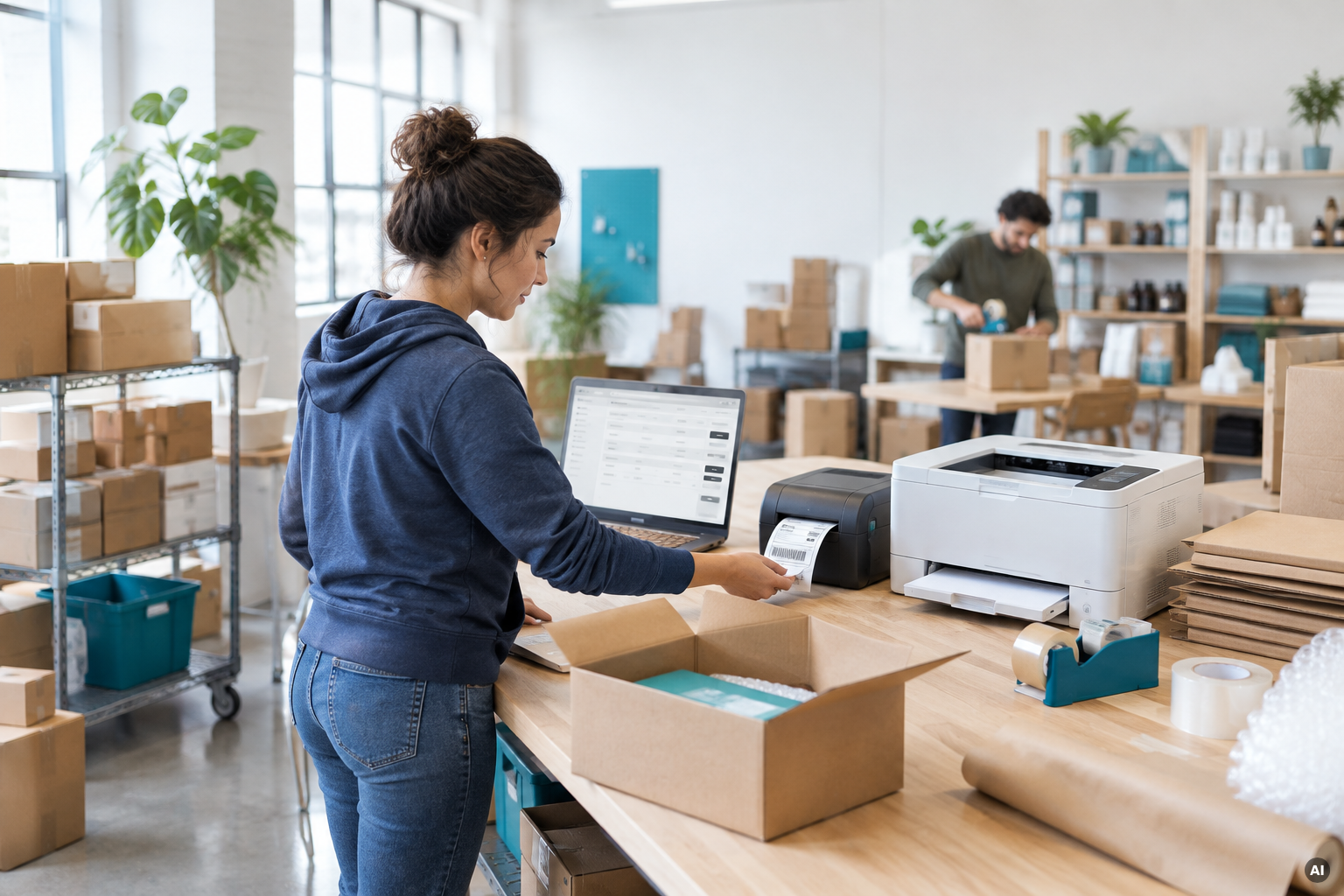
When a customer places an order in Shopify, the fulfillment process can start immediately. Packing slips and shipping labels can print automatically at the fulfillment station, without anyone having to click Print. Instead of manually opening orders, switching between tabs, and printing documents one by one, your team can focus on picking, packing, and shipping.
As order volumes grow, this kind of automation becomes increasingly valuable. What works for a store processing 50 orders a day can quickly become a bottleneck at 500.
This blog post explains how Shopify merchants can automate order printing, which documents can be printed, and how to set it all up without a local print server.
Automatic Shopify order printing works by triggering a print job whenever a new order is created. Using the ezeep cloud printing API, an integration receives the Shopify order event and sends the packing slip and shipping label to the designated printers. Documents are rendered in the cloud and printed directly at the fulfillment station, without a local print server or printer drivers.
Why manual order printing becomes a bottleneck as your business grows
Printing orders manually may be manageable when you're processing a few dozen orders a day. But as volumes increase, the same repetitive steps start taking up a significant amount of time.
For every order, an employee typically needs to open the order details, print the packing slip, switch to the shipping carrier's system, print the shipping label, and move on to the next order.
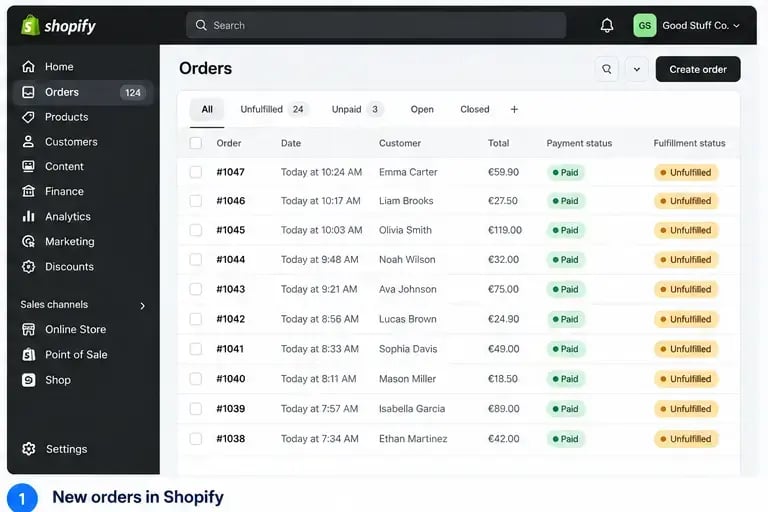
At higher volumes, these extra steps slow down fulfillment and increase the risk of errors. During busy periods, it's easier to accidentally mismatch a shipping label, overlook a packing slip, or delay an order simply because the paperwork hasn't been printed yet.
Automating this process eliminates the need for employees to initiate each print job manually. Instead, printing happens as soon as the order is created, so the required documents are already waiting at the packing station when the team needs them.
How automatic Shopify order printing works
With ezeep, Shopify orders can trigger print jobs automatically through an integration between Shopify and the ezeep API.
The process starts when Shopify creates a new order. This generates an orders/create webhook event or triggers an automation through Shopify Flow. The integration then sends the packing slip and shipping label to the ezeep API, specifying the printer at the relevant fulfillment station.
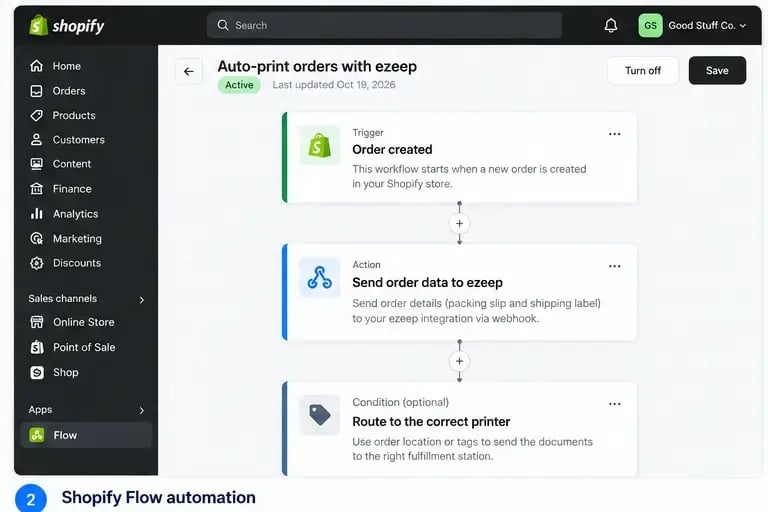
ezeep handles the cloud rendering and delivers the print jobs to the designated printers. No one needs to open the order or manually start printing.
Because the entire process is triggered by the order event, it works independently of when your fulfillment team is available. For example, if a customer places an order at 2 a.m., the paperwork can already be waiting at the packing station when the morning shift begins.
The integration handles the connection between the Shopify event and the print request, while ezeep takes care of delivering the documents to the correct physical printer.
Print packing slips and shipping labels automatically
A typical fulfillment station uses different printers for different documents. Packing slips usually go to a standard office printer, while shipping labels are printed on a dedicated thermal label printer.
With the ezeep API, both documents can be printed automatically from the same Shopify order event, with each print job directed to its designated printer.
For example, the packing slip can print on a laser printer at the fulfillment station, while the ZPL shipping label is sent to a Zebra thermal printer nearby. Both documents are ready for the employee without any manual printing steps.
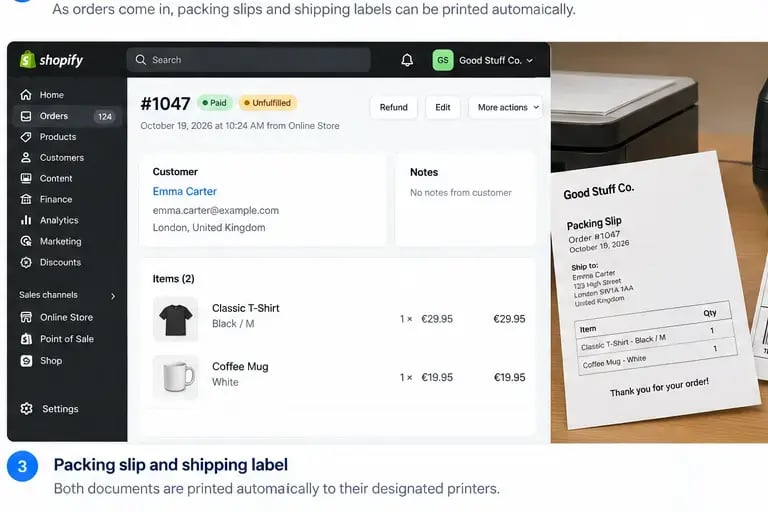
This is particularly useful for label printing, where thermal printers are often located directly on packing lines rather than near a central server.
By sending ZPL print jobs through the ezeep API over an outbound connection, label printers can be used wherever a suitable network connection is available.
Automate Shopify order printing without a print server
Traditional printing setups often rely on local print servers, installed drivers, and print spoolers to deliver documents to printers. These components add administrative overhead and can become points of failure, especially during busy fulfillment periods.
ezeep takes a different approach. Print jobs are rendered in the cloud and delivered to the printers through a small connected ezeep Hub using an outbound-only connection.
This eliminates the need for a local print server, locally installed printer drivers, or a VPN connection between your systems and printers. It also removes the dependency on a local Windows Print Spooler that could otherwise interrupt printing during high-volume operations.
For growing Shopify businesses, this means less infrastructure to manage and fewer components that need maintenance or troubleshooting.
The same approach also works across multiple fulfillment locations.
For example, a Shopify Plus merchant operating several warehouses can configure the integration to send each order's packing slip and shipping label to the printers at the warehouse responsible for shipping that order.
Because printer routing is handled by the integration, adding another fulfillment location simply means configuring the corresponding printer targets rather than deploying another print server.
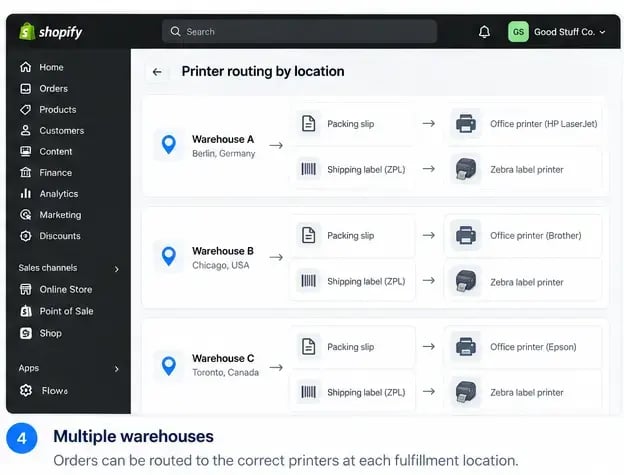
This makes it possible to automate printing across multiple warehouses while keeping the printing infrastructure centralized in the cloud.
Make Shopify Order Printing Part of Your Automated Workflow
As order volumes grow, printing shouldn't slow down your fulfillment process. By connecting Shopify with ezeep, you can automate the printing of packing slips and shipping labels, send documents to the right printers, and support multiple fulfillment locations without relying on local print servers. The result is a more efficient workflow with fewer manual steps and less infrastructure to manage, allowing your team to focus on getting orders out the door.
