By Adam Hill on November 3, 2026

In offices, coworking spaces, and other workplaces, a familiar piece of print infrastructure is being replaced: the Windows print box. That small PC or NUC running a print connector, often tucked away under a desk or behind a monitor, is giving way to a dedicated ezeep Hub.
The reason is straightforward. A dedicated cloud printing hub does the job without the maintenance overhead of a full Windows PC.
The Problem with Windows-Based Print Connectors
Most organizations never set out to use a Windows PC as part of their printing infrastructure. It was simply a convenient solution. Take a spare machine, install a print connector, and leave it running somewhere out of sight.
And for the most part, it worked. Until it didn't.
Even when its only purpose is to handle print jobs, a Windows PC still requires the attention and maintenance of a full Windows installation. That brings several familiar challenges:
- Windows updates and unexpected downtime. An overnight update can trigger a reboot, potentially leaving the front desk or office unable to print until someone investigates.
- Updates at inconvenient times. Windows update schedules don't necessarily align with business operations, creating the risk of interruptions when printing is needed.
- Physical maintenance. A mini-PC still needs power, space, and a suitable environment. When it's tucked under a desk or behind other equipment, dust, heat, and accessibility can become problems.
These aren't necessarily printing problems. They're the consequences of relying on a general-purpose Windows PC for a dedicated infrastructure task.
Why IT Teams and Coworking Operators Want an Alternative
For IT administrators managing printing across multiple offices, campuses, or customer locations, every Windows print box adds another endpoint to maintain. It needs patching, monitoring, and occasional troubleshooting. It's just another device on the vulnerability scan and another potential point of failure.
Coworking operators face a slightly different challenge. In shared workspaces, printer problems often land on the desk of the community manager rather than a dedicated IT department. When a Windows print box restarts for an update during business hours, members may suddenly be unable to print. Someone on-site then has to figure out what happened.
The environments may be different, but the underlying issue is the same: a general-purpose operating system introduces maintenance requirements for a task that doesn't need one.
How the ezeep Hub Simplifies Print Infrastructure
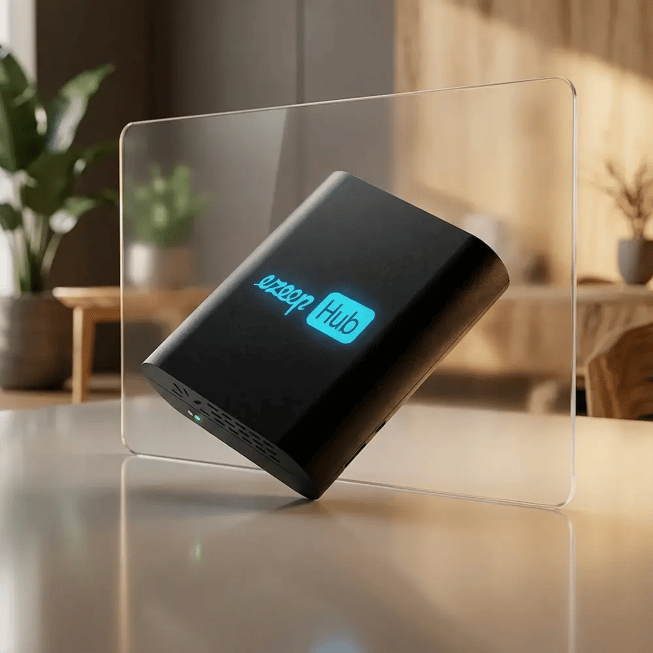
A dedicated ezeep Hub replaces the Windows-based print connector with hardware designed specifically for cloud printing.
The benefit isn't necessarily a longer list of features. It's the elimination of several common maintenance headaches:
- No general-purpose Windows OS to patch. The hub doesn't require the Windows maintenance associated with a conventional print box.
- No Windows update interruptions. Printing no longer depends on a PC that may restart as part of its operating system's update schedule.
- Less hardware to maintain on-site. There's no separate Windows mini-PC that needs to be kept running and maintained.
- Centralized management. The hubs can be managed centrally rather than requiring local administration of individual Windows machines.
Instead of maintaining a computer that happens to run a print connector, IT teams can use a dedicated device built for the task. It's a simpler approach to the same job, with fewer moving parts to worry about.
One Less Windows Machine to Worry About
For organizations replacing Windows print boxes with dedicated cloud printing hardware, the motivation often comes down to one thing: reducing unnecessary maintenance.
No one wants to spend time troubleshooting an operating system when all they need is reliable printing.
Whether it's an IT administrator responsible for multiple locations or a coworking operator trying to keep members productive, removing a Windows PC from the printing setup eliminates an entire category of potential problems.
If your cloud printing infrastructure still depends on a Windows PC staying powered on, patched, and available, it may be time to reconsider whether that PC needs to be there at all.
The ezeep Hub offers an alternative: dedicated cloud printing hardware with centralized management, without the ongoing maintenance of a Windows print box.